The world of AI development is shifting from “chatbots that talk” to “agents that act.” But as any developer knows, the biggest hurdle isn’t getting an LLM to reason—it’s giving it the specific, up-to-date knowledge it needs to execute professional tasks without bloating its context window.
To solve this, developers are increasingly turning to Microsoft Agent Skills. This open-source framework is more than just a collection of prompts; it is a standardized system for packaging domain expertise into portable, reusable modules. Whether you are building with GitHub Copilot, Claude Code, or custom Python agents, Microsoft Agent Skills provide the “brain upgrades” your AI needs to master Azure, AI Foundry, and complex coding workflows.
In this guide, we’ll explore how to leverage Microsoft Agent Skills to build smarter, more efficient AI agents while keeping your token costs low and your outputs surgical.
What Exactly Are Microsoft Agent Skills?
At its core, Microsoft Agent Skills is an open-standard specification for defining modular AI capabilities. Instead of stuffing 50 pages of documentation into a system prompt (which leads to “context rot” and hallucinations), you package that knowledge into a skill.
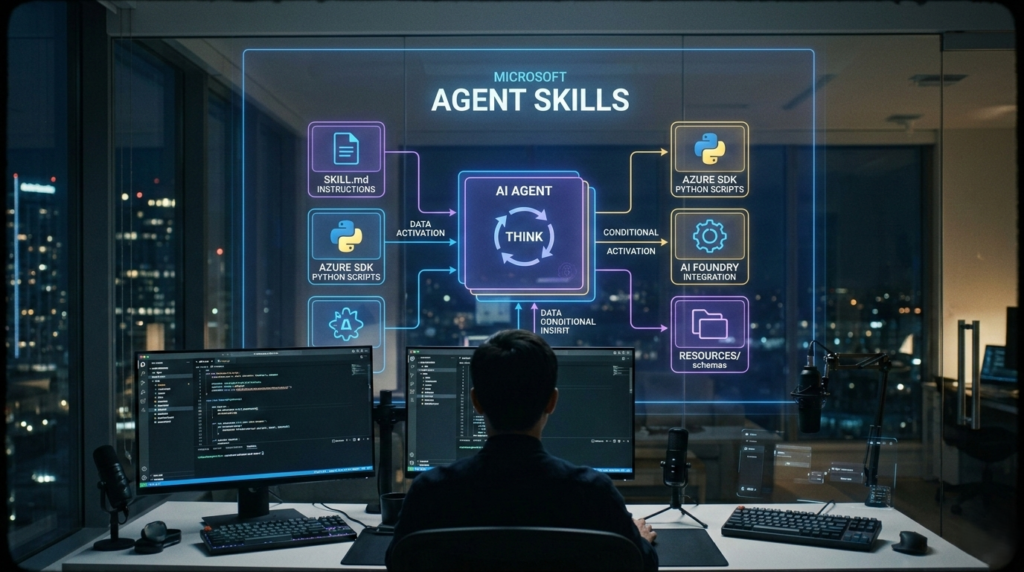
A skill is a self-contained directory containing:
- SKILL.md: The primary instruction set, using YAML frontmatter for discovery.
- Scripts: Executable code (Python, Node, or Bash) that the agent can run to perform deterministic tasks.
- Resources: Reference data, API schemas, and templates that the agent loads only when needed.
The Power of Progressive Disclosure
The genius of the Microsoft Agent Skills framework lies in progressive disclosure. This ensures your agent stays fast and focused, loading only what is essential for the current turn.
Key Features of the Agent Skills Repository
The official repository for Microsoft Agent Skills is currently packed with over 130 pre-built skills. These are designed to help AI assistants navigate the vast ecosystem of Microsoft services.
1. Azure SDK Specialization
The repository offers deep coverage for Azure services. When using Microsoft Agent Skills, you gain access to the latest SDK patterns for Cosmos DB, Blob Storage, and Event Hubs, ensuring your agent writes production-ready code.
2. AI Foundry Integration
For developers building next-gen AI, the repo includes specialized Microsoft Agent Skills for AI Foundry. These help agents manage project clients, versioned agents, and evaluation pipelines using the azure-ai-projects SDK.
3. Core “Tooling” Skills
Beyond cloud services, there are core Microsoft Agent Skills that improve the agent’s meta-cognition:
- Skill Creator: A skill that helps the agent write new skills for your specific needs.
- GitHub Issue Creator: Converts error logs into structured, professional GitHub issues.
- MCP Builder: Helps agents build Model Context Protocol (MCP) servers.
Agent Skills vs. Traditional AI Methods
Why prioritize Microsoft Agent Skills over a standard RAG setup?
| Feature | System Prompts | Standard RAG | Microsoft Agent Skills |
| Context Usage | High (Static) | Variable | Low (On-Demand) |
| Portability | Hard-coded | Backend-dependent | Highly Portable |
| Logic | Text-only | Retrieval-only | Instructions + Scripts |
By using Microsoft Agent Skills, you transition from “hoping the AI remembers” to “giving the AI a manual and the tools to use it.”
How to Get Started with Agent Skills
Implementing Microsoft Agent Skills in your workflow is straightforward, especially if you are using modern AI coding assistants.
Step 1: Clone and Explore
First, clone the official repository:
Bash
git clone https://github.com/microsoft/skills.git
Browse the .github/skills/ directory to see the available Microsoft Agent Skills.
Step 2: Install Skills in Your Project
To give your agent a specific capability, copy the relevant folder into your project’s local skills directory.
- GitHub Copilot: Copy to
.github/skills/ - Claude Code: Copy to
.claude/skills/
Step 3: Natural Language Activation
You don’t need to manually trigger Microsoft Agent Skills. Because of the YAML metadata, the agent will automatically detect when a user’s request matches a skill’s description.
Best Practices for Custom Skills
If you want to create custom MAS for your organization’s internal APIs, follow these professional guidelines:
- Surgical Changes Only: Instruct your agent to touch only what is necessary.
- Think Before Coding: Every skill should include a “Think” phase where the agent states its assumptions.
- Use Descriptive Metadata: The
descriptionin your YAML is what triggers the Microsoft Agent Skills logic.
Conclusion: The Future is Modular
The Microsoft Agent Skills framework is a major step forward in making AI assistants truly useful in a professional environment. By moving away from monolithic prompts and toward modular, on-demand expertise, developers can build agents that are more accurate and easier to maintain.
Integrating Microsoft Agent Skills into your development stack will fundamentally change how you interact with AI. Start small by adding a few Azure skills to your next project, and watch your AI’s productivity soar.