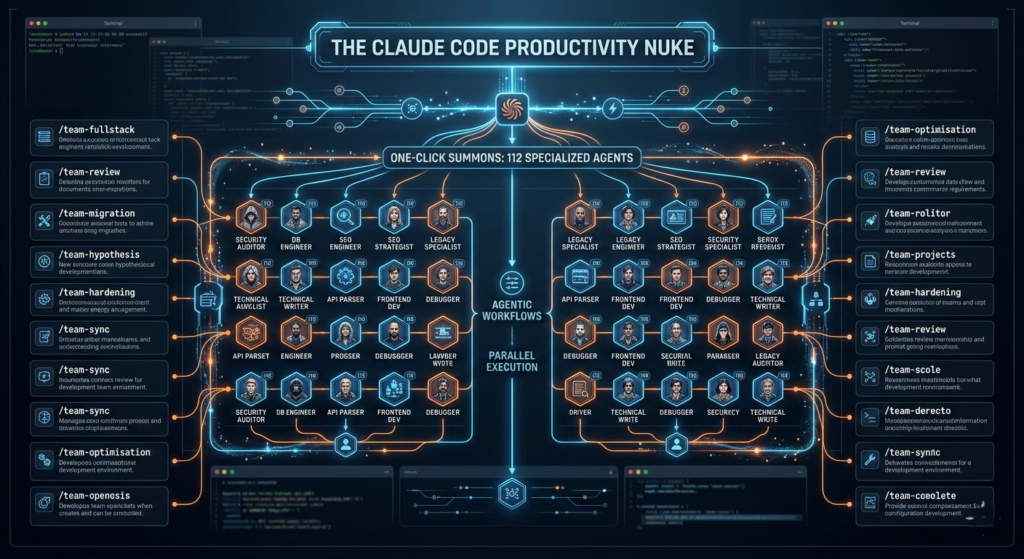
The landscape of software development just shifted. If you’ve been using AI as a simple autocomplete tool, you are essentially bringing a knife to a supernova fight. The release of Claude Code Agent Teams and the expansion of agentic workflows have introduced what many are calling a “productivity nuke.”
Imagine a single command that doesn’t just write a function, but summons an entire department. We are talking about the ability to orchestrate 112 specialized agents across 16 distinct team workflows, transforming hours of manual, sequential coding into minutes of parallel execution.
In this guide, we’ll break down how to harness these advanced Claude Code agentic workflows to build, debug, and scale your technical projects at a velocity previously thought impossible.
What is the Claude Code “Productivity Nuke”?
The term “Productivity Nuke” refers to the transition from single-threaded AI chat to multi-agent orchestration. With the latest updates to Claude Opus 4.6 and the Claude Code CLI, developers can now trigger complex, parallel operations.
Instead of one AI assistant, you are now managing a Team Lead that spawns specialized Teammates. These aren’t just sub-prompts; they are independent Claude instances with their own context windows, tool access, and a peer-to-peer communication system.
The Core Architecture of Agentic Workflows
To understand why Claude Code agentic workflows are so effective, you have to look at the three-tier hierarchy:
- The Team Lead: The primary session that analyzes the high-level goal and creates the execution plan.
- Specialized Agents: 112 pre-configured experts (e.g., Security Auditor, Database Engineer, SEO Strategist) that can be summoned for specific domains.
- Workflow Orchestrators: 16 preset frameworks (like
/team-reviewor/team-fullstack) that define how these agents interact.
16 Power Workflows: From Debugging to Deployment
The true power of Claude Code agentic workflows lies in the presets. These 16 workflows allow you to automate the “boring” parts of development so you can focus on high-level architecture.
| Workflow Name | Primary Function | Agents Involved |
| Full-Stack Feature | Build end-to-end features across the stack. | Frontend, Backend, DB Architect |
| Parallel Code Review | Simultaneous audit for security, logic, and style. | Security, QA, Style-Bot |
| Hypothesis Debugging | Test multiple root-cause theories at once. | Debugger, Logs Expert, Systems Lead |
| Security Hardening | Scan for OWASP vulnerabilities and secrets. | SecOps, Pentester |
| Migration Stream | Port legacy codebases to modern frameworks. | Legacy Specialist, Refactor Agent |
| Documentation Sync | Keep READMEs and API docs in sync with code. | Technical Writer, API Parser |
By utilizing Claude Code agentic workflows, you can run a /team-review across your entire src/ directory, where three different agents simultaneously analyze your code for performance bottlenecks, security flaws, and architectural consistency.
Mastering the 112 Specialized Agents
The “112 Agents” isn’t a marketing hyperbole—it represents a granular library of Agent Skills. These skills are modular knowledge packages that Claude loads only when necessary, keeping token usage efficient while maintaining deep expertise.
Why 112 Agents Matter
- Domain Specificity: You don’t want a general-purpose AI writing your Kubernetes manifests. You want an agent with the “K8s-Security” skill.
- Reduced Hallucinations: Because each agent has a narrow scope and specific resources (via
CLAUDE.md), they are significantly more accurate than a single “jack-of-all-trades” model. - Parallel Problem Solving: In a complex Claude Code agentic workflow, the “Database Agent” can optimize your SQL queries while the “Frontend Agent” is busy refactoring your React components.
Actionable Strategy: Setting Up Your First Agent Team
Ready to drop the nuke on your backlog? Follow this setup to enable Claude Code agentic workflows in your local environment.
Step 1: Initialize the Environment
Ensure you are on the latest version of Claude Code and initialize your project context.
Bash
claude /init
This creates a CLAUDE.md file. Pro Tip: Treat this file as your team’s “Source of Truth.” Define your coding standards here so every spawned agent follows them perfectly.
Step 2: Enable Experimental Teams
As of early 2026, agent teams are an experimental feature. You may need to set the environment variable:
Bash
export CLAUDE_AGENT_TEAMS=1
Step 3: Run a Multi-Agent Command
Try a parallel review to see the Claude Code agentic workflows in action:
Bash
claude /team-review --reviewers security,performance,architecture
You will see the terminal split as different agents begin their specialized audits simultaneously.
Token Efficiency: Managing the Cost of Power
With great power comes a high token bill. Running 16 agents at once can consume tokens up to 7x faster than a single session. To keep your Claude Code agentic workflows cost-effective:
- Use the /compact Command: Regularly compress your history to remove irrelevant context.
- Leverage Plan Mode: Use
/planfor research tasks. It’s a read-only mode that helps you refine your prompt before the agents start “burning” tokens on code edits. - Targeted Summoning: Don’t summon the whole team if you only need a specialized agent. Use
@to mention specific skills or agents.
Comparison: Subagents vs. Agent Teams
Understanding the difference is key to mastering Claude Code agentic workflows.
- Subagents (Hub-and-Spoke): Great for small, isolated tasks. The parent spawns a worker, the worker finishes and dies. Workers cannot talk to each other.
- Agent Teams (Peer-to-Peer): Ideal for complex features. Teammates are persistent, have a shared task list, and can communicate through a “mailbox” system to coordinate cross-module changes.
The Future of “Human in the Loop”
The goal of Claude Code agentic workflows isn’t to replace the developer, but to elevate them to a “System Architect” role. You are no longer just writing lines of code; you are directing a high-performing digital workforce.
By automating the routine—the unit tests, the documentation, the boilerplate, and the basic debugging—you reclaim the mental bandwidth to solve the truly hard problems. That is the ultimate promise of the productivity nuke.