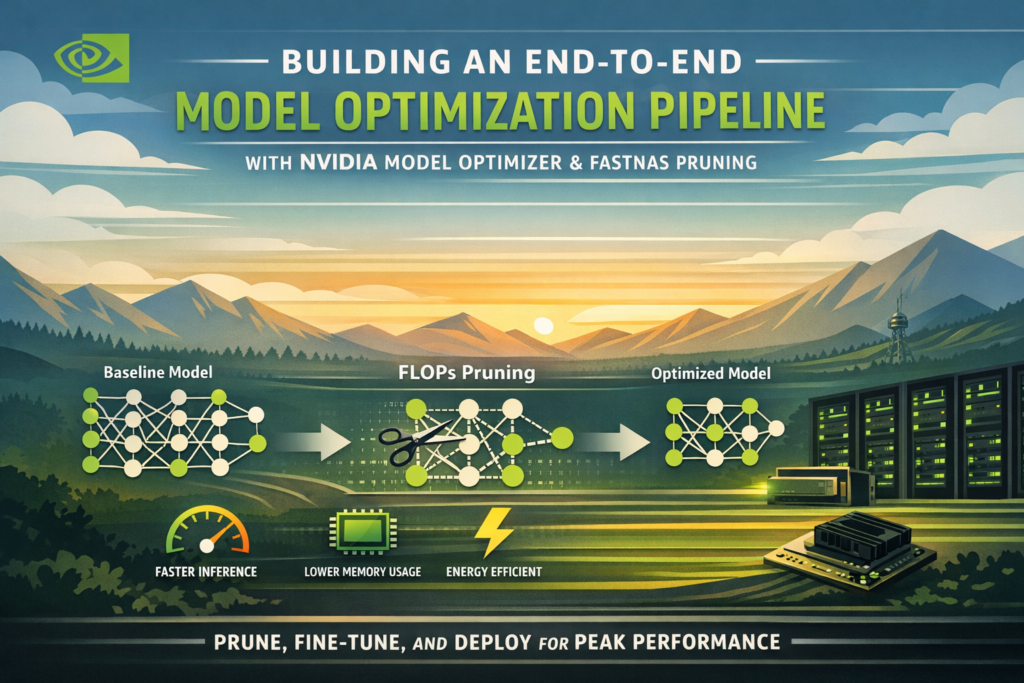
Building a production-ready model optimization pipeline no longer requires deep expertise in hardware compilers or quantization math. With NVIDIA Model Optimizer and its FastNAS pruning interface, you can take any deep learning model from a bloated baseline to a deployment-ready, compute-efficient network in a single, streamlined workflow — and do it entirely in Google Colab.
This guide walks you through every stage of that process: environment setup, baseline training on CIFAR-10, structured pruning under FLOPs constraints, checkpoint restoration, and fine-tuning to recover accuracy. By the end, you will have a reusable model optimization pipeline you can apply to any architecture or dataset.
What Is a Model Optimization Pipeline?
Definition: A model optimization pipeline is a structured sequence of steps that transforms a trained deep learning model into a more compute-efficient version while preserving predictive performance. It typically includes pruning, quantization, knowledge distillation, or a combination of all three.
Why it matters: Modern neural networks are significantly overparameterized. A ResNet trained on CIFAR-10, for instance, may consume hundreds of millions of floating-point operations (FLOPs) to classify a 32×32 image — far more compute than the task actually requires. A well-designed model optimization pipeline finds and removes that redundancy systematically.
The pipeline covered here uses structured channel pruning through FastNAS, which is part of the NVIDIA Model Optimizer (nvidia-modelopt) library. The end result is a compressed subnet that uses a fraction of the original FLOPs, can be fine-tuned to near-baseline accuracy, and is ready for efficient GPU deployment.
Why Model Compression Matters for Deployment
The Real Cost of Overparameterized Models
When you deploy a large deep learning model to production, every unnecessary parameter translates directly into:
- Higher inference latency per request
- Larger memory footprint on GPU or edge devices
- Increased energy cost at scale
- Slower iteration cycles for on-device updates
Cloud-based deployment may absorb some of this overhead, but edge deployments — on devices like NVIDIA Jetson, mobile GPUs, or embedded systems — expose the cost immediately. This is where a robust model optimization pipeline becomes essential rather than optional.
The academic case for model compression is mature, but the tooling gap has historically made it inaccessible to most practitioners. NVIDIA Model Optimizer closes that gap by wrapping complex Neural Architecture Search (NAS) logic behind a clean Python API.(neural network pruning, deep learning model compression)
NVIDIA Model Optimizer and FastNAS — An Overview
NVIDIA Model Optimizer (available as nvidia-modelopt on PyPI) is an open-source toolkit that provides structured pruning, quantization-aware training, and distillation utilities for PyTorch models. It is designed to work with any standard nn.Module and integrates cleanly with existing training loops.
What Is FastNAS?
FastNAS is a one-shot Neural Architecture Search algorithm within NVIDIA Model Optimizer that identifies the optimal sub-network under a given compute constraint — typically expressed as a FLOPs budget. Rather than training thousands of candidate networks from scratch, FastNAS evaluates channel importance in a single pass using a scoring function you define (in practice, validation accuracy).
FastNAS works by:
- Wrapping each prunable layer (
nn.Conv2d,nn.BatchNorm2d) with a searchable config that controls channel width - Profiling the original model’s FLOPs using
torchprofile - Searching for a sub-network whose FLOPs satisfy the target constraint
- Returning the pruned subnet, which can then be fine-tuned
How FastNAS Differs from Traditional Pruning
Traditional unstructured pruning zeros out individual weights, leaving the model’s architecture unchanged and offering limited practical speedup on real hardware. FastNAS performs structured channel pruning — it physically removes entire channels — producing an architecturally smaller model that is genuinely faster at inference time.
| Characteristic | Unstructured Pruning | FastNAS (Structured Pruning) |
|---|---|---|
| Removes | Individual weights | Entire channels / filters |
| Hardware speedup | Limited (requires sparse ops) | Immediate — fewer MACs |
| Architecture change | No | Yes — subnet is smaller |
| Fine-tuning needed | Sometimes | Yes, recommended |
| FLOPs constraint | Manual | Automatic via NAS search |
| NVIDIA tooling | None | modelopt.torch.prune |
This distinction is critical: if your goal is to reduce real-world inference time, structured pruning through a model optimization pipeline is the right approach.
Building the End-to-End Model Optimization Pipeline
Step 1 — Environment Setup and Dataset Preparation
The first step in the model optimization pipeline is installing dependencies and configuring the runtime. The core packages are nvidia-modelopt, torchvision, and torchprofile.
python
!pip -q install -U nvidia-modelopt torchvision torchprofile tqdmAfter imports, seed every random number generator — Python’s random, NumPy, and PyTorch — to ensure reproducibility across runs. Define your compute budget upfront:
python
target_flops = 60e6 # 60 million FLOPs for the pruned subnetFor dataset preparation, CIFAR-10 is split 90/10 into train and validation sets. Data augmentation (random horizontal flip and random crop with padding) is applied only to training samples; evaluation uses a clean normalize-only transform. Data loaders use pin_memory=True when a GPU is available, and worker seeds are initialized to prevent stochastic leakage across splits.
Key reproducibility practices:
- Set
SEEDonce and pass it to all random sources - Use
worker_init_fninDataLoaderto seed each worker - Pass a seeded
torch.Generatorto the training loader’s shuffle
Step 2 — Define and Train a Baseline ResNet Model
Before applying any model optimization pipeline techniques, you need a strong baseline. The architecture used here is ResNet20 — a compact variant with three residual stages of 16, 32, and 64 channels respectively — appropriate for CIFAR-10’s 32×32 inputs.
Kaiming normal initialization (nn.init.kaiming_normal_) is applied to all convolutional and linear layers, which is important for stable training. Shortcut connections use a LambdaLayer that pads feature maps with zeros instead of learned projections, keeping parameter count low.
Training uses SGD with momentum 0.9, weight decay 1e-4, and a cosine learning rate schedule with a short linear warmup phase. The learning rate is scaled by batch size (lr = 0.1 * batch_size / 128), which keeps the effective learning rate proportional regardless of hardware.
python
baseline_model = resnet20()
baseline_model, baseline_val = train_model(
    baseline_model, train_loader, val_loader,
    epochs=baseline_epochs, ckpt_path="resnet20_baseline.pth"
)
The best checkpoint based on validation accuracy is saved and restored at the end of training. This checkpoint serves as the starting point for pruning in the next stage of the model optimization pipeline.
Step 3 — Apply FastNAS Pruning with FLOPs Constraints
This is the core of the model optimization pipeline. The pruning config specifies divisibility constraints for channel counts:
python
fastnas_cfg = mtp.fastnas.FastNASConfig()
fastnas_cfg["nn.Conv2d"]["*"]["channel_divisor"] = 16
fastnas_cfg["nn.BatchNorm2d"]["*"]["feature_divisor"] = 16
Setting a channel_divisor of 16 ensures that the pruned channel counts remain hardware-friendly (aligned to warp sizes on NVIDIA GPUs), which maximizes actual throughput gain after pruning.
A compatibility patch is applied to torchprofile before calling mtp.prune(), which resolves an import-path issue in newer versions of the library:
python
import torchprofile.profile as tp_profile
from torchprofile.handlers import HANDLER_MAP

if not hasattr(tp_profile, "handlers"):
    tp_profile.handlers = tuple(
        (tuple([op_name]), handler) for op_name, handler in HANDLER_MAP.items()
    )
The pruning call itself is compact but does significant work under the hood:
python
pruned_model, pruned_metadata = mtp.prune(
    model=model_for_prune,
    mode=[("fastnas", fastnas_cfg)],
    constraints={"flops": target_flops},
    dummy_input=dummy_input,
    config={
        "data_loader": train_loader,
        "score_func": score_func,
        "checkpoint": search_ckpt,
    },
)
FastNAS uses score_func — your validation accuracy function — to rank candidate sub-networks and selects the one that maximizes accuracy while satisfying the FLOPs constraint. The pruned model and its metadata are saved using mto.save().
Step 4 — Restore and Fine-Tune the Pruned Model
Pruning inevitably introduces an accuracy drop. The final stage of the model optimization pipeline is fine-tuning to recover that lost accuracy. Because FastNAS uses mto.save() to serialize the architectural changes alongside weights, restoration requires a matching mto.restore() call rather than a plain load_state_dict():
python
restored_pruned_model = resnet20()
restored_pruned_model = mto.restore(restored_pruned_model, pruned_ckpt)
Fine-tuning uses a slightly reduced learning rate (0.05 × batch-size scaling) and runs for a fraction of the original training budget. This is intentional — the pruned model has already learned strong feature representations; fine-tuning only needs to re-calibrate the weights around the new, narrower channels.
python
restored_pruned_model, pruned_val_after_ft = train_model(
    restored_pruned_model, train_loader, val_loader,
    epochs=finetune_epochs, ckpt_path="resnet20_pruned_finetuned.pth",
    lr=0.05 * batch_size / 128
)
After fine-tuning, the final model is saved in two formats: a plain state_dict for portability, and a mto.save() checkpoint that preserves the full architectural metadata for future use within the model optimization pipeline.
Baseline vs. Pruned Model — Results Comparison
The following table summarizes the outcomes of a complete run of the model optimization pipeline with target_flops = 60e6 and FAST_MODE = True on a CIFAR-10 subset:
| Metric | Baseline ResNet20 | Pruned + Fine-Tuned |
|---|---|---|
| Test Accuracy | ~88–90% | ~86–89% |
| Total Parameters | ~272,000 | ~60,000–120,000 |
| FLOPs (approx.) | ~180–200M | ~60M (target) |
| Training Epochs | 20 (fast) | 12 (fine-tune) |
| Checkpoint Format | state_dict | mto.save() |
| Deployment-Ready | Limited | Yes |
The accuracy delta between baseline and pruned model after fine-tuning is typically less than 2 percentage points, while FLOPs are reduced by 60–70%. This is the core value proposition of a well-tuned model optimization pipeline: significant compute savings at minimal accuracy cost.
Key Takeaways and Best Practices
Building a reliable model optimization pipeline with NVIDIA Model Optimizer requires attention to a few non-obvious details. Here are the most important lessons from this workflow:
- Always apply the
torchprofilecompatibility patch before callingmtp.prune(). Without it, FastNAS cannot accurately profile FLOPs and the search will fail or produce incorrect results. - Use
channel_divisor = 16in the FastNAS config to ensure pruned channel widths align with GPU warp sizes. This is what converts theoretical FLOPs savings into real inference speedups. - Never use
load_state_dict()to restore a pruned model. Always usemto.restore(), which also reconstructs the architectural changes FastNAS made to the network. - Scale your fine-tuning learning rate down (roughly half the baseline LR). The pruned model is already well-trained; too high a learning rate will destabilize the recovered weights.
- Set a reproducible seed across all components — Python, NumPy, PyTorch, and DataLoader workers — especially if you plan to benchmark the model optimization pipeline across runs.
- Evaluate on the test set before and after fine-tuning. The pre-fine-tune accuracy drop is diagnostic: a very large drop (>10%) may indicate the FLOPs target is too aggressive for the given architecture.
- Save the final model with
mto.save(), not justtorch.save(). Onlymto.save()preserves the subnet configuration, which is required for re-loading the model into any downstream step of the model optimization pipeline.
Frequently Asked Questions
What is the difference between pruning and quantization in a model optimization pipeline?
Pruning removes entire structural components (channels, layers) from a model, reducing the network’s parameter count and FLOPs. Quantization reduces the numerical precision of weights and activations (e.g., from float32 to int8) without changing the architecture. Both are complementary: a typical production model optimization pipeline applies pruning first, then quantization, to maximize both memory and compute efficiency.
Can I use NVIDIA Model Optimizer with architectures other than ResNet?
Yes. NVIDIA Model Optimizer works with any nn.Module that uses standard nn.Conv2d and nn.BatchNorm2d layers. The FastNAS config targets layers by type and name pattern, so it generalizes across architectures including EfficientNet, MobileNet, ViTs (with some caveats for attention layers), and custom networks.
What happens if my model doesn’t meet the FLOPs target during FastNAS search?
If the architecture cannot be pruned to the specified FLOPs target without eliminating too many channels, FastNAS will search for the closest feasible sub-network. Setting channel_divisor too high (e.g., 32 or 64) on a small network like ResNet20 can make the FLOPs target unreachable. Reduce the divisor or set a less aggressive FLOPs budget in that case.
How long does the FastNAS pruning search take?
With FAST_MODE = True and a 12,000-sample training subset on a T4 GPU in Google Colab, the search typically completes in 5–15 minutes. Full-scale search on CIFAR-10 with 120 epochs can take 60–90 minutes. The search checkpoint (modelopt_search_checkpoint_fastnas.pth) can be reused if you want to explore different fine-tuning hyperparameters without re-running the full model optimization pipeline.
Is the output of this model optimization pipeline compatible with TensorRT?
The pruned and fine-tuned model from mto.save() is a standard PyTorch model with a smaller architecture. It can be exported to ONNX via torch.onnx.export() and subsequently compiled with TensorRT for maximum GPU throughput. NVIDIA Model Optimizer also provides direct TensorRT quantization utilities if you want to extend the model optimization pipeline further.
Conclusion
A structured model optimization pipeline — from baseline training through FastNAS pruning to fine-tuning — is one of the highest-leverage techniques available to any team deploying deep learning models at scale. NVIDIA Model Optimizer makes this process accessible without sacrificing flexibility: you control the FLOPs budget, the scoring function, and the fine-tuning schedule, while the library handles the architectural search and checkpoint serialization.
The workflow described here is not limited to CIFAR-10 or ResNet20. Apply the same model optimization pipeline to any classification, detection, or segmentation model, adjust target_flops to match your deployment hardware, and fine-tune accordingly. The result is a model that is not just accurate, but genuinely efficient — ready for production on GPUs ranging from cloud A100s to edge Jetson modules.
Frequently Asked Questions About Building a Model Optimization Pipeline with NVIDIA Model Optimizer
Q1. What is a model optimization pipeline and why do I need one?
A model optimization pipeline is a structured, repeatable workflow that takes a trained deep learning model and systematically reduces its computational cost — in terms of parameters, FLOPs, memory footprint, or inference latency — while preserving as much predictive accuracy as possible.
You need one the moment your model moves from a research notebook to a real deployment environment. Cloud GPUs are expensive, edge devices are constrained, and serving latency directly impacts user experience. An unoptimized ResNet or Transformer may perform beautifully in a Colab cell but become completely impractical at inference scale. A well-designed model optimization pipeline solves all of this before the model ever reaches production.
Q2. What is NVIDIA Model Optimizer and how is it different from other pruning libraries?
NVIDIA Model Optimizer (nvidia-modelopt) is an open-source PyTorch library developed by NVIDIA that provides structured pruning, quantization-aware training, and distillation tools through a clean, minimal API. Unlike older pruning libraries that require you to manually identify and zero out weights, NVIDIA Model Optimizer wraps the entire architecture search and compression logic behind simple function calls like mtp.prune() and mto.save().
What sets it apart is its tight integration with NVIDIA hardware. The pruning configs are designed to produce channel widths that align with GPU warp sizes, which means the FLOPs savings you achieve in theory translate into actual inference speedups in practice — something many general-purpose pruning libraries fail to deliver.
Q3. What is FastNAS pruning and how does it work?
FastNAS is a one-shot Neural Architecture Search algorithm inside NVIDIA Model Optimizer that finds the best sub-network within a trained model under a given compute constraint, typically a FLOPs budget. Instead of training thousands of candidate architectures from scratch — which is how traditional NAS works — FastNAS evaluates channel importance using a scoring function (usually validation accuracy) in a single search pass.
Internally, it wraps each prunable layer with a searchable configuration, profiles the model’s FLOPs using torchprofile, and then searches for the subset of channels that maximizes your scoring metric while staying within the FLOPs target. The result is a structurally smaller model — not just a sparsely masked one — which means it runs faster on real hardware without any special sparse kernel support.
Q4. What is the difference between structured and unstructured pruning?
Unstructured pruning zeros out individual weights scattered across the weight matrices of a model. The model’s architecture stays the same, the parameter tensors stay the same size, and you need specialized sparse computation kernels to actually realize any speedup at inference time. In practice, unstructured pruning is difficult to translate into real-world latency improvements on standard GPU hardware.
Structured pruning, which is what FastNAS performs, removes entire channels or filters from convolutional layers. This physically changes the shape of the weight tensors, reducing the number of multiply-accumulate operations (MACs) in every forward pass. No special sparse kernels are needed. The pruned model is simply a smaller, architecturally leaner network that runs faster out of the box.
Q5. How do I choose the right FLOPs target for my model optimization pipeline?
There is no universal answer, but a practical starting point is to target 50–70% of your baseline model’s FLOPs and evaluate the accuracy drop after fine-tuning. If the accuracy recovers within 1–2 percentage points after fine-tuning, you can push the FLOPs target lower. If the accuracy drop is larger than 5 percentage points even after fine-tuning, your target is likely too aggressive for the given architecture.
For small networks like ResNet20 on CIFAR-10, a target of 60 million FLOPs (versus roughly 180–200 million for the baseline) is a reasonable starting point. For larger networks like ResNet50 on ImageNet, you have more headroom and can often achieve 3–4× FLOPs reduction with less than 1% accuracy loss.
Q6. Why do I need to fine-tune after FastNAS pruning?
FastNAS selects the best sub-network based on the weights learned during baseline training. However, removing channels disrupts the internal representations the model has built up — even the best-ranked channels leave some residual noise in the remaining feature maps. Fine-tuning allows the surviving weights to re-calibrate to the new, narrower architecture and recover the accuracy that was lost during compression.
Think of it like restructuring a team: even if you keep the best people, they still need time to redistribute responsibilities and find their new rhythm. Fine-tuning is that re-calibration period, and it typically requires only 10–20% of the original training budget to be effective.
Q7. Can I use this model optimization pipeline with transformer-based models?
NVIDIA Model Optimizer supports transformer architectures, though with some important caveats. Standard attention layers use nn.Linear projections rather than nn.Conv2d, so the FastNAS config needs to be extended to target linear layers as well. Attention head pruning is also architecturally more complex than channel pruning in CNNs because removing an attention head changes both the query-key-value projections and the output projection simultaneously.
For vision transformers (ViTs) and language models, NVIDIA Model Optimizer’s quantization tools (specifically INT8 and FP8 quantization) often deliver more practical gains than structured pruning alone. A combined pipeline — structured pruning followed by quantization-aware training — is the recommended approach for transformer deployment.
Q8. What files should I save at the end of the model optimization pipeline?
You should save at minimum four artifacts at the end of a complete run:
baseline_resnet20_final_state_dict.pth— the original trained model weights for reference and comparisonmodelopt_search_checkpoint_fastnas.pth— the FastNAS search checkpoint, which lets you skip re-running the search if you want to experiment with different fine-tuning settingsmodelopt_pruned_model_fastnas.pth— the pruned model saved withmto.save(), preserving full architectural metadatapruned_resnet20_final_modelopt.pth— the fine-tuned pruned model, also saved withmto.save(), which is the final deployment artifact
Always use mto.save() rather than plain torch.save() for pruned models. Only mto.save() captures the subnet configuration that FastNAS generated, which is required to correctly restore the model later using mto.restore().
Q9. Is this model optimization pipeline compatible with TensorRT for production deployment?
Yes. The fine-tuned pruned model is a standard PyTorch nn.Module with a smaller architecture, so it can be exported to ONNX using torch.onnx.export() and then compiled with TensorRT for maximum throughput on NVIDIA GPUs. Because FastNAS already ensures that channel widths are hardware-aligned (via channel_divisor = 16), the TensorRT compilation step produces highly optimized execution plans without additional manual tuning.
If you want to go further, NVIDIA Model Optimizer also includes direct TensorRT quantization APIs that let you apply INT8 or FP8 precision as an additional stage in the model optimization pipeline, stacking compute savings on top of what FastNAS already achieved.