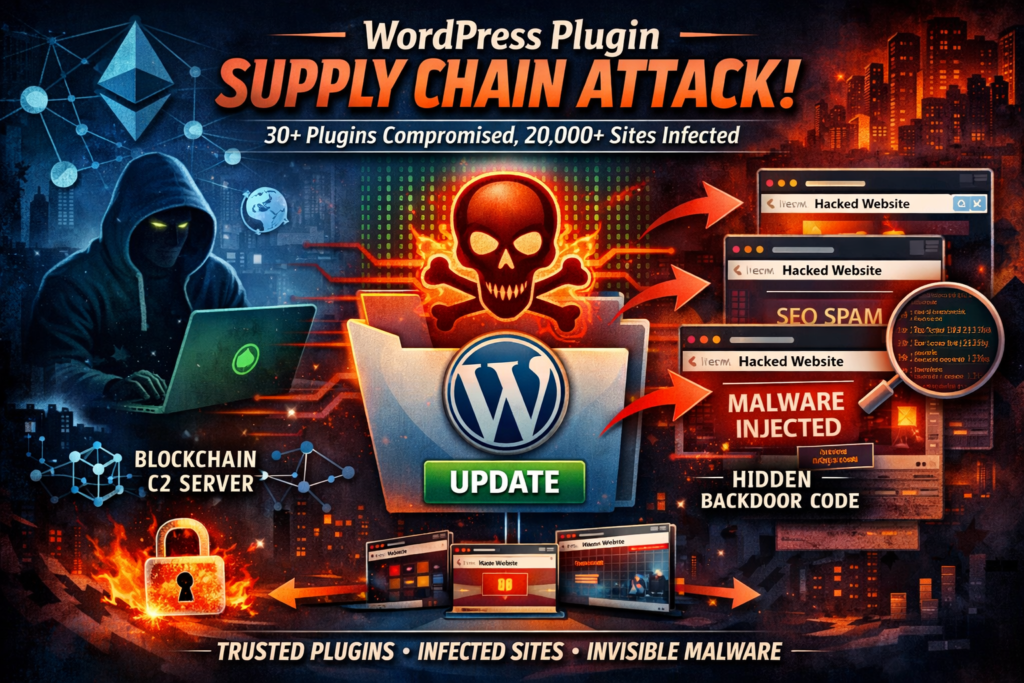
A WordPress plugin supply chain attack just hit over 20,000 active websites — and the backdoor sat undetected for 8 months before striking. If you run a WordPress site, here is exactly what happened, whether you are affected, and what you need to do right now.
What Is a WordPress Plugin Supply Chain Attack?
Definition: A WordPress plugin supply chain attack occurs when a malicious actor acquires a legitimate, trusted plugin — one already installed on thousands of sites — and injects malicious code into it. Because the plugin is “trusted” by WordPress and site owners, the tampered code is automatically distributed through normal update channels.
This is different from a typical hack of a single website. Instead of targeting your site directly, attackers compromise the software you trust to run it. The result is a single action that can simultaneously compromise tens of thousands of websites, including yours, without any obvious sign of intrusion.
Supply chain attacks on software have been growing for years, but the WordPress ecosystem is particularly exposed because its plugin marketplace relies heavily on community trust and has very limited safeguards around ownership transfers.
The Essential Plugin Incident: What Happened in April 2026?
The most significant WordPress plugin supply chain attack discovered in recent memory unfolded in early April 2026, when a portfolio of 30+ plugins built by a company called Essential Plugin was found to contain a hidden backdoor that had been dormant for eight months before being activated.
The Timeline: From Legitimate Business to Weaponized Software
The story begins with a legitimate India-based team operating under “WP Online Support,” later rebranded to “Essential Plugin,” who built a portfolio of more than 30 free WordPress plugins over roughly a decade. By late 2024, revenue had declined significantly and the founder listed the entire business on Flippa, a marketplace for buying and selling online businesses, for a six-figure sum.
A buyer identified only as “Kris” — with a background in SEO, cryptocurrency, and online gambling marketing — acquired the portfolio in early 2025. What followed was a calculated, patient attack:
- May 2025: New WordPress.org account created under the “essentialplugin” identity; original author’s commits wind down.
- August 8, 2025: First commit by the new owner. Version 2.6.7 of Countdown Timer Ultimate is released. The changelog reads: “Check compatibility with WordPress version 6.8.2.” In reality, 191 lines of malicious code are added, including a PHP deserialization backdoor.
- August 30, 2025: WHOIS records for essentialplugin.com are updated to “Kim Schmidt” in Zurich, using a ProtonMail address.
- April 5–6, 2026: The backdoor is activated. All sites running affected plugins begin receiving malicious payloads from
analytics.essentialplugin.com. - April 7, 2026: WordPress.org’s Plugins Team permanently closes all 31 Essential Plugin plugins in a single day.
- April 8, 2026: WordPress.org forces an auto-update (v2.6.9.1) to neutralize the phone-home mechanism — but the damage to individual sites is already done.
This WordPress plugin supply chain attack was the second such incident discovered within two weeks in April 2026. Austin Ginder of Anchor Hosting, who sounded the alarm in a detailed technical post, noted it follows the same playbook as a 2017 attack where a buyer of the Display Widgets plugin (200,000 installs) injected payday loan spam.
How the Backdoor Actually Worked
The technical sophistication of this WordPress plugin supply chain attack is worth understanding, because it reveals how much thought went into evading detection.
The backdoor was embedded in a module called wpos-analytics, disguised as a legitimate analytics opt-in system that had existed in the plugin for years. The new version introduced three malicious components:
- A
fetch_ver_info()method that silently calledfile_get_contents()on the attacker’s remote server and passed the response directly to@unserialize()— a classic PHP deserialization vulnerability. - A
version_info_clean()method that executed an arbitrary function call using values entirely controlled by the remote server, including the function name, context, and arguments. - An unauthenticated REST API endpoint with
permission_callback: __return_true, meaning any unauthenticated request could trigger it.
Once activated, the plugin phoned home to analytics.essentialplugin.com, downloaded a backdoor file named wp-comments-posts.php (deliberately named to resemble the legitimate core file wp-comments-post.php), and used it to inject approximately 6 kilobytes of PHP code directly into wp-config.php.
Why This Attack Was Exceptionally Hard to Detect
The Blockchain Command-and-Control Server
Most malware can be neutralized by blocking or taking down the attacker’s command-and-control (C2) domain. This WordPress plugin supply chain attack used a different approach: the C2 domain was resolved through an Ethereum smart contract by querying public blockchain RPC endpoints.
This means the attacker could update the smart contract to point to a new domain at any time, making traditional domain takedowns completely ineffective. Even if every known C2 address was blocked, the attacker could redirect infected sites to a new server by simply updating a blockchain record — no registrar or DNS provider can stop that.
The SEO Spam Was Invisible to Site Owners
The injected code fetched spam links, redirects, and fake pages from the C2 server — but only delivered them to Googlebot, not to real visitors or site administrators. This made the attack nearly invisible to website owners. Your site would look perfectly normal when you visited it, while it was actively serving hidden spam to Google’s crawler, poisoning your SEO and potentially getting your site penalized or deindexed.
Ginder confirmed the forced WordPress.org update to v2.6.9.1 neutralized the phone-home function in the plugin — but critically, it did not clean wp-config.php. Sites that were actively compromised were still serving hidden spam even after the update.(WordPress plugin supply chain attack, WordPress plugin backdoor, Essential Plugin malware, plugin security vulnerability, website supply chain security)
Are You Affected? How to Identify Compromised Plugins
This WordPress plugin supply chain attack affected at least 31 plugins, all permanently closed by WordPress.org. Here is a comparison of the attack scope versus the defensive response:
| Factor | Attack Details |
|---|---|
| Plugins compromised | 31 confirmed |
| Active installations affected | 20,000+ |
| Backdoor dormant period | ~8 months (Aug 2025 – Apr 2026) |
| Attack activation window | Apr 5–6, 2026 (6h 44m) |
| WordPress.org response time | 1 day to close all plugins; forced update Apr 8 |
| Official update effectiveness | Neutralized phone-home; did NOT clean wp-config.php |
| C2 takedown resistance | High — used Ethereum smart contract for domain resolution |
Full List of Affected Plugins
Check your WordPress installation for any of the following plugins (these are the confirmed compromised slugs from the Essential Plugin portfolio):
accordion-and-accordion-slideralbum-and-image-gallery-plus-lightboxaudio-player-with-playlist-ultimateblog-designer-for-post-and-widgetcountdown-timer-ultimatefeatured-post-creativefooter-mega-grid-columnshero-banner-ultimatehtml5-videogallery-plus-playermeta-slider-and-carousel-with-lightboxpopup-anything-on-clickportfolio-and-projectspost-category-image-with-grid-and-sliderpost-grid-and-filter-ultimatepreloader-for-websiteproduct-categories-designs-for-woocommercesp-faq(Responsive WP FAQ with Category)sliderspack-all-in-one-image-sliderssp-news-and-widgetticker-ultimatetimeline-and-history-sliderwoo-product-slider-and-carousel-with-categorywp-blog-and-widgetswp-featured-content-and-sliderwp-logo-showcase-responsive-slider-sliderwp-responsive-recent-post-sliderwp-slick-slider-and-image-carouselwp-team-showcase-and-sliderwp-testimonial-with-widgetwp-trending-post-slider-and-widget
How to Check and Clean Your WordPress Site
Was my site actually compromised, or just at risk?
Direct answer: Your site was at risk if any of the above plugins were active between August 2025 and April 8, 2026. Active compromise occurred if the backdoor fired — which you can verify by checking the size of your wp-config.php file.
A clean wp-config.php is typically under 4KB. If the file is significantly larger — the injected payload adds roughly 6KB — your site was actively compromised and needs a full cleanup beyond plugin removal. The malware appends itself on the same line as require_once ABSPATH . 'wp-settings.php';, which makes it easy to miss on a quick visual scan.
Step-by-step cleanup
If you find a compromised wp-config.php, here is what to do:
- Back up your current site before making any changes.
- Open
wp-config.phpand look for large, obfuscated PHP code appended to therequire_once ABSPATH . 'wp-settings.php';line. Remove it entirely. - Deactivate and delete the affected plugin. The auto-updated v2.6.9.1 neutralizes the phone-home but does not remove the
wpos-analyticsmodule. Fully delete the plugin. - Install a patched version if you need to keep plugin functionality. Anchor Hosting’s Austin Ginder published fully patched versions for the most commonly used plugins (including
countdown-timer-ultimate,popup-anything-on-click,wp-testimonial-with-widget, and others) with the entirewpos-analyticsdirectory stripped out. - Scan for additional malware. Use a reputable WordPress security scanner (Wordfence, Sucuri, or similar) to check for any other injected files.
- Submit a reconsideration request to Google if your site was serving hidden spam to Googlebot, as your search rankings may have been affected.
What does the official WordPress.org update actually fix?
The forced update to v2.6.9.1 neutralizes the phone-home mechanism only. It adds return; statements to disable the functions that call out to the attacker’s server. It does not remove the wpos-analytics module, does not clean wp-config.php, and does not address any existing compromise. Consider the official update a band-aid — necessary, but not sufficient.
The Deeper Problem: WordPress Has No Plugin Ownership Transfer Safeguards
This WordPress plugin supply chain attack — and the one that preceded it just a week earlier involving the Widget Logic plugin — reveals a fundamental structural vulnerability in the WordPress plugin ecosystem.
When a plugin changes ownership on a marketplace like Flippa, WordPress.org has no mechanism to:
- Notify existing users of the ownership change
- Trigger additional code review on the incoming owner’s commits
- Flag new committers for scrutiny based on background
The Flippa listing for Essential Plugin was public. The buyer’s profile — including their background in SEO manipulation and online gambling marketing — was publicly accessible. Yet the acquisition sailed through, and the new owner’s very first SVN commit was the backdoor. Eight months passed between planting and detection.
Security researchers have warned about this class of attack for years, and similar tactics have been used against browser extensions, npm packages, and Python libraries. But the WordPress ecosystem has been particularly slow to implement controls because it relies heavily on community trust rather than technical enforcement.
This is not a criticism of the WordPress.org Plugins Team, who responded quickly and decisively once the attack was discovered. It is a systemic problem that requires a structural solution: change-of-control notifications, enhanced review of first commits by new owners, and perhaps verified identity requirements for plugin acquisitions above a certain install threshold.
How to Protect Your WordPress Site from Future Supply Chain Attacks
The threat of a WordPress plugin supply chain attack is not theoretical — it has now happened twice in two weeks and will almost certainly happen again. Here is how to meaningfully reduce your exposure:
Audit your plugin portfolio regularly. The fewer plugins you run, the smaller your attack surface. Remove any plugin you are not actively using.
Prefer plugins with active, transparent development histories. Look for plugins where the author’s identity is clear, the changelog is detailed, and the commit history is consistent. Sudden ownership changes combined with vague changelogs are a red flag.
Monitor for unexpected changes to wp-config.php and core files. File integrity monitoring (available in Wordfence and Sucuri) will alert you when core files change unexpectedly.
Use daily backups with version history. Ginder’s forensic analysis was only possible because he had daily backups going back months. Without them, determining when and how the compromise occurred would have been nearly impossible.
Subscribe to WordPress security advisories. The WordPress.org Security Team and reputable security blogs like Wordfence Blog and Patchstack publish timely alerts about compromised plugins.
Don’t rely on auto-updates as a complete defense. As this incident demonstrated, an auto-update that neutralizes a phone-home mechanism does not clean malware that was already deployed to your server.
❓ Frequently Asked Questions (FAQ)
What is a WordPress plugin supply chain attack?
A WordPress plugin supply chain attack is a type of cyberattack where hackers compromise a trusted plugin instead of directly attacking individual websites. In this method, attackers gain control over a legitimate plugin—often by purchasing it or accessing its developer account—and then inject malicious code into updates. When users install or update the plugin, the malware spreads automatically.
This approach is particularly dangerous because it exploits trust. Website owners assume plugins from official repositories are safe, so they rarely inspect updates. As a result, a single compromised plugin can infect thousands of websites at once, making the WordPress plugin supply chain attack one of the most scalable and impactful security threats in the ecosystem.
How does a WordPress plugin supply chain attack work?
A WordPress plugin supply chain attack typically follows a structured process. First, attackers acquire or compromise a legitimate plugin with an existing user base. Next, they introduce malicious code into a seemingly harmless update. This code is often obfuscated and hidden within existing features to avoid detection.
Once users update the plugin, the malicious code executes silently. It may connect to a remote server, download additional payloads, or inject malware into critical files like wp-config.php. In advanced cases, attackers use techniques like blockchain-based command-and-control systems to avoid being shut down. This makes the WordPress plugin supply chain attack highly persistent and difficult to trace.
How can I tell if my site is affected by a WordPress plugin supply chain attack?
Detecting a WordPress plugin supply chain attack can be challenging because many attacks are designed to remain invisible. However, there are several warning signs you can look for. If your website traffic suddenly drops, your SEO rankings decline, or Google flags your site for spam, it could indicate hidden malware.
Another key indicator is unusual file changes, especially in core files like wp-config.php. If the file size has increased unexpectedly or contains unfamiliar code, your site may be compromised. Additionally, check for unknown plugins, unauthorized admin users, or suspicious outbound connections. Regular security scans can help identify these issues early.
What should I do if my WordPress site is infected?
If your site is affected by a WordPress plugin supply chain attack, immediate action is critical. Start by backing up your website to avoid data loss. Then, identify and remove any compromised plugins. Do not rely solely on updates—completely delete the affected plugin and replace it with a secure alternative if needed.
Next, inspect core files like wp-config.php and remove any injected malicious code. Use a trusted security plugin such as Wordfence or Sucuri to perform a full malware scan. After cleaning your site, update all plugins, themes, and WordPress core files to their latest versions.
Finally, change all passwords, including admin, FTP, and database credentials. If your site was serving spam or malware, submit a reconsideration request to Google to restore your rankings.
Why are WordPress plugin supply chain attacks so dangerous?
A WordPress plugin supply chain attack is especially dangerous because it bypasses traditional security measures. Instead of attacking a single website, it targets the distribution channel—the plugin itself. This allows attackers to compromise thousands of websites simultaneously with minimal effort.
Additionally, these attacks often remain undetected for months. Malicious code can stay dormant until activated, making it harder for security tools to identify. Some attacks even deliver content only to search engine crawlers, meaning website owners may never notice the issue while their SEO performance suffers.
The combination of scale, stealth, and persistence makes this type of attack one of the most serious threats facing WordPress users today.
How can I protect my site from a WordPress plugin supply chain attack?
Preventing a WordPress plugin supply chain attack requires a proactive approach to security. Start by minimizing the number of plugins on your site—only install what is absolutely necessary. Always choose plugins with a strong reputation, active development, and transparent update history.
Enable file integrity monitoring to detect unexpected changes in core files. Regularly back up your website so you can quickly recover in case of an attack. It’s also important to keep all software updated, as outdated plugins are more vulnerable to exploitation.
Additionally, monitor plugin ownership changes and avoid plugins with unclear or suspicious backgrounds. Subscribing to security advisories from trusted sources can help you stay informed about emerging threats. By following these best practices, you can significantly reduce the risk of falling victim to a WordPress plugin supply chain attack.
Does updating plugins protect against supply chain attacks?
Updating plugins is essential for security, but it is not a complete solution against a WordPress plugin supply chain attack. In fact, these attacks often rely on users installing updates that contain malicious code. This means blindly updating plugins without verifying their source can increase risk.
To stay safe, combine updates with other security measures. Monitor changelogs for unusual activity, verify the credibility of plugin developers, and use security tools to scan updates before applying them. A layered security approach is the best defense against this evolving threat.
Key Takeaways
The April 2026 Essential Plugin WordPress plugin supply chain attack is a case study in patient, sophisticated adversarial behavior: a legitimate business acquired through public channels, a dormant backdoor planted eight months before activation, a blockchain-based C2 that resists takedowns, and malware invisible to site owners but fully visible to Google’s crawlers.
If you manage WordPress sites, the action items are clear: audit for affected plugins, check wp-config.php file sizes, apply fully patched versions rather than relying solely on the official update, and implement file integrity monitoring going forward.
The WordPress plugin marketplace’s trust model is under stress. Until structural safeguards around ownership transfers are implemented, every plugin you install is only as trustworthy as whoever owns the repository today — not whoever built it.