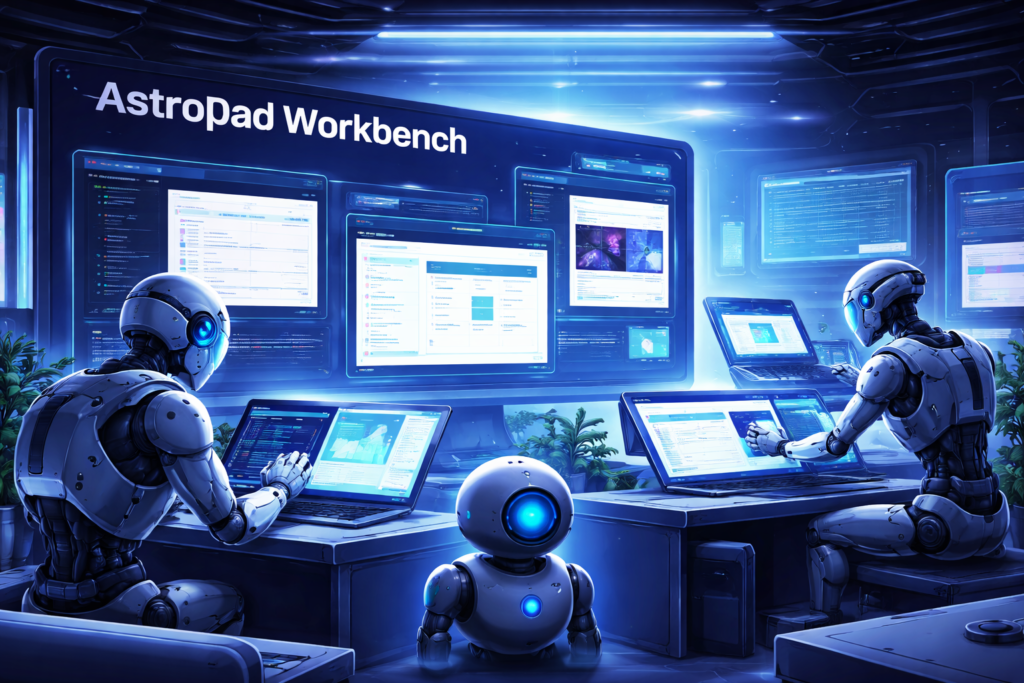
The way we think about computers is changing faster than ever. For decades, remote desktop tools have been built around human needs—IT teams fixing issues, employees accessing office machines, or developers troubleshooting systems remotely. But today, a new kind of “user” is emerging: AI agents.
And these agents don’t need screens, mice, or keyboards.
This is where AstroPad Workbench enters the conversation, introducing a completely new way to think about remote computing. As highlighted by TechCrunch, this platform is not just another remote desktop tool—it’s a reimagined system designed specifically for AI-driven workflows.
In this comprehensive guide, we’ll break down what makes AstroPad Workbench so important, how it works, and why it could become a foundational layer in the future of AI-powered operations.
🤖 The Shift from Human Interfaces to AI Execution
For years, software interfaces have been designed with one assumption: a human will interact with them. Whether it’s clicking buttons, typing commands, or navigating menus, everything is built around human behavior.
But AI agents operate differently.
They don’t need visual interfaces. They don’t rely on manual inputs. Instead, they require structured environments where tasks can be executed programmatically and efficiently. This shift is exactly what AstroPad Workbench is designed to support.
Rather than adapting old systems for new technology, it builds an entirely new framework where AI becomes the primary operator.
🧠 What Is AstroPad Workbench?
Developed by AstroPad, AstroPad Workbench is an AI-native remote desktop environment that allows autonomous agents to perform complex tasks across digital systems.
Unlike traditional tools that mirror a screen for human use, this platform provides an environment where AI can directly interact with applications, tools, and workflows without unnecessary layers of abstraction.
At its core, AstroPad Workbench is not about remote access—it’s about remote execution.
This means AI agents can:
- Operate software environments independently
- Execute workflows from start to finish
- Maintain context across sessions
- Adapt based on real-time data
This represents a fundamental shift in how computing environments are designed and used.
⚙️ Why Traditional Remote Desktop Tools Are No Longer Enough
To fully understand the value of AstroPad Workbench, it helps to examine where traditional remote desktop systems fall short.
❌ Built for Visual Interaction
Most remote desktop tools replicate a user’s screen, allowing another human to take control. While effective for IT support, this model becomes inefficient when applied to AI systems that don’t need visual feedback.
❌ Limited Automation Capabilities
Traditional environments are not optimized for automation. AI agents require structured inputs and outputs, not visual navigation. This mismatch leads to inefficiencies and increased complexity.
❌ Poor Scalability
Scaling traditional remote systems for multiple AI agents can quickly become resource-intensive and difficult to manage. Each session consumes bandwidth and computing power without delivering optimal performance.
This is where AstroPad Workbench introduces a more scalable, efficient alternative.
🔧 How AstroPad Workbench Works in Practice
At a technical level, AstroPad Workbench acts as a bridge between AI agents and digital environments, allowing seamless interaction without human intervention.
🧩 Structured Workspaces
Each AI agent operates within a controlled environment tailored to its specific tasks. These workspaces are isolated, ensuring both security and efficiency.
🔗 Integration Layers
The platform connects AI agents to various tools, including:
- Web browsers
- Code editors
- SaaS platforms
- Internal systems
This allows agents to perform real-world tasks such as data extraction, content creation, or software testing.
🔄 Persistent Context
One of the most powerful features of AstroPad Workbench is its ability to maintain context across sessions. AI agents can pause, resume, and adapt their workflows without losing progress.
⚡ Autonomous Execution
Instead of waiting for user input, AI agents can:
- Make decisions
- Execute actions
- Optimize processes
This transforms remote desktops into fully autonomous work environments.
🌍 Real-World Applications of AstroPad Workbench
The practical impact of AstroPad Workbench becomes clear when you look at real-world use cases.
💻 Software Development Automation
AI agents can write, test, and deploy code within isolated environments. This reduces development cycles and minimizes human intervention.
📈 Marketing & SEO Operations
From content creation to performance tracking, AI agents can handle entire marketing workflows. Businesses can scale their operations without increasing manpower.
🛠️ IT and DevOps
Instead of manually troubleshooting issues, AI agents can monitor systems, detect anomalies, and implement fixes automatically.
📊 Data Analysis
AI can process massive datasets, generate reports, and provide insights in real time, all within a structured workspace.
🏢 Enterprise Workflow Automation
Tasks like document processing, customer support, and financial operations can be handled autonomously, improving efficiency across departments.
📊 Comparison: Traditional Systems vs AI-Native Workspaces
| Feature | Traditional Remote Desktop | AI-Native Workbench |
|---|---|---|
| User Type | Human | AI Agent |
| Interface | Visual UI | Programmatic |
| Scalability | Limited | High |
| Automation | Partial | Full |
| Context Memory | Session-based | Persistent |
| Efficiency | Moderate | High |
This comparison highlights why AstroPad Workbench represents a significant leap forward.
🔮 Why This Innovation Matters
The emergence of AstroPad Workbench signals a broader transformation in the tech landscape.
🚀 Rise of Autonomous Systems
AI is no longer just a tool—it’s becoming an independent operator capable of managing complex workflows.
🔄 Redefining Productivity
Businesses can achieve more with fewer resources by leveraging AI agents to handle repetitive tasks.
🌐 Building AI-First Infrastructure
Platforms like AstroPad Workbench are laying the groundwork for systems where AI is at the center of operations.
⚠️ Challenges to Consider
Despite its potential, adopting AstroPad Workbench and similar technologies comes with challenges.
🔐 Security Concerns
Autonomous systems must be carefully monitored to prevent unauthorized access or unintended actions.
🧠 Reliability of AI Decisions
AI agents need to be accurate and accountable, especially in critical workflows.
⚙️ Implementation Complexity
Transitioning to AI-native systems requires investment in infrastructure and expertise.
💡 Actionable Strategies for Businesses
If you want to prepare for this shift, here’s how you can start:
1. Adopt AI Gradually
Begin with small automation tasks before scaling up.
2. Build API-Driven Systems
Ensure your tools can integrate easily with AI platforms.
3. Focus on Data Quality
AI systems are only as good as the data they use.
4. Monitor Performance
Track results and optimize workflows continuously.
5. Stay Updated
Follow innovations like AstroPad Workbench to stay ahead of the curve.
🧾 Final Thoughts
The introduction of AstroPad Workbench marks a turning point in how we think about computing environments. Instead of designing systems for humans and adapting them for AI, we are now building platforms where AI is the primary user.
This shift has the potential to redefine productivity, scalability, and efficiency across industries.
As AI continues to evolve, tools like AstroPad Workbench will likely become essential components of modern digital infrastructure. Businesses that embrace this change early will be better positioned to compete in an increasingly automated world.