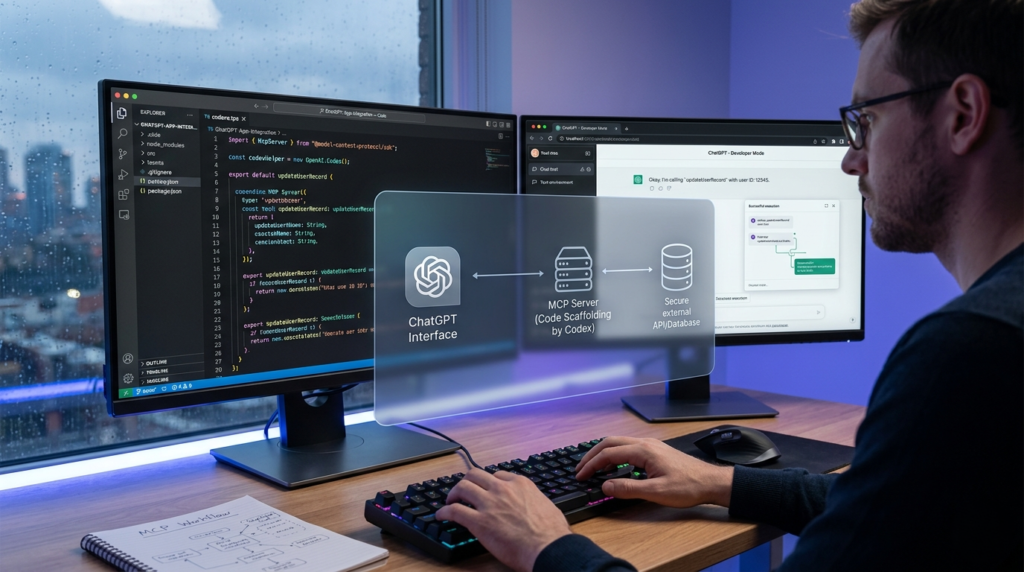
The landscape of AI development is shifting from simple chatbots to complex, integrated “agentic” ecosystems. If you are a developer looking to bridge the gap between static LLMs and dynamic, functional software, understanding how to build ChatGPT Apps via the Model Context Protocol (MCP) and OpenAI Codex is no longer optional—it is a competitive necessity.
In this guide, we break down the core architectural patterns, development milestones, and best practices for creating ChatGPT Apps that don’t just talk, but actually act.(AI Agent Architecture)
The Best 5 Keywords for ChatGPT App Development
To ensure this guide reaches the right audience, we’ve identified the high-intent keywords currently driving the AI developer community:
- ChatGPT Apps (Primary Focus Keyword)
- OpenAI Codex for Developers
- Model Context Protocol (MCP)
- Building AI Agents
- TypeScript MCP Server
What is a ChatGPT App?
A ChatGPT App is a specialized integration that extends the capabilities of ChatGPT by connecting it to external data, tools, and UI components. Unlike standard GPTs, which rely primarily on text-based instructions and file uploads, ChatGPT Apps utilize the Model Context Protocol (MCP) to provide a standardized way for the model to interact with your specific environment.
Every robust ChatGPT App is composed of three critical pillars:
- The MCP Server: The “brain” of your integration that defines tools, handles authentication, and returns data.
- The Web Component (Widget): An optional React or HTML/JS frontend that renders inside the ChatGPT iframe for a rich user experience.
- The Model: The reasoning engine (like GPT-5.4) that decides when to trigger your tools based on the metadata you provide.
Step-by-Step: The ChatGPT App Development Lifecycle
Building a successful ChatGPT App requires a modular approach. Attempting to build a “monolith” AI integration often leads to context-window bloat and reasoning errors. Instead, follow this professional workflow:
1. Planning the App Surface
Before writing a single line of code, define the “Tool Surface.” This includes the names, descriptions, and schemas for the functions ChatGPT will call.
- Identify one core outcome: What is the single most valuable thing this app does?
- Define 3-5 tools: Keep it narrow. For example, a “GitHub Integration” app might have
search_repo,get_file_content, andcreate_issue. - Metadata is King: The model relies on your tool descriptions to know when to use them. Write them as if you are explaining the tool to a junior developer.
2. Scaffolding the MCP Server
Using OpenAI Codex, you can scaffold a TypeScript MCP server in minutes. This server acts as the bridge between ChatGPT and your data.
- Tech Stack: Use TypeScript for the server and Vite/React for the widget.
- Idempotency: Ensure your tool handlers are idempotent (safe to call multiple times) to prevent accidental side effects during model “hallucinations” or retries.
3. Implementing the “Verification Loop”
A unique feature of the ChatGPT App ecosystem is the ability to run a local verification loop. By using tools like ngrok to expose a local HTTPS endpoint, you can test your app in “Developer Mode” directly within the ChatGPT interface before deploying.
Comparison: ChatGPT Apps vs. Traditional Plugins
| Feature | Traditional ChatGPT Plugins | Modern ChatGPT Apps (MCP) |
| Protocol | OpenAPI/Manifest | Model Context Protocol (MCP) |
| UI Support | Static text/images | Interactive React Widgets (iframes) |
| Context Handling | Limited to prompt injection | Structured data & metadata optimization |
| Dev Experience | Manual JSON manifests | Agentic scaffolding via Codex |
| Scalability | Hard to maintain | Highly modular and reusable |
4 Actionable Insights for High-Performance Apps
To make your ChatGPT Apps stand out, focus on these advanced optimization strategies:
Optimize Metadata for Reasoning
The difference between a “laggy” app and a “smart” app is often the metadata. Avoid generic descriptions like “this tool gets data.” Instead, use: “This tool retrieves the last 10 transaction records for a specific user ID to assist in fraud analysis.” This level of detail helps the model choose the right tool with 99% accuracy.
Use Structured Content for the Model
When your MCP server returns data, separate what the model needs from what the user sees.
- Model Data: Concise, structured JSON for reasoning.
- Widget Data: Rich, descriptive data passed to the React component via the
_metafield.
Secure Auth with OAuth 2.1
Don’t add authentication until the core flow works. Once you’re ready, implement OAuth 2.1 for user-specific actions. This ensures that while your read-only tools might be anonymous, “write” actions (like sending an email or moving a file) are securely gated.
Leveraging the Codex “Skills” System
If you find yourself building the same patterns across multiple ChatGPT Apps, turn them into “Skills.” These are reusable blocks of logic that can be shared across the Codex App, CLI, and IDE extensions, drastically reducing development time for future projects.
Common Pitfalls to Avoid
- The “Big Bang” Implementation: Don’t try to port your entire SaaS into ChatGPT on day one. Start with one narrow use case.
- Writing UI First: Developers often build the widget before the tool contract is clear. Always define your MCP server and tool schema first.
- Ignoring the Sandbox: Remember that Codex and ChatGPT operate in a sandboxed environment. Respect directory roots and network constraints to ensure your app passes review.
Summary: The Future of Agentic Development
Building ChatGPT Apps is the fastest way to turn a static AI into a functional partner. By using the Model Context Protocol and leveraging OpenAI Codex for scaffolding, you can create seamless, integrated experiences that live where users already spend their time.
Whether you are automating internal workflows or building a customer-facing AI tool, the transition to ChatGPT Apps represents the next era of software engineering. Start small, define your tools clearly, and let the model handle the complexity.