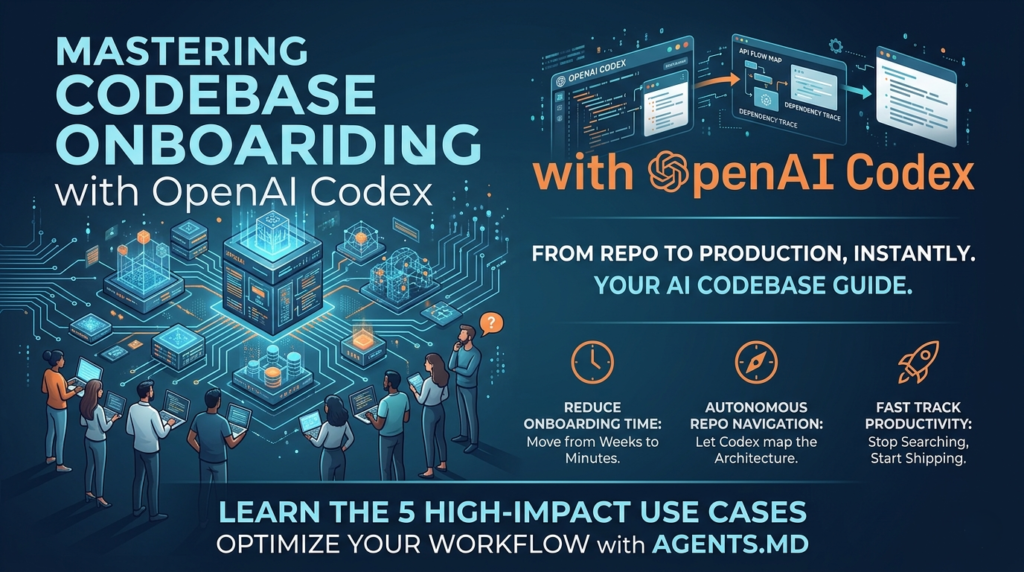
Stepping into a massive, unfamiliar repository for the first time is a universal pain point for software engineers. Whether you are a senior architect joining a new team or a junior contributor tackling your first open-source project, the “onboarding tax” is real. You spend days—sometimes weeks—tracing request flows, hunting for authentication logic, and trying to understand why a specific module exists.
But what if you could bypass the manual archaeology? With the latest advancements in AI-driven development, the process of codebase onboarding with OpenAI Codex has been transformed from a manual slog into an automated, interactive dialogue. By leveraging Codex as an intelligent agent, teams can now map out complex systems in minutes rather than days.
This guide explores the high-impact use cases of codebase onboarding with OpenAI Codex, providing actionable strategies, technical deep-dives into the AGENTS.md standard, and expert workflows to help you stay in flow and ship faster.
Why Use OpenAI Codex for Codebase Onboarding?
Traditional onboarding relies on static documentation, which is often outdated, incomplete, or buried in a Confluence page no one has touched since 2022. Codebase onboarding with OpenAI Codex flips this script by treating the code itself as the single source of truth. Codex doesn’t just read the code; it reasons across it to explain intent, structure, and dependencies.
The Core Benefits
- Instant Context Retrieval: Stop searching for where API keys are handled or how the database schema is defined. Ask Codex directly.
- Request Flow Mapping: Trace how a user request travels from the initial entry point through middleware, business logic, and finally to the data layer.
- Architecture Discovery: Identify recurring patterns and service relationships without manual diagramming or hours of “Find in Files.”
- Reduced Senior Dev Fatigue: New hires can get their basic “Where is X?” questions answered without constantly interrupting team leads, allowing seniors to focus on high-level mentoring.
- Language Agnostic Mastery: Whether your stack is in Rust, Go, TypeScript, or a legacy COBOL system, Codex adapts to the syntax and conventions of your specific environment.
5 High-Impact Use Cases for Codebase Onboarding
To get the most out of codebase onboarding with OpenAI Codex, you need to move beyond simple code completion. You need to treat the AI as a seasoned partner who has already read every line of the repo. Here are five primary workflows that accelerate the transition from “git clone” to “merged PR.”
1. Rapid Code Understanding & Summarization
When you first open a repository, the sheer volume of files—especially in monorepos—can be paralyzing. Codex excels at high-level summarization. Instead of reading every file in the src/ directory, you can use Codex to pinpoint the core logic of a specific feature.
Actionable Tip: Use the “Ask Mode” in your IDE or CLI to query: “Where is the primary authentication logic implemented in this repo?” or “Summarize how the payment gateway integration handles webhook verification.”
2. Mapping Unfamiliar Modules and Dependencies
Large codebases are often modular, but the relationships between those modules aren’t always clear. Codebase onboarding with OpenAI Codex allows you to map out interactions and find the right files fast.
| Onboarding Task | Codex Capability | Practical Outcome |
| Dependency Mapping | Identifies which modules interact with a specific component. | Clear understanding of the “blast radius” for any planned changes. |
| Failure Handling | Traces how errors propagate across system boundaries. | Faster debugging and more resilient code implementation. |
| Logic Location | Finds specific business logic buried in deeply nested folders. | Reduced time spent navigating the file tree manually. |
| State Management | Explains how global state (Redux, Context, etc.) is updated. | Prevents side-effect bugs during feature development. |
3. Automated Code Review & Style Alignment
Every team has its own “flavor” of coding—certain naming conventions, linting rules, or architectural preferences. During codebase onboarding with OpenAI Codex, the agent can analyze existing code to identify potential bugs or deviations from team standards before you even submit a PR. This helps new developers align with the project’s “DNA” immediately.
4. Interactive “AGENTS.md” for Persistent Context
One of the most powerful features of the modern AI ecosystem is the AGENTS.md file. By creating or reading these files, Codex gains persistent context about your specific environment, coding conventions, and testing requirements. This is a game-changer for codebase onboarding with OpenAI Codex, as it ensures the AI provides advice tailored to your repo’s specific rules rather than generic boilerplate.
5. Incident Response & Real-Time Bug Tracing
Onboarding often happens “under fire” when a new hire is asked to help fix a critical bug during their first week. Codex helps engineers ramp into new areas quickly by surfacing interactions between components or tracing how specific failure states propagate through the system.
The Secret Weapon: Leveraging AGENTS.md
If the README.md is for humans, the AGENTS.md is for your AI collaborator. For effective codebase onboarding with OpenAI Codex, this file acts as the “source of truth” for the AI’s behavior within your repository.(AI-driven repo mapping, automated code understanding, AGENTS.md best practices, developer productivity tools)
What to Include in your AGENTS.md
To make codebase onboarding with OpenAI Codex seamless, your AGENTS.md should cover:
- Project Overview: A concise summary of what the service does and its place in the broader ecosystem.
- Build & Test Commands: Explicitly list how to run the environment. (e.g.,
npm run dev,go test ./...). - Coding Standards: Point the AI to specific files that represent “Golden Samples” of how code should be written.
- Known Gotchas: Mention specific quirks, such as “Don’t use library X, we use the internal wrapper Y for security reasons.”
Pro Tip: In large monorepos, use nested
AGENTS.mdfiles. Codex will prioritize the file closest to the directory it is currently working in, allowing for hyper-localized instructions for different microservices.
Step-by-Step: Setting Up Your Codex Onboarding Workflow
To successfully implement codebase onboarding with OpenAI Codex, follow this structured workflow to ensure accuracy and safety.
Step 1: Connect the Repository
Whether using the ChatGPT interface or the Codex CLI, ensure your repository is indexed. Codex works best when it has a “map” of the file structure. For cloud-based agents, this usually involves connecting your GitHub organization and selecting the specific repo.
Step 2: Establish the Sandbox
Codex operates in an isolated sandbox environment. This is critical for codebase onboarding with OpenAI Codex because it allows the AI to actually run your code, execute tests, and verify that its understanding of the logic is correct before suggesting changes.
Step 3: Use “Ask Mode” for Discovery
Before writing code, spend 30 minutes in “Ask Mode.” Query the system about:
- Entry points (e.g.,
index.ts,main.go). - Database interaction layers.
- The deployment pipeline configuration.
Step 4: Iterative Task Execution
Once you understand the landscape, assign small, narrow tasks to Codex. For example: “Add a unit test for the user validation helper using the existing Jest setup.” By watching how Codex completes these tasks, you learn the team’s testing patterns through observation.
Best Practices for High-Performance Engineering
To ensure codebase onboarding with OpenAI Codex is a force multiplier rather than a distraction, follow these professional habits:
- Structure Prompts Like GitHub Issues: Don’t just say “Fix this.” Provide clear context, the desired outcome, and any specific constraints.
- Use “Best of N” for Complex Tasks: If a logic trace is complex, have Codex generate multiple interpretations. This helps you spot potential hallucinations or edge cases the AI might have missed.
- Leverage IDE Extensions: Use Codex where you work. Integrated environments like VS Code allow Codex to see your current cursor position, providing even more relevant context during codebase onboarding with OpenAI Codex.
- Always Verify via Logs: Codex provides verifiable evidence of its actions through citations of terminal logs and test outputs. Always review these “receipts” to confirm the logic holds up.
Overcoming Common Onboarding Challenges
Even with AI, onboarding has hurdles. Here is how codebase onboarding with OpenAI Codex helps solve the most common “Day 1” issues.
The “Wall of Text” Documentation Problem
Many companies have thousands of pages of internal documentation. New hires get lost. Codex acts as a semantic search layer over your docs and code simultaneously, pulling only the relevant snippets you need for your current task.
The “Shadow Knowledge” Problem
Every team has “shadow knowledge”—logic that isn’t written down but “everyone just knows.” By analyzing the commit history and AGENTS.md files, codebase onboarding with OpenAI Codex can often infer these unwritten rules by observing recurring patterns in the codebase.
The Technical Debt Trap
Onboarding onto a legacy system is notoriously difficult. Codex can “transpile” your understanding by explaining legacy logic in modern terms or suggesting refactors that align the old code with the new team standards.
The Future of Onboarding: Agentic Autonomy
We are moving toward a world where onboarding is entirely autonomous. Instead of a “Welcome” email and a laptop, new developers will receive an AI agent that has already pre-digested the codebase, identified the “low-hanging fruit” tasks for the first week, and prepared a localized AGENTS.md to guide the human through the architecture.
Codebase onboarding with OpenAI Codex is the first step toward this reality. It shifts the developer’s role from “code hunter” to “system architect.” You are no longer spending your energy finding where a variable is defined; you are spending it deciding how the system should evolve.
Frequently Asked Questions (FAQ): Mastering Codebase Onboarding with OpenAI Codex
Navigating a new repository is one of the most intellectually taxing phases of a developer’s journey. Below is an exhaustive FAQ designed to address the technical, strategic, and operational nuances of codebase onboarding with OpenAI Codex. This section provides deep-dive answers to help you and your team transition from “cloned” to “contributing” in record time.
General Concepts & Getting Started
What exactly is codebase onboarding with OpenAI Codex?
Codebase onboarding with OpenAI Codex is the process of using an AI-driven Large Language Model (LLM) specifically fine-tuned for code to accelerate a developer’s understanding of a new software project. Unlike traditional onboarding—which involves reading static documentation and manually tracing function calls—Codex acts as an interactive architectural map. It indexes the repository, understands the semantic relationships between modules, and allows the developer to ask natural language questions about how the system works.
How does Codex differ from standard documentation?
Documentation is often a “snapshot in time,” meaning it frequently becomes outdated the moment a new PR is merged. Codebase onboarding with OpenAI Codex relies on the live state of the code. Codex treats the source code as the ground truth. While documentation tells you what the original architect intended, Codex tells you what the code is actually doing right now.
Is this only for junior developers?
Absolutely not. While junior developers benefit from syntax explanations, senior architects use codebase onboarding with OpenAI Codex for high-level system design analysis. Seniors use it to identify “dead code,” trace complex asynchronous side effects across microservices, and ensure that new modules align with the existing design patterns of a massive legacy system.
Technical Setup & Tools
Do I need a specific IDE to use OpenAI Codex for onboarding?
While Codex is accessible via API, it is most effective when integrated directly into your workflow. The most common environments include:
- VS Code Extensions: Tools like GitHub Copilot (powered by Codex) provide real-time suggestions and a “Chat” interface to query the codebase.
- CLI Tools: For headless environments or CI/CD pipelines, the Codex CLI allows you to run “Ask” commands directly from the terminal.
- JetBrains Suite: Extensions are available for IntelliJ, PyCharm, and WebStorm to ensure cross-stack compatibility.
What is the AGENTS.md file and why is it mandatory?
In the context of codebase onboarding with OpenAI Codex, the AGENTS.md file is a specialized markdown document that provides instructions specifically for the AI agent. Think of it as a “README for the AI.” It tells Codex:
- Which files are the “Golden Samples” of your coding style.
- Which directories to ignore.
- Specific architectural constraints (e.g., “We never use external libraries for encryption; use the internal
/securitymodule”). Without anAGENTS.md, the AI may give generic advice that contradicts your team’s specific standards.
Can Codex handle private or proprietary codebases?
Yes, provided you are using an enterprise-grade implementation. Most professional deployments of codebase onboarding with OpenAI Codex ensure that your code is not used to train public models. Always verify with your organization’s security policy to ensure you are using a “Zero-Data Retention” (ZDR) or VPC-isolated instance of the API.
Strategic Workflows
How do I map a request flow using Codex?
One of the most powerful use cases for codebase onboarding with OpenAI Codex is tracing a request from the edge to the database. To do this:
- Identify the entry point (e.g., a specific API route in
routes/user.ts). - Prompt Codex: “Trace the execution flow starting from the POST /register endpoint. Which controllers are called, and where is the final database write executed?”
- Codex will provide a step-by-step breakdown, often citing specific line numbers.
How does Codex help with legacy code refactoring?
Legacy systems often lack documentation and follow outdated patterns. During codebase onboarding with OpenAI Codex, you can ask the agent to “Explain this logic in the context of modern ES6 standards” or “Identify where this legacy module violates our current dependency injection rules.” This allows a new developer to understand why the code was written that way while simultaneously planning for its modernization.
Can I use Codex to generate unit tests for code I don’t understand yet?
Yes. This is a brilliant “reverse-engineering” strategy. By asking Codex to generate a unit test for an unfamiliar function, you can observe the inputs and outputs the AI expects. Reading the generated test cases often clarifies the edge cases and business logic of the function more quickly than reading the source code alone.
Security & Accuracy
Does OpenAI Codex ever “hallucinate” code logic?
Like all LLMs, Codex can occasionally hallucinate—meaning it might suggest a library that doesn’t exist or misinterpret a complex recursive loop. This is why codebase onboarding with OpenAI Codex must be an interactive process. Always verify Codex’s explanations by checking the cited files. The best practice is to use Codex to point you to the right place, and then use your human judgment to verify the logic.
How do I prevent the AI from suggesting insecure code patterns?
You should include security linting rules in your AGENTS.md. For example, you can instruct Codex: “Always suggest parameterized queries for SQL interactions and never use eval().” Additionally, use Codex in conjunction with static analysis tools (like SonarQube or Snyk) to ensure that the “onboarding” suggestions meet your security benchmarks.
What happens if the codebase is too large for the context window?
Modern implementations of codebase onboarding with OpenAI Codex use Retrieval-Augmented Generation (RAG). Instead of shoving 1 million lines of code into the AI at once, the system creates a vector index of your repo. When you ask a question, the system retrieves only the most relevant “snippets” and feeds those to Codex. This allows the AI to “know” about a massive monorepo without hitting memory limits.
Team & Management FAQ
Does using AI for onboarding reduce the “human touch” in mentorship?
On the contrary, codebase onboarding with OpenAI Codex enhances mentorship. Instead of a senior developer spending 4 hours explaining where the “login” button logic is located, they can spend 1 hour discussing high-level strategy, career growth, and complex architectural trade-offs. Codex handles the “where” and “what,” while humans handle the “why.”
How do I measure the ROI of AI-assisted onboarding?
You can track several Key Performance Indicators (KPIs):
- Time to First PR: The number of days between a developer’s start date and their first merged code change.
- Senior Interruption Rate: The frequency of “how-to” questions asked in Slack or Jira.
- Onboarding Satisfaction: Qualitative feedback from new hires regarding their confidence in navigating the repo. Most teams see a 30% to 50% reduction in “Time to First PR” after implementing codebase onboarding with OpenAI Codex.
What is the best way to introduce this to a skeptical engineering team?
Start with a “Pilot Project.” Choose one complex, poorly documented microservice and index it with Codex. Have a new hire or a developer from a different team try to fix a “Good First Issue” using only Codex and the existing code. Once the team sees the speed at which the “outsider” navigates the system, the skepticism usually dissolves.
Future Outlook
Will Codex eventually replace the need for onboarding entirely?
While codebase onboarding with OpenAI Codex is revolutionary, it is a collaboration tool, not a replacement for human engineering. The “onboarding” phase involves learning team culture, understanding business goals, and building relationships—things an AI cannot do. However, it will likely replace the “manual discovery” phase of onboarding entirely by 2027.
Are there any specific languages where Codex performs best?
Codex is exceptionally strong in Python, JavaScript, TypeScript, Ruby, and Go. However, because it was trained on the vast majority of public GitHub repositories, it is surprisingly competent in specialized or older languages like C++, C#, and even Java. For developers in Bhubaneswar working on diverse tech stacks—from EV systems to AI research—Codex remains the most versatile tool for rapid repo entry.
How often should I update the index for my AI agent?
Your AI index should be updated with every major merge to the main branch. Most modern codebase onboarding with OpenAI Codex workflows automate this via a GitHub Action or a CI/CD hook, ensuring that the “AI map” of your code is never more than a few minutes behind the actual source.
Conclusion: Stop Searching, Start Shipping
The “onboarding tax” is a choice. By integrating codebase onboarding with OpenAI Codex into your team’s workflow, you eliminate the weeks of downtime associated with new projects. You empower your developers to be productive from hour one, reduce the burden on your senior staff, and ensure that your codebase remains understandable for everyone—humans and AI agents alike.
As you continue your journey with codebase onboarding with OpenAI Codex, remember that the AI is a tool to enhance your intuition, not replace it. Use it to map the territory, but always keep your hand on the wheel.