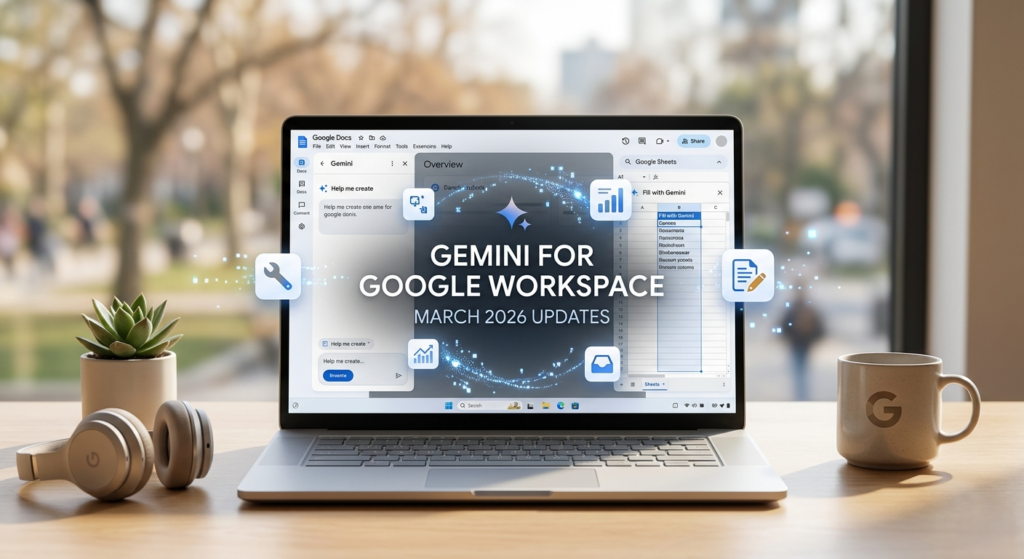
The “blank page” problem has long been the greatest enemy of productivity. Whether you are staring at an empty document, a complex data set, or a cluttered Drive, the friction of getting started often costs more time than the work itself. However, the Gemini for Google Workspace March 2026 updates have officially turned the tide.
Google has reimagined its productivity suite, transforming Docs, Sheets, Slides, and Drive from passive tools into active, collaborative partners. By integrating deep reasoning and cross-app intelligence, these updates allow Gemini to “connect the dots” across your emails, files, and chats. This month’s rollout is not just a feature update; it is a fundamental shift in how we create, analyze, and organize our digital lives.
1. Google Docs: From First Draft to Final Polish
One of the most significant Gemini for Google Workspace March 2026 updates is the introduction of the “Help me create” experience in Google Docs. Unlike previous versions that offered simple text generation, the new system can synthesize information from your entire Workspace ecosystem.
Contextual Drafting and Style Matching
Imagine asking Gemini to “Draft a marketing campaign plan based on our successful Q4 launch and the recent feedback in Gmail.” Gemini will now scan your Drive for the Q4 files and search your inbox for relevant feedback to build a fully structured, formatted first draft.(Gemini for Google Workspace March 2026 updates)
- Match Writing Style: This feature analyzes your existing documents or meeting minutes to ensure any new content mirrors your specific tone and professional voice.
- Match Doc Format: Google found that 30% of new documents are created by copying old ones. This tool automates that process, mirroring the layout, headers, and styles of a reference file instantly.
2. Google Sheets: Achieving Human-Expert Performance
Data management is undergoing a revolution. According to Google, Gemini in Sheets recently achieved a 70.48% success rate on the SpreadsheetBench dataset—a milestone that nears human expert ability for complex spreadsheet tasks.(Gemini for Google Workspace March 2026 updates)
The Power of “Fill with Gemini”
The Gemini for Google Workspace March 2026 updates introduce “Fill with Gemini,” a tool that understands intent. If you have a column of customer feedback, Gemini can instantly categorize them as “Praise” or “Complaint” and even draft tailored responses in a third column. Google claims this is up to 9x faster than manual data entry.
| Feature | Functionality | Business Value |
| Natural Language Building | Build entire sheets from a simple prompt like “Organize my office move.” | Eliminates manual template setup. |
| Fill with Gemini | Auto-populates data by inferring intent from existing cells. | Massive time savings on data categorization. |
| Optimization Tools | Solves complex logic problems (e.g., employee scheduling). | Replaces expensive third-party optimization software. |
| Dynamic Data Sources | Dropdowns in Chat and Sheets can now query external databases in real-time. | Ensures data accuracy across platforms. |
3. Google Drive: Your Active Knowledge Base
Perhaps the most useful change in the Gemini for Google Workspace March 2026 updates is how we interact with our files. Google Drive is no longer just a storage container; it has become a searchable, intelligent knowledge base.
Ask Gemini in Drive
The “Ask Gemini” feature allows you to select a group of files—such as a year’s worth of receipts or research papers—and ask specific questions.
- AI Overviews: When you search for “Winter 2025 Feedback,” Drive now provides a summarized answer with citations at the top of your search results, rather than just a list of filenames.
- Semantic Search: Gemini uses deep reasoning to understand the meaning of your query, finding relevant documents even if they don’t contain the exact keywords you typed.
4. Google Slides: Intelligent Visual Storytelling
Creating presentations is notoriously time-consuming, but the Gemini for Google Workspace March 2026 updates streamline the design process significantly.
Theme-Consistent Slide Generation
While the ability to generate a full 20-slide deck from one prompt is “coming soon,” you can now generate individual slides that automatically match your deck’s existing theme.
- Visual Hierarchy: Gemini crafts layouts that balance spacing, visual weight, and branding.
- Data-to-Diagram: You can now command Gemini to “Turn this data table into a professional flowchart,” and it will generate a fully editable diagram.
5. Global Rollout and Practical Application
The Gemini for Google Workspace March 2026 updates are currently rolling out to Google AI Pro and Ultra subscribers. While features like “Help me create” in Docs and Sheets are available globally in English, the advanced Drive search capabilities are launching first for U.S.-based users.
Actionable Insights for Users
To make the most of these updates, consider these three strategies:
- Ground Your Prompts: When using Gemini in Docs, explicitly mention your sources (e.g., “Use the ‘Project X’ folder in Drive”).
- Audit Your Workflows: Use “Fill with Gemini” for repetitive data tasks that you previously handled manually.
- Use Temporary Chat: For sensitive brainstorming that you don’t want saved to your history or used for training, utilize the new “Temporary Chat” feature.
Conclusion
The Gemini for Google Workspace March 2026 updates represent a landmark moment for AI-powered productivity. By enabling Gemini to act as a “collaborative partner” that truly understands your personal and professional context, Google is removing the technical barriers to creativity and analysis. Whether you are a project manager in Bhubaneswar or a marketer in New York, these tools are designed to give you back your most valuable asset: time.