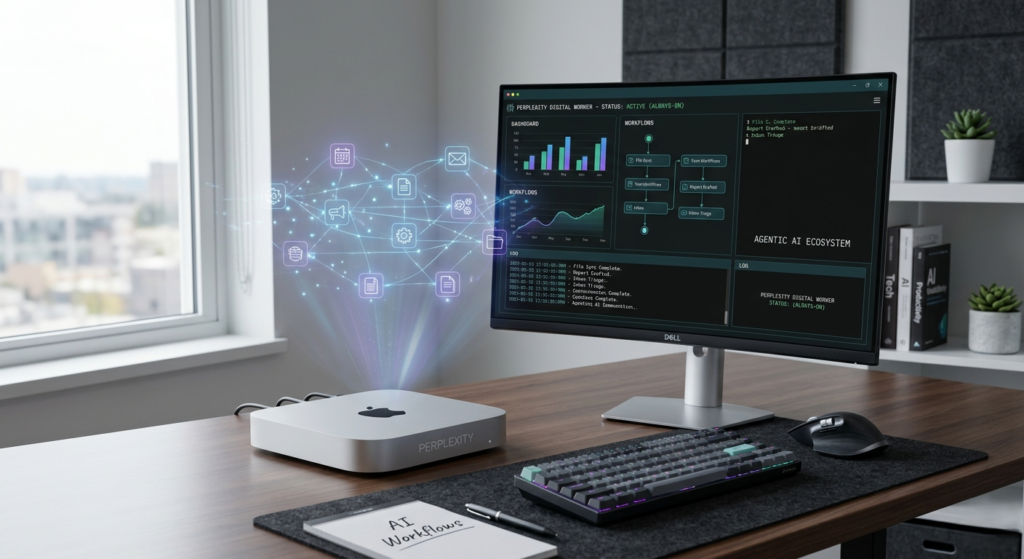
Imagine a world where your most tedious digital tasks don’t just get easier—they disappear. You leave your desk at 5 PM, and while you sleep, an intelligent entity continues to organize your files, draft your reports, and manage your inbox. This isn’t science fiction; it is the reality of the Perplexity digital worker.
By merging the power of advanced agentic AI with the compact efficiency of a Mac mini, Perplexity has unveiled a concept that shifts AI from a reactive chatbot to a proactive, 24/7 digital employee. In this deep dive, we explore how the Perplexity digital worker is setting a new standard for the “Personal Computer” and why this hardware-software hybrid is the ultimate power move for serious professionals.
What is the Perplexity Digital Worker?
The Perplexity digital worker is a persistent AI agent designed to run continuously on a dedicated Mac mini. Unlike traditional AI tools that “die” the moment you close your browser tab, this system remains “always-on.” It functions as a digital proxy, executing complex, multi-step workflows across your local applications and files.
At its core, the Perplexity digital worker leverages an orchestration harness of over 20 frontier models. It doesn’t just answer questions; it understands objectives. If you tell it to “prepare a weekly sales report,” it doesn’t just write a summary; it pulls data from your local spreadsheets, generates charts, drafts a narrative in your local word processor, and has the file ready for your review by morning.
Why a Mac Mini? The Strategy Behind the Hardware
The choice of the Mac mini as the “body” for the Perplexity digital worker is both intentional and brilliant. As AI agents move toward local execution to handle sensitive data, the hardware needs to be reliable, low-power, and affordable.
- Continuous Up-time: The Mac mini is designed to stay on 24/7, making it the perfect host for a worker that “never sleeps.”
- Privacy and Local Access: By running on a dedicated machine in your physical space, the Perplexity digital worker can access your local file system and desktop apps without requiring every byte of your personal data to live permanently in the cloud.
- Cost-Efficiency: Compared to high-end workstations, the Mac mini provides a high performance-to-price ratio, making “AI-as-a-resident-worker” accessible to small businesses and individual power users.
Key Features of the Perplexity Digital Worker Concept
The Perplexity digital worker isn’t just a script; it’s a sophisticated ecosystem designed for reliability and safety. Here are the pillars that make this concept work:
- Persistent Sessions: It maintains an “always-on” workspace, allowing it to pick up where it left off without losing context.
- Local-to-Cloud Merge: While reasoning happens via Perplexity’s secure servers, the execution happens on your local Mac mini, interacting with your specific apps (like Excel, Slack, or Zoom).
- Remote Control: You can check the status of your Perplexity digital worker or give it new commands from any device, anywhere in the world.
- Safety First: To prevent “hallucinated” disasters, the system includes a full audit trail, mandatory approval for sensitive actions (like deleting files or sending emails), and a physical/digital “kill switch.”
How It Compares: Perplexity vs. Traditional AI
| Feature | Traditional AI Chatbots | Perplexity Digital Worker |
| Availability | Reactive (Only when prompted) | Proactive (Works 24/7) |
| Context | Limited to current chat session | Accesses local files, apps, and history |
| Execution | Text/Code generation only | Action-oriented (moves files, edits docs) |
| Persistence | Resets after closing tab | Always-on background execution |
| Workflow | User must copy-paste data | Agent fetches data autonomously |
Actionable Use Cases for Your AI Employee
How exactly can you put a Perplexity digital worker to use? The goal is to automate “bounded” workflows where the rules are clear but the manual labor is high.
1. The Ultimate Triage Assistant
The Perplexity digital worker can spend its nights scanning your incoming emails, Slack messages, and project management boards. By the time you sit down with your coffee, it has already categorized tasks, drafted responses for your approval, and highlighted urgent blockers.
2. Automated Content and Media Management
If you are a creator, you can point your agent to a folder of raw assets. The Perplexity digital worker can rename files based on content, resize images for web use, and even draft SEO-friendly descriptions by “looking” at the local metadata—all while you are working on your next big idea.
3. Financial and Data Reporting
For operations managers, the Perplexity digital worker can act as a virtual analyst. It can pull CSV exports from your CRM, cross-reference them with bank statements in a local folder, and generate a structured weekly report without you ever touching a pivot table.
Safety and Security: Managing a 24/7 Agent
The idea of an agent running 24/7 on your local hardware can be daunting. Perplexity addresses this by ensuring that the Perplexity digital worker operates within a “safe harness.”
Every action taken is recorded in a transparent log. If the agent needs to perform a “high-stakes” action—such as executing a financial transaction or bulk-deleting emails—it will pause and wait for your mobile notification approval. This human-in-the-loop (HITL) architecture ensures that while the Perplexity digital worker is autonomous, it is never “rogue.”
How to Get Started with the Perplexity Digital Worker
Currently, the Perplexity digital worker on Mac mini is available via a waitlist for Perplexity Pro and Max subscribers. As the initial cohort begins testing, we can expect the system to become more integrated with third-party app “connectors.”
If you want to prepare for this shift, start by auditing your “boring” tasks. What are the processes you do every Monday morning that involve moving data from one app to another? Those are exactly what the Perplexity digital worker was built to destroy.
Conclusion: The Era of the Digital Proxy
The Perplexity digital worker represents a fundamental shift in how we view computing. We are moving away from computers being “tools we use” toward computers being “proxies that work for us.” By utilizing the Mac mini as a dedicated host, Perplexity is bridging the gap between the ethereal power of LLMs and the practical reality of our local files and workflows.
The “digital employee” is no longer a futuristic dream. It’s a small, silver box sitting on your desk, and it’s ready to start its shift.