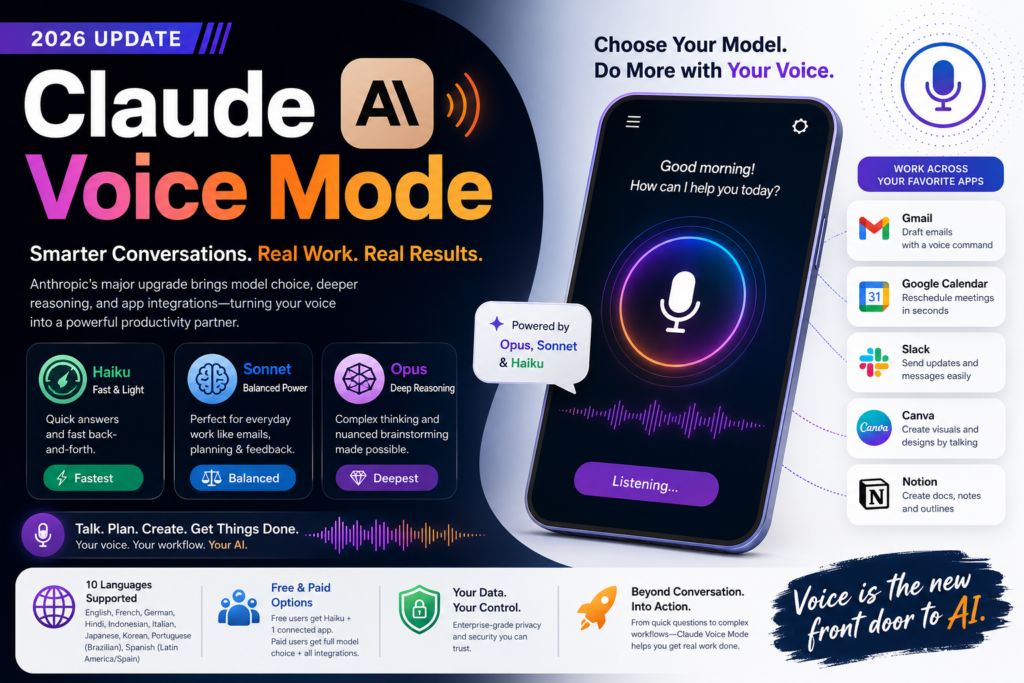
Anthropic has updated Claude Voice Mode to let users pick between Opus, Sonnet, and Haiku models for spoken conversations, moving it well beyond quick-answer duty into complex, connected work like drafting emails, rescheduling meetings, and brainstorming out loud. The update, announced on July 23, 2026, arrives weeks after OpenAI refreshed ChatGPT’s own voice experience — and it signals that voice is becoming a serious front door to AI assistants, not just a novelty feature.
If you’re trying to decide whether this update matters for how you work, talk to your AI tools, or build voice-first products, this guide breaks down exactly what changed, how it compares to competitors, and how to get the most out of it.
What Is Claude Voice Mode?
Claude Voice Mode is Anthropic’s spoken-conversation interface for Claude, first released in mid-2025. It originally ran exclusively on the Haiku model — Anthropic’s fastest, lightest model — which made it snappy for short exchanges but limited for anything requiring deeper reasoning or multi-step planning.
Expansion: With the 2026 update, Claude Voice Mode is no longer tied to a single model. Users can now choose which underlying model powers their spoken conversation, and the system automatically defaults to the fastest version of whichever model was last used in text chat. In practice, that means someone who’s been working with Sonnet in text can pick up the same conversation by voice without losing capability.
This shift matters because voice interfaces have historically traded intelligence for speed. Claude Voice Mode’s update tries to close that gap by giving users control over where they land on that tradeoff.
What’s New in the Claude Voice Mode Update
Model Choice: Opus, Sonnet, and Haiku
The headline change is straightforward: <cite index=”1-1″>users can choose between Opus, Sonnet, and Haiku models</cite> when using Claude Voice Mode. Each model serves a different purpose:
| Model | Best For | Speed | Reasoning Depth |
|---|---|---|---|
| Haiku | Quick questions, fast back-and-forth | Fastest | Lightest |
| Sonnet | Everyday work — emails, planning, feedback | Balanced | Strong |
| Opus | Complex reasoning, nuanced brainstorming | Slowest | Deepest |
This tiered choice is what separates the new Claude Voice Mode from its original version, which <cite index=”1-2″>provided quick responses but wasn’t well suited for complex work</cite>.
Smarter Default Model Selection
Rather than forcing users to manually pick a model every time, <cite index=”1-3″>Claude Voice Mode now picks up the last model people used in text chat and defaults to its fastest version</cite>. This continuity is a small but meaningful design choice — it means your voice conversations inherit the context and capability level of your text conversations, rather than starting from scratch on the weakest available model.
App Integrations: Gmail, Calendar, Slack, Canva, and Notion
Perhaps the most practically useful part of the update is tool access. <cite index=”1-4″>Claude’s voice mode can now tap into other apps like Gmail, Google Calendar, Slack, Canva, and Notion</cite>, which means <cite index=”1-4″>users can ask it to update a meeting slot, draft an email, or create a document in Notion</cite> — all by talking, with no typing required.
This is a notable differentiator. <cite index=”1-5″>Unlike OpenAI’s voice mode update, which refreshed conversational style but still can’t use different tools to get work done</cite>, Claude Voice Mode is positioning itself as an assistant that can actually execute tasks across your existing workflow, not just talk about them.
Claude Voice Mode vs. ChatGPT Voice Mode
Here’s how the two stack up following their respective 2026 updates:
| Feature | Claude Voice Mode | ChatGPT Voice Mode |
|---|---|---|
| Model choice | Opus, Sonnet, Haiku | Fixed conversational model family |
| Third-party app integration | Yes — Gmail, Calendar, Slack, Canva, Notion | No tool/app execution |
| Default model logic | Inherits last-used text model | Not model-tiered |
| Multilingual support | 10 languages (manual selection) | Varies by release |
| Free tier | Haiku only, one connected app | Limited by OpenAI’s own tiering |
| Conversational stack changes | None disclosed this release | Improved interruption handling reported |
The core distinction: <cite index=”1-5″>OpenAI’s release focused on conversational improvements like better interruption handling, while Anthropic didn’t change the underlying voice model or stack at all in this update</cite> — Claude Voice Mode’s gains come from what it can do, not how natural it sounds.
Multilingual Support in Claude Voice Mode
Question: Does Claude Voice Mode support languages other than English?
Direct Answer: Yes. <cite index=”1-6″>Anthropic added multilingual support to Claude Voice Mode in beta earlier in 2026, and it now supports English, French, German, Hindi, Indonesian, Italian, Japanese, Korean, Portuguese (Brazilian), and Spanish (Latin America/Spain)</cite>.
One caveat worth flagging: <cite index=”1-6″>users currently have to manually specify which language they want to use</cite> — Claude Voice Mode doesn’t yet auto-detect language switches mid-conversation. For multilingual teams or users who code-switch frequently, this is a small friction point to keep in mind.
Free vs. Paid Access — What You Get
Not every user gets the full capability set. <cite index=”1-7″>The new Claude Voice Mode is available to all users in beta across platforms, but free users are restricted to the Haiku model with only one connected app</cite>.
Here’s what that split looks like in practice:
- Free users: Access to Claude Voice Mode, but limited to the Haiku model and a single app integration (e.g., just Gmail, or just Calendar — not both simultaneously).
- Paid users: Full model choice across Opus, Sonnet, and Haiku, plus multiple simultaneous app connections across Gmail, Calendar, Slack, Canva, and Notion.
- All users: Multilingual voice support across the ten supported languages, provided the language is manually selected.
This tiering mirrors a pattern common across AI products — the core feature is broadly accessible, but depth and integration breadth are reserved for paying users.
How to Use Claude Voice Mode for Real Work
Anthropic specifically pointed to a few use cases it expects Claude Voice Mode to support well, given its longer-conversation capability and app access:
- Communication style feedback — talk through a message or presentation and get spoken feedback on tone and clarity
- Pitch rehearsal — <cite index=”1-8″>talk through a pitch to a client before the real meeting</cite>
- Product/market brainstorming — <cite index=”1-8″>brainstorm product market research out loud</cite> instead of typing notes
- Calendar management — ask Claude Voice Mode to move or reschedule a meeting directly via Google Calendar
- Email drafting — dictate the gist of an email and have it drafted and ready in Gmail
- Document creation — spin up a new Notion doc or outline without touching a keyboard
For content teams, sales professionals, and founders juggling constant context-switching, this combination of reasoning depth and tool access is what elevates Claude Voice Mode from a dictation tool to something closer to a spoken operating layer for daily work.
Frequently Asked Questions
Q: When was the Claude Voice Mode update released? A: Anthropic announced the update on Thursday, July 23, 2026.
Q: Can I choose which AI model powers my voice conversation? A: Yes. Claude Voice Mode now lets you choose between Opus, Sonnet, and Haiku, depending on how much reasoning depth versus speed you need.
Q: Does Claude Voice Mode work with Gmail and Google Calendar? A: Yes. Claude Voice Mode can draft emails in Gmail and reschedule events in Google Calendar, along with connecting to Slack, Canva, and Notion.
Q: Is Claude Voice Mode free? A: Claude Voice Mode is available to all users in beta, but free-tier users are limited to the Haiku model and one connected app at a time.
Q: How does Claude Voice Mode compare to ChatGPT’s voice mode? A: The main difference is tool access — Claude Voice Mode can execute tasks across connected apps, while ChatGPT’s updated voice mode focuses on conversational quality without app execution capability.
Q: What languages does Claude Voice Mode support? A: English, French, German, Hindi, Indonesian, Italian, Japanese, Korean, Portuguese (Brazilian), and Spanish (Latin America/Spain), with manual language selection required.
Final Take
The latest Claude Voice Mode update isn’t about making Claude sound more human — Anthropic explicitly left the voice stack untouched this round. Instead, it’s a capability play: giving users control over reasoning power and, more importantly, giving voice conversations the ability to actually do things across Gmail, Calendar, Slack, Canva, and Notion. That combination of model choice and app execution is what sets this Claude Voice Mode release apart from OpenAI’s more conversation-polish-focused update, and it’s a strong signal of where voice-first AI assistants are headed next: less about sounding natural, more about getting real work done.
Meta Description: Anthropic upgrades Claude Voice Mode with Opus, Sonnet, and Haiku model choice plus Gmail, Calendar, Slack, Notion integration.
Slug: claude-voice-mode-update-2026