Google Maps ଟ୍ରିପ୍ ଆଇଟିନେରାରି (ଯାତ୍ରା ଯୋଜନା): ‘Ask Maps’ କିପରି ଆପଣଙ୍କ ଯାତ୍ରା ପଥ, ରହିବା ସ୍ଥାନ ଏବଂ ଲାଇଭ୍ (ସାମ୍ପ୍ରତିକ) ତଥ୍ୟ ପ୍ରସ୍ତୁତ କରେ
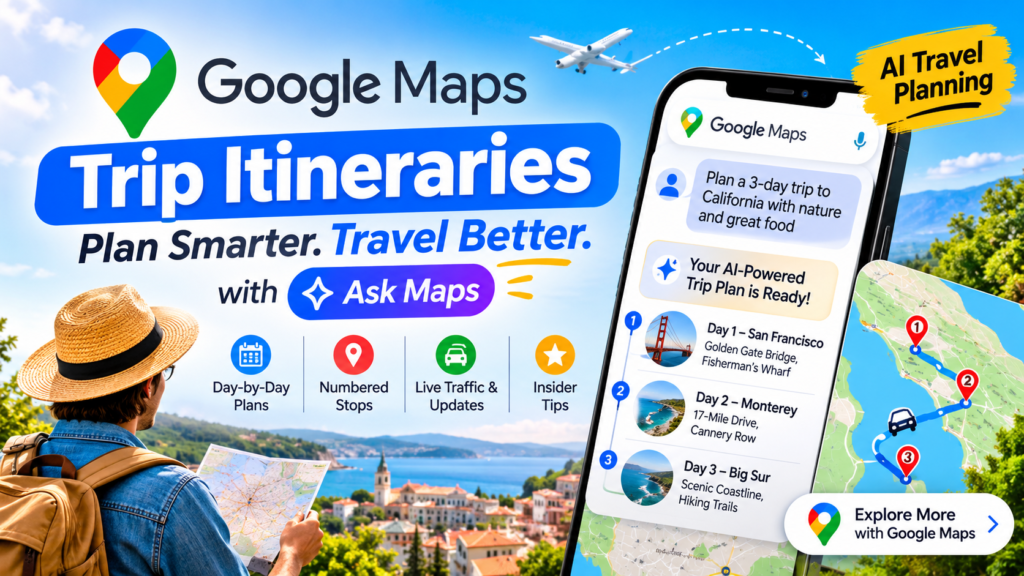
Google Maps trip itineraries are AI-built, day-by-day travel plans that you create by chatting with Ask Maps, complete with numbered map pins, insider tips, and live details like traffic, opening hours, and the vibe at your next stop. Google announced the update on Monday, November 16, 2026, and began rolling it out that day on Android and iOS, according to TechCrunch’s reporting.
Planning a trip has traditionally meant juggling tabs: a blog for ideas, a map for distances, a review site for hours, and a notes app to hold it all together. This update folds that workflow into one conversation inside the app you already use for directions. This guide covers how the feature works, what the live details include, how to write prompts that produce better plans, and where the limits are.
Quick Answer: What Are Google Maps Trip Itineraries?
Definition. An itinerary built in Ask Maps is a step-by-step plan generated from a plain-language request. You describe the trip you want, and Google’s AI assistant inside Maps responds with an ordered set of stops rather than a list of search results.
Expansion. The plan is organized by day, with short insider tips and numbered pins on the map so you can see the geography at a glance. When you’re ready to travel, the plan stays connected to live information, so the schedule reflects what is happening now instead of what a guidebook said last year. Google’s own examples range from a holiday shopping day trip to a three-day road trip with coastal hikes and oceanfront dining.
In short, Google Maps trip itineraries turn a vague idea into a navigable plan without leaving the app.
Key Takeaways
- One conversation, one plan. Ask Maps generates a full day-by-day itinerary from a single prompt.
- Visual by default. Every stop gets a numbered pin, so the route is readable on the map immediately.
- Live data at every stop. Traffic conditions, business hours, and a sense of the “vibe” at your next destination appear when you open the plan.
- Editable on the go. You can ask Maps to add a scenic viewpoint or a lunch stop mid-trip.
- Shareable. You can send the plan to friends and family, or export it to Google Docs on desktop.
- Bigger rollout. Ask Maps is expanding to 30 countries across Europe, including Spain, Germany, and the U.K.
- Beyond planning. Google Maps trip itineraries arrived alongside tools that find appointments and call local businesses for you.
How Google Maps Trip Itineraries Work
The feature lives inside Ask Maps, the conversational AI tool Google introduced earlier in 2026 as part of a broader Maps upgrade. If you’ve used Maps only for searching and navigating, the interaction will feel different, because you talk to it the way you would to a well-traveled friend.
Step 1: Describe the Trip in Ask Maps
Open Ask Maps and type what you want: where you’re going, how long you have, and what you enjoy. Google’s examples show the range. A request can be as simple as a holiday shopping day trip, or as involved as a three-day road trip built around coastal hikes and oceanfront meals. The more specific the request, the more tailored the plan tends to be.
Step 2: Review the Day-by-Day Plan
Ask Maps returns a structured itinerary broken into days. Each stop gets a numbered pin on the map and an insider tip, so you can scan the geography and the rationale together. If the order looks inefficient or a stop doesn’t appeal, you can keep refining the plan in the same chat.
Step 3: Share or Export the Plan
Once you’re happy with it, you can share the itinerary with friends and family. On desktop, you can also export it to Google Docs, which is useful if you want to annotate the plan, add booking confirmations, or hand it to a group that prefers a document to a map.
Step 4: Reopen It and Navigate With Live Data
When it’s time to go, you can reopen the plan from Ask Maps or find the itinerary badge in your chat history. From there you can tap any destination to get directions to your next stop. This is the step that makes Google Maps trip itineraries different from a static list, because the plan connects directly to navigation and to live conditions.
What Real-Time Details Do Google Maps Trip Itineraries Show at Each Stop?
Short answer: traffic conditions, business hours, and a read on the vibe at your next stop. Google says these appear when you reopen your itinerary and pull up directions.
Why Does Live Data Matter for a Travel Plan?
Definition. Real-time trip details are information that changes hour to hour and can invalidate a plan made in advance.
Expansion. A beautifully sequenced day falls apart if a restaurant closes early, a road backs up, or a viewpoint is packed. A static itinerary can’t warn you about any of that. Because the plan lives inside Maps, it can surface current conditions at the moment you need them.
What Does “Vibe” Mean in This Context?
Short answer: it’s a quick sense of what a place feels like right now, such as whether it’s lively or quiet. Google highlighted this as one of the live details, but the TechCrunch report does not break down exactly how it is calculated. Treat it as a helpful signal, and verify anything that matters, like a reservation window or a hard closing time.
Can You Change the Plan While You’re on the Road?
Short answer: yes. You can ask Maps to modify the itinerary with a request such as adding a scenic viewpoint or a lunch stop along your route. That conversational editing is what separates an AI trip planner from a fixed list. The plan adapts when your day does.
What Can You Plan With Google Maps Trip Itineraries?
The feature is built for more than vacations. Google’s examples span trips of very different sizes, and the same approach works for both.
A Holiday Shopping Day Trip
For a single-day outing, you might ask for a route through a handful of shopping districts, with a coffee break and a lunch stop. The itinerary orders the stops, pins them on the map, and checks hours so you don’t arrive at a shuttered shop. With the holiday season starting, this is one of the most immediately practical uses.
A Three-Day Coastal Road Trip
For longer trips, road trip planning with Google Maps becomes a single conversation instead of a research project. Ask for three days of coastal hikes and oceanfront dining, and you get a day-by-day plan with tips for each stop. As you drive, live traffic and hours keep the plan honest.
Everyday Outings and Errands
Because the tool is positioned for “everyday tasks” as well as travel, you can use it for a weekend afternoon in your own city. A museum, a market, and a dinner reservation can become a tidy sequence of pins rather than three separate searches.
How to Write Prompts That Produce Better Itineraries
The quality of an AI trip planner depends heavily on the request. These habits tend to produce stronger results, though the exact behavior of Ask Maps may vary.
- State the duration. “Two days” or “one afternoon” gives the plan a clear boundary.
- Name your interests. “Coastal hikes and seafood” beats “things to do.”
- Mention your transport. Driving, walking, and transit lead to very different routes.
- Set the pace. Say whether you want a packed schedule or a relaxed one.
- Include constraints. Dietary needs, accessibility requirements, and group size all shape good recommendations.
- Refine in follow-ups. Treat the first answer as a draft and iterate in the same chat.
A prompt like “Plan a relaxed two-day drive along the coast with one hike per day and a seafood dinner each night” gives Google Maps trip itineraries far more to work with than “coast trip.”
Beyond Planning: Appointments and Saved-List Search
The itinerary feature was not the only announcement. Google also gave Ask Maps the ability to find appointments in categories like beauty, pet care, auto, and home repair, and to call local businesses on your behalf. A request such as “Find me a 4 p.m. nail appointment near me” will show open slots across nearby businesses.
Ask Maps can also search your saved lists for availability. Instead of checking each saved restaurant one by one, you can ask which of your saved places can seat your group within the next half hour.
These additions fit a larger trend. As TechCrunch noted, tech companies increasingly position AI as an assistant that completes tasks rather than one that only answers questions, and other AI agents are learning to place calls to businesses as well. Google’s advantage is that it is building this into a product with a huge existing user base.
Google Maps Trip Itineraries vs. Other Planning Tools
How does the new approach compare with the tools travelers already use? The table below summarizes the differences based on what Google announced and on how Google My Maps is generally described.
| Feature | Ask Maps itineraries | Google My Maps | Static travel guide or blog |
|---|---|---|---|
| How it’s built | AI generates it from a plain-language prompt | You build it manually | A writer built it, once |
| Live traffic and hours | Yes, shown when you reopen the plan | Not for navigation; you switch to Google Maps | No |
| Navigation | Tap any stop for directions | No built-in navigation | None |
| Sharing | Share with friends and family; export to Google Docs on desktop | Supports sharing for collaboration | Link or copy |
| Editing | Ask in chat to add or change stops | Manual edits, imports, and custom stop categories | Fixed |
| Best for | Fast planning and mid-trip adjustments | Detailed pre-trip planning | Inspiration |
The takeaway: Google My Maps remains stronger when you want granular manual control, while Google Maps trip itineraries are strongest for speed and live adaptability. Many travelers will likely use both, drafting broad plans in conversation and fine-tuning where needed.
Where Are Google Maps Trip Itineraries Available?
Short answer: Google said the new features began rolling out on Monday, November 16, 2026, on Android and iOS. Separately, Ask Maps is expanding to 30 European countries, including Spain, Germany, and the U.K.
Rollouts are usually staged, so you may not see the feature right away. If it doesn’t appear, update the Maps app and check again over the following days. The TechCrunch report doesn’t spell out every region or any pricing details, so check Google’s announcement for the latest availability in your country.
Limits of Google Maps Trip Itineraries, and Smart Habits
AI-generated plans are a strong starting point, not a guarantee. A few practical habits will protect your trip.
- Verify critical details. For reservations, ticketed attractions, and strict opening windows, confirm directly with the business.
- Sanity-check the pacing. An itinerary can look efficient on a map yet be exhausting in practice. Check drive times and leave buffer.
- Treat “vibe” as a hint. It’s a quick read, not a promise.
- Have a backup stop. Live data can tell you a place is crowded or closed, so know your alternative.
- Download what you need. If you’ll be somewhere with weak signal, make sure you have the essentials available offline.
These caveats don’t undercut the feature. They reflect how any AI trip planner is best used: as a fast, informed collaborator whose output you review.
Why This Update Matters for Travelers and Marketers
For travelers, the shift is about time. Research that used to take an evening now takes a conversation, and the plan stays useful on the road.
For businesses and content creators, the implications are bigger. When itineraries are assembled by AI from local data and community input, accurate business information matters more than ever. Up-to-date hours, current photos, and recent reviews make a place easier for Ask Maps to recommend. Travel publishers should also think about how their content can stay useful when an assistant summarizes destinations: clear, specific, and well-structured pages are more likely to be understood and surfaced. Google Maps trip itineraries are one more sign that discovery is moving from lists of links toward assembled answers.
Frequently Asked Questions
What are Google Maps trip itineraries?
They are AI-generated, day-by-day plans created in Ask Maps from a plain-language prompt, with numbered pins, insider tips, and live details at each stop.
How do I create one?
Open Ask Maps, describe your trip, review the plan it returns, and refine it in the same conversation. When you’re ready to travel, reopen it from Ask Maps or from the itinerary badge in your chat history.
Can I share Google Maps trip itineraries with other people?
Yes. You can share a finished plan with friends and family, and on desktop you can export it to Google Docs.
Can I change the plan during the trip?
Yes. You can ask Maps to adjust the itinerary, for example by adding a scenic viewpoint or a lunch stop along your route.
Does the plan include navigation?
Yes. You can tap any destination in the plan to get directions and navigate to your next stop.
Is Ask Maps available outside the United States?
Ask Maps is expanding to 30 European countries, including Spain, Germany, and the U.K. Availability of individual features varies by region and rollout stage, so check Google’s announcement for your location.
Can Ask Maps book appointments?
Ask Maps can find appointments in categories such as beauty, pet care, auto, and home repair, and can call local businesses for you. Open time slots from nearby businesses appear in the results.
Conclusion: A Planning Tool That Stays Useful After You Leave Home
The headline change is simple: planning and navigating now happen in the same place. You describe a trip, receive an organized plan with numbered pins and tips, and keep using that plan on the road with live traffic, hours, and vibe checks. You can adapt it on the fly, share it, or export it to a document.
Google Maps trip itineraries won’t replace judgment. You’ll still want to confirm key reservations and pace your days sensibly. But as a fast, conversational AI trip planner, the feature removes much of the tab-juggling that makes trip planning tedious. If you have a holiday outing or a coastal road trip coming up, open Ask Maps and try one prompt. You’ll know within a minute whether it fits how you plan.
Google Maps ଟ୍ରିପ୍ ଆଇଟିନେରାରି (ଯାତ୍ରା ଯୋଜନା): ‘Ask Maps’ କିପରି ଆପଣଙ୍କ ଯାତ୍ରା ପଥ, ରହିବା ସ୍ଥାନ ଏବଂ ଲାଇଭ୍ (ସାମ୍ପ୍ରତିକ) ତଥ୍ୟ ପ୍ରସ୍ତୁତ କରେ
Google Maps ଟ୍ରିପ୍ ଆଇଟିନେରାରିଗୁଡ଼ିକ ହେଉଛି AI (କୃତ୍ରିମ ବୁଦ୍ଧିମତ୍ତା) ଦ୍ୱାରା ପ୍ରସ୍ତୁତ ଦୈନିକ ଯାତ୍ରା ଯୋଜନା। ଆପଣ ‘Ask Maps’ ସହିତ କଥାବାର୍ତ୍ତା (chatting) କରି ଏହି ଯୋଜନା ତିଆରି କରିପାରିବେ। ଏଥିରେ ମ୍ୟାପ୍ ଉପରେ ନମ୍ବର ଦିଆଯାଇଥିବା ପିନ୍ (pins), ବିଶେଷ ପରାମର୍ଶ ଏବଂ ଟ୍ରାଫିକ୍, ଖୋଲିବା ସମୟ ତଥା ଆପଣଙ୍କ ପରବର୍ତ୍ତୀ ଗନ୍ତବ୍ୟ ସ୍ଥଳର ପରିବେଶ ଭଳି ଲାଇଭ୍ ତଥ୍ୟ ଅନ୍ତର୍ଭୁକ୍ତ ଥାଏ। ‘TechCrunch’ ର ରିପୋର୍ଟ ଅନୁଯାୟୀ, Google ନଭେମ୍ବର ୧୬, ୨୦୨୬ (ସୋମବାର) ଦିନ ଏହି ଅପଡେଟ୍ ଘୋଷଣା କରିଥିଲା ଏବଂ ସେହି ଦିନଠାରୁ Android ଓ iOS ରେ ଏହାକୁ ଉପଲବ୍ଧ କରାଇବା ଆରମ୍ଭ କରିଥିଲା।
ପୂର୍ବରୁ ଏକ ଯାତ୍ରା ଯୋଜନା କରିବା ପାଇଁ ଅନେକଗୁଡ଼ିଏ ଟ୍ୟାବ୍ ବ୍ୟବହାର କରିବାକୁ ପଡ଼ୁଥିଲା: ଯେପରିକି ଧାରଣା ପାଇଁ ଏକ ବ୍ଲଗ୍, ଦୂରତା ଜାଣିବା ପାଇଁ ଏକ ମ୍ୟାପ୍, ସମୟ ସାରଣୀ ପାଇଁ ଏକ ରିଭ୍ୟୁ ସାଇଟ୍ ଏବଂ ଏସବୁକୁ ଏକାଠି ରଖିବା ପାଇଁ ଏକ ନୋଟ୍ ଆପ୍। କିନ୍ତୁ ଏହି ନୂତନ ଅପଡେଟ୍ ସେହି ସମସ୍ତ କାର୍ଯ୍ୟକୁ କେବଳ ଗୋଟିଏ କଥାବାର୍ତ୍ତା ମାଧ୍ୟମରେ ସେହି ଆପ୍ ଭିତରେ ସମ୍ପାଦନ କରିଦିଏ, ଯାହାକୁ ଆପଣ ପୂର୍ବରୁ ରାସ୍ତା ଖୋଜିବା ପାଇଁ ବ୍ୟବହାର କରୁଛନ୍ତି। ଏହି ଗାଇଡ୍ରେ ଆମେ ଆଲୋଚନା କରିବୁ ଯେ ଏହି ଫିଚର୍ କିପରି କାମ କରେ, ଏଥିରେ କେଉଁ ଲାଇଭ୍ ତଥ୍ୟ ମିଳେ, କିପରି ଭଲ ଯୋଜନା ପାଇବା ପାଇଁ ନିର୍ଦ୍ଦେଶ (prompts) ଲେଖିବେ ଏବଂ ଏହାର ସୀମାବଦ୍ଧତା କ’ଣ।
ସଂକ୍ଷିପ୍ତ ଉତ୍ତର: Google Maps ଟ୍ରିପ୍ ଆଇଟିନେରାରି କ’ଣ?
ସଂଜ୍ଞା: ‘Ask Maps’ ରେ ପ୍ରସ୍ତୁତ ହେଉଥିବା ଏକ ଯାତ୍ରା ଯୋଜନା (itinerary) ହେଉଛି ଏକ ପର୍ଯ୍ୟାୟକ୍ରମିକ ଯୋଜନା, ଯାହା ଆପଣଙ୍କର ସାଧାରଣ ଭାଷାରେ ଦିଆଯାଇଥିବା ଅନୁରୋଧ ଆଧାରରେ ସୃଷ୍ଟି ହୁଏ। ଆପଣ କିଭଳି ଯାତ୍ରା ଚାହୁଁଛନ୍ତି ତାହା ବର୍ଣ୍ଣନା କରନ୍ତି ଏବଂ Google Maps ଭିତରେ ଥିବା AI ଆସିଷ୍ଟାଣ୍ଟ, କେବଳ ସର୍ଚ୍ଚ ଫଳାଫଳ ଦେବା ପରିବର୍ତ୍ତେ, ଏକ କ୍ରମବଦ୍ଧ ଯାତ୍ରା ଯୋଜନା (ରହିବା ସ୍ଥାନଗୁଡ଼ିକର ତାଲିକା ଆପଣ ଯେତେବେଳେ ନିଜର ଯାତ୍ରା ଯୋଜନା (plan) ଖୋଲନ୍ତି, ସେତେବେଳେ ସେଠାରେ ଟ୍ରାଫିକ୍ ସ୍ଥିତି, ବ୍ୟବସାୟିକ ପ୍ରତିଷ୍ଠାନଗୁଡ଼ିକର ଖୋଲା ରହିବା ସମୟ ଏବଂ ଆପଣଙ୍କ ଗନ୍ତବ୍ୟ ସ୍ଥଳର ସାମଗ୍ରିକ ପରିବେଶ (vibe) ବିଷୟରେ ସୂଚନା ମିଳିଥାଏ।
ଯାତ୍ରା ସମୟରେ ମଧ୍ୟ ଏଥିରେ ପରିବର୍ତ୍ତନ କରାଯାଇପାରିବ। ଆପଣ ‘ଆସ୍କ ମ୍ୟାପ୍ସ’ (Ask Maps) କୁ କହି ଯାତ୍ରା ମଝିରେ କୌଣସି ସୁନ୍ଦର ଦର୍ଶନୀୟ ସ୍ଥାନ କିମ୍ବା ମଧ୍ୟାହ୍ନ ଭୋଜନ ପାଇଁ କୌଣସି ସ୍ଥାନ ଯୋଡ଼ିବାକୁ କହିପାରିବେ।
ଏହାକୁ ଅନ୍ୟମାନଙ୍କ ସହ ସେୟାର କରାଯାଇପାରିବ। ଆପଣ ନିଜର ଯାତ୍ରା ଯୋଜନା ବନ୍ଧୁ ଏବଂ ପରିବାରବର୍ଗଙ୍କୁ ପଠାଇପାରିବେ, କିମ୍ବା ଡେସ୍କଟପ୍ରେ ଏହାକୁ ‘ଗୁଗୁଲ୍ ଡକ୍ସ’ (Google Docs) କୁ ଏକ୍ସପୋର୍ଟ (export) କରିପାରିବେ।
ବ୍ୟାପକ ଉପଲବ୍ଧତା। ‘ଆସ୍କ ମ୍ୟାପ୍ସ’ ବର୍ତ୍ତମାନ ୟୁରୋପର ୩୦ଟି ଦେଶକୁ ସମ୍ପ୍ରସାରିତ ହେଉଛି, ଯେଉଁଥିରେ ସ୍ପେନ୍, ଜର୍ମାନୀ ଏବଂ ଯୁକ୍ତରାଜ୍ୟ (U.K.) ଅନ୍ତର୍ଭୁକ୍ତ।
କେବଳ ଯୋଜନା ପ୍ରସ୍ତୁତ କରିବା ଠାରୁ ଆହୁରି ଅଧିକ। ଗୁଗୁଲ୍ ମ୍ୟାପ୍ସର ଏହି ଯାତ୍ରା ଯୋଜନା ସୁବିଧା ସହିତ ଏପରି କିଛି ଟୁଲ୍ ମଧ୍ୟ ଆସିଛି, ଯାହା ଆପଣଙ୍କ ପାଇଁ ବିଭିନ୍ନ ସ୍ଥାନରେ ସମୟ ନିର୍ଦ୍ଧାରଣ (appointments) କରିପାରିବ ଏବଂ ସ୍ଥାନୀୟ ବ୍ୟବସାୟିକ ପ୍ରତିଷ୍ଠାନଗୁଡ଼ିକୁ ଫୋନ୍ ମଧ୍ୟ କରିପାରିବ।
ଗୁଗୁଲ୍ ମ୍ୟାପ୍ସର ଯାତ୍ରା ଯୋଜନା (Trip Itineraries) କିପରି କାମ କରେ?
ଏହି ଫିଚରଟି ‘ଆସ୍କ ମ୍ୟାପ୍ସ’ (Ask Maps) ମଧ୍ୟରେ ରହିଛି। ଏହା ଏକ ‘କନଭରସେସନାଲ୍ AI’ (conversational AI) ଟୁଲ୍, ଯାହାକୁ ଗୁଗୁଲ୍ ୨୦୨୬ ମସିହାର ପ୍ରାରମ୍ଭରେ ମ୍ୟାପ୍ସର ଏକ ବ୍ୟାପକ ଅପଗ୍ରେଡ୍ର ଅଂଶ ଭାବରେ ଉପସ୍ଥାପନ କରିଥିଲା। ଯଦି ଆପଣ ପୂର୍ବରୁ କେବଳ ସ୍ଥାନ ଖୋଜିବା କିମ୍ବା ରାସ୍ତା ଦେଖିବା ପାଇଁ ମ୍ୟାପ୍ସ ବ୍ୟବହାର କରୁଥିଲେ, ତେବେ ଏହି ଅନୁଭୂତି ଆପଣଙ୍କୁ ସମ୍ପୂର୍ଣ୍ଣ ଭିନ୍ନ ଲାଗିବ; କାରଣ ଏଠାରେ ଆପଣ ଠିକ୍ ସେହିପରି କଥା ହୋଇପାରିବେ ଯେପରି ଆପଣ ଜଣେ ଅନେକ ସ୍ଥାନ ବୁଲିଥିବା ବନ୍ଧୁଙ୍କ ସହ କଥା ହୁଅନ୍ତି।
ପଦକ୍ଷେପ ୧: ‘ଆସ୍କ ମ୍ୟାପ୍ସ’ରେ ନିଜ ଯାତ୍ରା ବିଷୟରେ ବର୍ଣ୍ଣନା କରନ୍ତୁ
‘ଆସ୍କ ମ୍ୟାପ୍ସ’ ଖୋଲନ୍ତୁ ପଦକ୍ଷେପ 4: ଏହାକୁ ପୁନଃଖୋଲନ୍ତୁ ଏବଂ ଲାଇଭ୍ ଡାଟା ସହିତ ନେଭିଗେଟ୍ କରନ୍ତୁ
ଯେତେବେଳେ ଯିବାର ସମୟ ହୁଏ, ଆପଣ Ask Maps ରୁ ଯୋଜନାଟି ପୁଣି ଖୋଲିପାରିବେ କିମ୍ବା ଆପଣଙ୍କର ଚାଟ୍ ଇତିହାସରେ ଯାତ୍ରା ବ୍ୟାଜ୍ ପାଇପାରିବେ। ସେଠାରୁ ଆପଣ ଆପଣଙ୍କର ପରବର୍ତ୍ତୀ ରହଣିକୁ ଦିଗନିର୍ଦ୍ଦେଶ ପାଇବା ପାଇଁ ଯେକୌଣସି ଗନ୍ତବ୍ୟସ୍ଥଳକୁ ଟାପ୍ କରିପାରିବେ। ଏହା ହେଉଛି ସେହି ପଦକ୍ଷେପ ଯାହା Google Maps ଯାତ୍ରା ଯାତ୍ରାଗୁଡ଼ିକୁ ଏକ ସ୍ଥିର ତାଲିକାଠାରୁ ଭିନ୍ନ କରିଥାଏ, କାରଣ ଯୋଜନା ସିଧାସଳଖ ନାଭିଗେସନ୍ ଏବଂ ଲାଇଭ୍ ପରିସ୍ଥିତି ସହିତ ସଂଯୋଗ କରିଥାଏ।
Google Maps ଯାତ୍ରା ଯାତ୍ରା କାର୍ଯ୍ୟକ୍ରମଗୁଡ଼ିକ ପ୍ରତ୍ୟେକ ରହଣିରେ କ’ଣ ପ୍ରକୃତ-ସମୟ ବିବରଣୀ ଦେଖାଏ?
ସଂକ୍ଷିପ୍ତ ଉତ୍ତର: ଟ୍ରାଫିକ୍ ପରିସ୍ଥିତି, ବ୍ୟବସାୟ ସମୟ, ଏବଂ ଆପଣଙ୍କର ପରବର୍ତ୍ତୀ ରହଣିରେ ଭାଇବ୍ ଉପରେ ଏକ ପଠନ। Google କୁହେ ଯେ ଯେତେବେଳେ ଆପଣ ଆପଣଙ୍କର ଯାତ୍ରା କାର୍ଯ୍ୟକ୍ରମ ପୁନର୍ବାର ଖୋଲିବେ ଏବଂ ଦିଗନିର୍ଦ୍ଦେଶ ଟାଣିବେ ସେତେବେଳେ ଏଗୁଡ଼ିକ ଦେଖାଯିବ।
ଏକ ଯାତ୍ରା ଯୋଜନା ପାଇଁ ଲାଇଭ୍ ଡାଟା କାହିଁକି ଗୁରୁତ୍ୱପୂର୍ଣ୍ଣ?
ପରିଭାଷା। ପ୍ରକୃତ-ସମୟ ଯାତ୍ରା ବିବରଣୀ ହେଉଛି ଏପରି ସୂଚନା ଯାହା ଘଣ୍ଟା ଘଣ୍ଟା ପରିବର୍ତ୍ତନ କରେ ଏବଂ ପୂର୍ବରୁ ତିଆରି ହୋଇଥିବା ଯୋଜନାକୁ ଅମାନ୍ୟ କରିପାରେ।
ବିସ୍ତାର। ଯଦି ଏକ ରେଷ୍ଟୁରାଣ୍ଟ ଶୀଘ୍ର ବନ୍ଦ ହୁଏ, ଏକ ରାସ୍ତା ପଛକୁ ଉଠିଯାଏ, କିମ୍ବା ଏକ ଦୃଷ୍ଟିକୋଣ ପ୍ୟାକ୍ ହୋଇଯାଏ ତେବେ ଏକ ସୁନ୍ଦର ଭାବରେ କ୍ରମିକ ଦିନ ଭାଙ୍ଗିଯାଏ। ଏକ ସ୍ଥିର ଯାତ୍ରା କାର୍ଯ୍ୟକ୍ରମ ଆପଣଙ୍କୁ ସେଥିମଧ୍ୟରୁ କୌଣସି ବିଷୟରେ ସତର୍କ କରିପାରିବ ନାହିଁ। ଯେହେତୁ ଯୋଜନାଟି ମ୍ୟାପ୍ସ ଭିତରେ ରହିଥାଏ, ଏହା ଆପଣଙ୍କୁ ଆବଶ୍ୟକ କରୁଥିବା ସମୟରେ ବର୍ତ୍ତମାନର ପରିସ୍ଥିତିକୁ ପ୍ରଦର୍ଶିତ କରିପାରିବ।
ଏହି ପ୍ରସଙ୍ଗରେ “ଭାଇବ୍” ର ଅର୍ଥ କ’ଣ?
ସଂକ୍ଷିପ୍ତ ଉତ୍ତର: ଏହା ଏକ ଶୀଘ୍ର ଧାରଣାବର୍ତ୍ତମାନ କୌଣସି ସ୍ଥାନର ପରିବେଶ କିପରି ଅଛି—ଯେପରିକି ସେଠାରେ ବହୁତ ଭିଡ଼ ଅଛି ନା ଶାନ୍ତ ଅଛି—ତାହା ଏଥିରୁ ଜାଣିହେବ। ଗୁଗୁଲ୍ ଏହାକୁ ଏକ ‘ଲାଇଭ୍’ (ସାମ୍ପ୍ରତିକ) ତଥ୍ୟ ଭାବରେ ଉପସ୍ଥାପନ କରିଛି, କିନ୍ତୁ ‘ଟେକ୍କ୍ରଞ୍ଚ’ (TechCrunch) ରିପୋର୍ଟରେ ଏହା କିପରି ଗଣନା କରାଯାଏ, ସେ ବିଷୟରେ ବିସ୍ତୃତ ସୂଚନା ଦିଆଯାଇନାହିଁ। ଏହାକୁ କେବଳ ଏକ ସହାୟକ ସୂଚକ ଭାବରେ ଗ୍ରହଣ କରନ୍ତୁ ଏବଂ ଯଦି କୌଣସି ଗୁରୁତ୍ୱପୂର୍ଣ୍ଣ ବିଷୟ ଥାଏ (ଯେପରିକି ରିଜର୍ଭେସନ୍ ସମୟ କିମ୍ବା ଦୋକାନ ବନ୍ଦ ହେବାର ନିର୍ଦ୍ଦିଷ୍ଟ ସମୟ), ତେବେ ତାହାକୁ ନିଶ୍ଚିତ ଭାବରେ ଯାଞ୍ଚ କରିନିଅନ୍ତୁ।
ଯାତ୍ରା ସମୟରେ ଆପଣ ନିଜ ଯୋଜନାରେ ପରିବର୍ତ୍ତନ କରିପାରିବେ କି?
ସଂକ୍ଷିପ୍ତ ଉତ୍ତର ହେଲା: ହଁ। ଆପଣ ‘ଗୁଗୁଲ୍ ମ୍ୟାପ୍ସ’ (Google Maps) କୁ ଆପଣଙ୍କ ଯାତ୍ରା ଯୋଜନାରେ ପରିବର୍ତ୍ତନ କରିବାକୁ କହିପାରିବେ; ଉଦାହରଣ ସ୍ୱରୂପ, ଯାତ୍ରା ପଥରେ କୌଣସି ସୁନ୍ଦର ଦର୍ଶନୀୟ ସ୍ଥାନ ଯୋଡ଼ିବା କିମ୍ବା ମଧ୍ୟାହ୍ନ ଭୋଜନ ପାଇଁ କେଉଁଠାରେ ଅଟକିବାକୁ ଅନୁରୋଧ କରିପାରିବେ। ଏହିପରି କଥାବାର୍ତ୍ତା ମାଧ୍ୟମରେ ଯୋଜନାରେ ପରିବର୍ତ୍ତନ କରିବାର କ୍ଷମତା, ଏକ ସାଧାରଣ ‘AI ଟ୍ରିପ୍ ପ୍ଲାନର୍’ (ଯାତ୍ରା ଯୋଜନାକାରୀ) କୁ ଏକ ସ୍ଥିର ତାଲିକାଠାରୁ ଭିନ୍ନ କରିଥାଏ। ଆପଣଙ୍କ ଦିନଚର୍ଯ୍ୟାରେ ପରିବର୍ତ୍ତନ ଆସିଲେ, ଯୋଜନା ମଧ୍ୟ ସେହି ଅନୁଯାୟୀ ବଦଳିଯାଏ।
‘ଗୁଗୁଲ୍ ମ୍ୟାପ୍ସ’ ସାହାଯ୍ୟରେ ଆପଣ କେଉଁ ପ୍ରକାରର ଯାତ୍ରା ଯୋଜନା କରିପାରିବେ?
ଏହି ସୁବିଧାଟି କେବଳ ଛୁଟିଦିନର ଭ୍ରମଣ ପାଇଁ ନୁହେଁ, ବରଂ ଅନ୍ୟାନ୍ୟ ଉଦ୍ଦେଶ୍ୟରେ ମଧ୍ୟ ବ୍ୟବହାର କରାଯାଇପାରିବ। ଗୁଗୁଲ୍ ଦ୍ୱାରା ଦିଆଯାଇଥିବା ଉଦାହରଣଗୁଡ଼ିକ ବିଭିନ୍ନ ପ୍ରକାରର ଯାତ୍ରାକୁ ଅନ୍ତର୍ଭୁକ୍ତ କରେ ଏବଂ ଉଭୟ କ୍ଷେତ୍ରରେ ଏହି ପଦ୍ଧତି ସମାନ ଭାବରେ କାମ କରେ।
ଛୁଟିଦିନରେ କିଣାକିଣି ପାଇଁ ଦିନିକିଆ ଯାତ୍ରା
ଯଦି ଆପଣ ଦିନକ ପାଇଁ ବାହାରକୁ ଯିବାକୁ ଚାହାଁନ୍ତି, ତେବେ ଆପଣ କିଛି ବଜାର ଅଞ୍ଚଳ ଦେଇ ଯିବା ପାଇଁ ଏକ ରୁଟ୍ (ରାସ୍ତା) ମାଗିପାରିବେ, ଯେଉଁଥିରେ କଫି ପିଇବା କିମ୍ବା ମଧ୍ୟାହ୍ନ ଭୋଜନ ପାଇଁ ସମୟ ମଧ୍ୟ ଅ “ଦୁଇ ଦିନ” କିମ୍ବା “ଗୋଟିଏ ଅପରାହ୍ନ” ଭଳି ସମୟସୀମା ଯୋଜନାକୁ ଏକ ସ୍ପଷ୍ଟ ପରିସର ପ୍ରଦାନ କରେ।
ଆପଣଙ୍କ ଆଗ୍ରହର ବିଷୟଗୁଡ଼ିକୁ ନିର୍ଦ୍ଦିଷ୍ଟ ଭାବରେ କୁହନ୍ତୁ। “କ’ଣ କରିବେ” ବୋଲି କହିବା ଅପେକ୍ଷା “ଉପକୂଳବର୍ତ୍ତୀ ଅଞ୍ଚଳରେ ପଦଯାତ୍ରା (hikes) ଏବଂ ସାମୁଦ୍ରିକ ଖାଦ୍ୟ (seafood)” ବୋଲି କହିବା ଅଧିକ ଉପଯୁକ୍ତ।
ଯାତାୟାତର ମାଧ୍ୟମ ବିଷୟରେ ଉଲ୍ଲେଖ କରନ୍ତୁ। ଗାଡ଼ି ଚଳାଇବା, ଚାଲିବା କିମ୍ବା ସାର୍ବଜନୀନ ପରିବହନ ବ୍ୟବହାର କରିବା ଉପରେ ଆଧାର କରି ଯାତ୍ରା ପଥ (routes) ସମ୍ପୂର୍ଣ୍ଣ ଭିନ୍ନ ହୋଇପାରେ।
ଯାତ୍ରାର ଗତି (pace) ନିର୍ଦ୍ଧାରଣ କରନ୍ତୁ। ଆପଣ ଏକ ବ୍ୟସ୍ତବହୁଳ କାର୍ଯ୍ୟସୂଚୀ ଚାହୁଁଛନ୍ତି ନା ଏକ ଆରାମଦାୟକ ଯାତ୍ରା, ତାହା ସ୍ପଷ୍ଟ କରନ୍ତୁ।
ସୀମାବଦ୍ଧତା କିମ୍ବା ବିଶେଷ ଆବଶ୍ୟକତାଗୁଡ଼ିକୁ ଅନ୍ତର୍ଭୁକ୍ତ କରନ୍ତୁ। ଖାଦ୍ୟଗତ ଆବଶ୍ୟକତା, ପ୍ରବେଶଯୋଗ୍ୟତା (accessibility) ସମ୍ବନ୍ଧୀୟ ଆବଶ୍ୟକତା ଏବଂ ଦଳରେ ଥିବା ବ୍ୟକ୍ତିଙ୍କ ସଂଖ୍ୟା – ଏସବୁ ଉପଯୁକ୍ତ ପରାମର୍ଶ ଦେବାରେ ସାହାଯ୍ୟ କରେ।
ପରବର୍ତ୍ତୀ ଆଲୋଚନା ମାଧ୍ୟମରେ ଏହାକୁ ଆହୁରି ଉନ୍ନତ କରନ୍ତୁ। ପ୍ରଥମ ଉତ୍ତରକୁ ଏକ ପ୍ରାରମ୍ଭିକ ଖସଡ଼ା (draft) ଭାବରେ ଗ୍ରହଣ କରନ୍ତୁ ଏବଂ ସେହି ସମାନ ଚାଟ୍ରେ ଆଲୋଚନା ଜାରି ରଖି ଏଥିରେ ପରିବର୍ତ୍ତନ କିମ୍ବା ସୁଧାର ଆଣନ୍ତୁ।
ଯଦି ଆପଣ କେବଳ “ଉପକୂଳବର୍ତ୍ତୀ ଯାତ୍ରା” (coast trip) ବୋଲି କୁହନ୍ତି, ତେବେ ଗୁଗୁଲ୍ ମ୍ୟାପ୍ସ (Google Maps) ପାଇଁ ଯୋଜନା ପ୍ରସ୍ତୁତ କରିବା କଷ୍ଟକର ହୋଇପାରେ। କିନ୍ତୁ ଯଦି ଆପଣ “ଉପକୂଳ ଅଞ୍ଚଳରେ ଦୁଇ ଦିନର ଏକ ଆରାମଦାୟକ ଯାତ୍ରା ଯୋଜନା କରନ୍ତୁ, ଯେଉଁଥିରେ ପ୍ରତିଦିନ ଗୋଟିଏ ପଦଯାତ୍ରା ଏବଂ ପ୍ରତି ରାତିରେ ସାମୁଦ୍ରିକ ଖାଦ୍ୟ ଭୋଜନର ବ୍ୟବସ୍ଥା ଥିବ” ବୋଲି କୁହନ୍ତି, ତେବେ ଗୁଗୁଲ୍ ମ୍ୟାପ୍ସ ଅଧିକ ସଠିକ୍ ଏବଂ ବିସ୍ତୃତ ଯାତ୍ରା ଯୋଜନା ପ୍ରସ୍ତୁତ କରିପାରିବ।
ଯୋଜନା ବ୍ୟତୀତ: ଆପଏଣ୍ଟମେଣ୍ଟ (ନିଯୁକ୍ତି/ସମୟ ନିର୍ଦ୍ଧାରଣ) ଏବଂ ସେଭ୍ କରାଯାଇଥିବା ତାଲିକାରେ ସନ୍ଧାନ
କେବଳ ଯାତ୍ରା ଯୋଜନା (itinerary) ପ୍ରସ୍ତୁତ କରିବା ନୁହେଁ, ବରଂ ଗୁଗୁଲ୍ ମ୍ୟାପ୍ସରେ ଆଉ କିଛି ନୂଆ ସୁବିଧା ମଧ୍ୟ ଯୋଡ଼ାଯାଇଛି। ବର୍ତ୍ତମାନ ଆପଣ ‘ଆ ଆପଣ Google Maps କୁ ସ୍ୱିଚ୍ କରନ୍ତୁ ନାହିଁ
ନାଭିଗେସନ୍ ଦିଗନିର୍ଦ୍ଦେଶ ପାଇଁ ଯେକୌଣସି ଷ୍ଟପ୍ ଟ୍ୟାପ୍ କରନ୍ତୁ କୌଣସି ବିଲ୍ଟ-ଇନ୍ ନାଭିଗେସନ୍ ନାହିଁ
ସେୟାରିଂ ବନ୍ଧୁ ଏବଂ ପରିବାର ସହିତ ସେୟାର କରନ୍ତୁ; ଡେସ୍କଟପ୍ରେ Google ଡକ୍ସକୁ ରପ୍ତାନି କରନ୍ତୁ ସହଯୋଗ ପାଇଁ ସେୟାରିଂକୁ ସମର୍ଥନ କରେ ଲିଙ୍କ୍ କିମ୍ବା କପି କରନ୍ତୁ
ସମ୍ପାଦନ ଷ୍ଟପ୍ ଯୋଡିବା କିମ୍ବା ପରିବର୍ତ୍ତନ କରିବାକୁ ଚାଟରେ ପଚାରନ୍ତୁ ମାନୁଆଲ୍ ସମ୍ପାଦନା, ଆମଦାନି, ଏବଂ କଷ୍ଟମ୍ ଷ୍ଟପ୍ ବର୍ଗ ସ୍ଥିର
ଦ୍ରୁତ ଯୋଜନା ଏବଂ ମଧ୍ୟ-ଭ୍ରମଣ ଆଡଜଷ୍ଟମେଣ୍ଟ ପାଇଁ ସର୍ବୋତ୍ତମ ବିସ୍ତୃତ ପୂର୍ବ-ଭ୍ରମଣ ଯୋଜନା ପ୍ରେରଣା
ଉପଦେଶ: ଯେତେବେଳେ ଆପଣ ଗ୍ରେନ୍ୟୁଲାର୍ ମାନୁଆଲ୍ ନିୟନ୍ତ୍ରଣ ଚାହାଁନ୍ତି ସେତେବେଳେ Google My Maps ଅଧିକ ଶକ୍ତିଶାଳୀ ରହିଥାଏ, ଯେତେବେଳେ Google Maps ଯାତ୍ରା ଯାତ୍ରା କାର୍ଯ୍ୟକ୍ରମଗୁଡ଼ିକ ଗତି ଏବଂ ଲାଇଭ୍ ଅନୁକୂଳନ ପାଇଁ ସବୁଠାରୁ ଶକ୍ତିଶାଳୀ। ଅନେକ ଯାତ୍ରୀ ସମ୍ଭବତଃ ଉଭୟ ବ୍ୟବହାର କରିବେ, କଥାବାର୍ତ୍ତାରେ ବ୍ୟାପକ ଯୋଜନା ପ୍ରସ୍ତୁତ କରିବେ ଏବଂ ଆବଶ୍ୟକ ସ୍ଥଳେ ଫାଇନ୍-ଟ୍ୟୁନିଂ କରିବେ।
Google Maps ଯାତ୍ରା ଯାତ୍ରା କାର୍ଯ୍ୟକ୍ରମଗୁଡ଼ିକ କେଉଁଠାରେ ଉପଲବ୍ଧ?
ସଂକ୍ଷିପ୍ତ ଉତ୍ତର: Google କହିଛି ଯେ ନୂତନ ବୈଶିଷ୍ଟ୍ୟଗୁଡ଼ିକ ସୋମବାର, ନଭେମ୍ବର 16, 2026 ରେ Android ଏବଂ iOS ରେ ଆରମ୍ଭ ହୋଇଥିଲା। ପୃଥକ ଭାବରେ, Ask Maps ବିସ୍ତାର ହେଉଛିସ୍ପେନ୍, ଜର୍ମାନୀ ଏବଂ ଯୁକ୍ତରାଜ୍ୟ (U.K.) ସମେତ ୩୦ଟି ୟୁରୋପୀୟ ଦେଶକୁ।
ଏହି ସୁବିଧାଗୁଡ଼ିକ ସାଧାରଣତଃ ପର୍ଯ୍ୟାୟକ୍ରମେ ଜାରି କରାଯାଏ, ତେଣୁ ଆପଣ ହୁଏତ ତୁରନ୍ତ ଏହାକୁ ଦେଖିପାରିବେ ନାହିଁ। ଯଦି ଏହା ଦେଖାଯାଏ ନାହିଁ, ତେବେ ‘Maps’ (ମ୍ୟାପ୍ସ) ଆପ୍କୁ ଅପଡେଟ୍ କରନ୍ତୁ ଏବଂ ଆଗାମୀ ଦିନଗୁଡ଼ିକରେ ପୁନର୍ବାର ଯାଞ୍ଚ କରନ୍ତୁ। ‘TechCrunch’ ରିପୋର୍ଟରେ ସମସ୍ତ ଅଞ୍ଚଳ କିମ୍ବା ମୂଲ୍ୟ ସମ୍ବନ୍ଧୀୟ ବିବରଣୀ ସ୍ପଷ୍ଟ ଭାବରେ ଉଲ୍ଲେଖ କରାଯାଇ ନାହିଁ, ତେଣୁ ଆପଣଙ୍କ ଦେଶରେ ଏହା କେବେ ଉପଲବ୍ଧ ହେବ, ସେ ବିଷୟରେ ଜାଣିବା ପାଇଁ Google (ଗୁଗଲ୍) ର ଘୋଷଣା ଦେଖନ୍ତୁ।
Google Maps ଯାତ୍ରା ଯୋଜନାର (Trip Itineraries) ସୀମାବଦ୍ଧତା ଏବଂ କିଛି ସତର୍କତାମୂଳକ ଅଭ୍ୟାସ
AI (କୃତ୍ରିମ ବୁଦ୍ଧିମତ୍ତା) ଦ୍ୱାରା ପ୍ରସ୍ତୁତ ଯୋଜନାଗୁଡ଼ିକ ଏକ ଭଲ ଆରମ୍ଭ ହୋଇପାରେ, କିନ୍ତୁ ଏହା ସଫଳତାର ଗ୍ୟାରେଣ୍ଟି ନୁହେଁ। କିଛି ବ୍ୟାବହାରିକ ଅଭ୍ୟାସ ଆପଣଙ୍କ ଯାତ୍ରାକୁ ସୁରକ୍ଷିତ ରଖିବାରେ ସାହାଯ୍ୟ କରିବ।
ଗୁରୁତ୍ୱପୂର୍ଣ୍ଣ ତଥ୍ୟଗୁଡ଼ିକୁ ଯାଞ୍ଚ କରନ୍ତୁ। ହୋଟେଲ୍ ବୁକିଂ, ଟିକେଟ୍ ଆବଶ୍ୟକ କରୁଥିବା ପର୍ଯ୍ୟଟନ ସ୍ଥଳୀ ଏବଂ ନିର୍ଦ୍ଦିଷ୍ଟ ସମୟରେ ଖୋଲୁଥିବା ସ୍ଥାନଗୁଡ଼ିକ ପାଇଁ, ସମ୍ପୃକ୍ତ ସଂସ୍ଥା ସହିତ ସିଧାସଳଖ ଯୋଗାଯୋଗ କରି ନିଶ୍ଚିତ ହୁଅନ୍ତୁ।
ଯାତ୍ରା କାର୍ଯ୍ୟସୂଚୀର ଗତି ବା ସମୟସୀମାକୁ ଯୁକ୍ତିଯୁକ୍ତ ଭାବେ ବିଚାର କରନ୍ତୁ। ମ୍ୟାପ୍ରେ ଏକ ଯୋଜନା ବହୁତ ଭଲ ଲାଗିପାରେ, କିନ୍ତୁ ବାସ୍ତବରେ ଏହା ବହୁତ କ୍ଳାନ୍ତିକର ହୋଇପାରେ। ଗାଡ଼ିରେ ଯିବା ପାଇଁ ଲାଗୁଥିବା ସମୟକୁ ଯାଞ୍ଚ କରନ୍ତୁ ଏବଂ କିଛି ଅତିରିକ୍ତ ସମୟ (buffer time) ହାତରେ ରଖନ୍ତୁ।
ସ୍ଥାନଟିର “ବାତାବରଣ” (vibe) କୁ କେବଳ ଏକ ସଙ୍କେତ ଭାବରେ ଗ୍ରହଣ କରନ୍ତୁ। ଏହା ଏକ ସଂକ୍ଷିପ୍ତ ଧାରଣା ମାତ୍ର, କୌଣସି ନିଶ୍ଚିତ ପ୍ରତିଶ୍ରୁତି ନୁହେଁ।
ବୈକଳ୍ପିକ ଯୋଜନା (backup plan) ପ୍ରସ୍ତୁତ ରଖନ୍ତୁ। ରିଅଲ୍-ଟାଇମ୍ ତଥ୍ୟରୁ ଜଣାପଡ଼ିପାରେ ଯେ କୌଣସି ସ୍ଥାନରେ ଅତ୍ୟଧିକ ଭିଡ଼ ଅଛି କିମ୍ବା ତାହା ବନ୍ଦ ଅଛି, ତେଣୁ ସେହି ପରିସ୍ଥିତି ପାଇଁ ଆପଣଙ୍କ ପାଖରେ ଅନ୍ୟ ଏକ ବିକଳ୍ପ ପ୍ରସ୍ତୁ ସାଧାରଣତଃ ପଚରାଯାଉଥିବା ପ୍ରଶ୍ନଗୁଡ଼ିକ
Google Maps ଯାତ୍ରା ଯୋଜନା (Trip Itineraries) କ’ଣ?
ଏଗୁଡ଼ିକ ହେଉଛି AI (କୃତ୍ରିମ ବୁଦ୍ଧିମତ୍ତା) ଦ୍ୱାରା ପ୍ରସ୍ତୁତ ଦୈନିକ ଯାତ୍ରା ଯୋଜନା। ଆପଣ ‘Ask Maps’ ରେ ସାଧାରଣ ଭାଷାରେ ନିଜ ଯାତ୍ରା ବିଷୟରେ କହିଲେ, ଏହା ଆପଣଙ୍କ ପାଇଁ ଏକ ଯୋଜନା ପ୍ରସ୍ତୁତ କରିଦେବ। ଏଥିରେ ସ୍ଥାନଗୁଡ଼ିକ ସଂଖ୍ୟା ଦ୍ୱାରା ଚିହ୍ନିତ (numbered pins) ହୋଇଥାଏ, ବିଶେଷ ପରାମର୍ଶ (insider tips) ମିଳିଥାଏ ଏବଂ ପ୍ରତ୍ୟେକ ସ୍ଥାନ ପାଇଁ ଲାଇଭ୍ (ସାମ୍ପ୍ରତିକ) ତଥ୍ୟ ଉପଲବ୍ଧ ହୋଇଥାଏ।
ମୁଁ ଏହାକୁ କିପରି ପ୍ରସ୍ତୁତ କରିବି?
‘Ask Maps’ ଖୋଲନ୍ତୁ, ନିଜ ଯାତ୍ରା ବିଷୟରେ ବର୍ଣ୍ଣନା କରନ୍ତୁ, ଏହା ଦେଇଥିବା ଯୋଜନାକୁ ଯାଞ୍ଚ କରନ୍ତୁ ଏବଂ ସେହି ସମାନ କଥାବାର୍ତ୍ତା (conversation) ମାଧ୍ୟମରେ ଆବଶ୍ୟକ ପରିବର୍ତ୍ତନ କରନ୍ତୁ। ଯେତେବେଳେ ଆପଣ ଯାତ୍ରା ଆରମ୍ଭ କରିବାକୁ ପ୍ରସ୍ତୁତ ହେବେ, ସେତେବେଳେ ‘Ask Maps’ କିମ୍ବା ଆପଣଙ୍କ ଚାଟ୍ ଇତିହାସରେ (chat history) ଥିବା ଯାତ୍ରା ଯୋଜନା ବ୍ୟାଜ୍ (itinerary badge) ମାଧ୍ୟମରେ ଏହାକୁ ପୁନର୍ବାର ଖୋଲିପାରିବେ।
ମୁଁ Google Maps ଯାତ୍ରା ଯୋଜନା ଅନ୍ୟମାନଙ୍କ ସହ ସେୟାର କରିପାରିବି କି?
ହଁ। ଆପଣ ପ୍ରସ୍ତୁତ ହୋଇସାରିଥିବା ଯୋଜନାକୁ ନିଜ ବନ୍ଧୁ ଏବଂ ପରିବାର ସହ ସେୟାର କରିପାରିବେ। ଏହା ବ୍ୟତୀତ, ଡେସ୍କଟପ୍ (କମ୍ପ୍ୟୁଟର) ବ୍ୟବହାର କରୁଥିଲେ ଆପଣ ଏହାକୁ Google Docs କୁ ମଧ୍ୟ ପଠାଇ (export କରି) ପାରିବେ।
ଯାତ୍ରା ସମୟରେ ମୁଁ ଯୋଜନାରେ ପରିବର୍ତ୍ତନ କରିପାରିବି କି?
ହଁ। ଆପଣ ‘Maps’ କୁ ଯାତ୍ରା ଯୋଜନାରେ ପରିବର୍ତ୍ତନ କରିବାକୁ କହିପାରିବେ; ଉଦାହରଣ ସ୍ୱରୂପ, ଆପଣ ନିଜ ରାସ୍ତାରେ କୌଣସି ସୁନ୍ଦର ଦର୍ଶନୀୟ ସ୍ଥାନ କିମ୍ବା ମଧ୍ୟାହ୍ନ ଭୋଜନ ପାଇଁ କୌଣସି ସ୍ଥାନ ଯୋଡ଼ିବାକୁ କହିପାରିବେ।
ଏହି ଯୋଜନାରେ ନାଭିଗେସନ୍ (ରାସ୍ତା ଦେଖାଇବା ସୁବିଧା) ଅନ୍ତର୍ଭୁକ୍ତ କି?
ହଁ। ଆପଣ ଯୋଜନାରେ ଥିବା ଯେକୌଣସି ଗନ୍ତବ୍ୟ ସ୍ଥାନ ଉପରେ କ୍ଲିକ୍ କରି ସେଠାକୁ ଯିବା ପାଇଁ ରାସ୍ତା ନିର୍ଦ୍ଦେଶ (directions) ପାଇପାରିବେ ଏବଂ ସେହି ସ୍ଥାନକୁ ଯାଇପାରିବେ।
‘Ask Maps’ କ’ଣ ଆମେରିକା ବାହାରେ ଉପଲବ୍ଧ କି?
‘Ask Maps’ ବର୍ତ୍ତମାନ ସ୍ପେନ୍, ଜର୍ମାନୀ ଏବଂ ୟୁ.କେ. (U.K.) ସମେତ ୟୁରୋପ କିନ୍ତୁ ଏକ ଦ୍ରୁତ, କଥାବାର୍ତ୍ତାମୂଳକ AI ଟ୍ରିପ୍ ପ୍ଲାନର୍ ଭାବରେ, ଏହି ବୈଶିଷ୍ଟ୍ୟଟି ଟ୍ୟାବ୍-ଜଗଲିଂକୁ ଦୂର କରିଥାଏ ଯାହା ଟ୍ରିପ୍ ପ୍ଲାନିଂକୁ କ୍ଲାନ୍ତିକର କରିଥାଏ। ଯଦି ଆପଣଙ୍କର ଛୁଟିଦିନ ବାହାରକୁ ଯିବା କିମ୍ବା କୌଣସି ଉପକୂଳବର୍ତ୍ତୀ ରାସ୍ତା ଯାତ୍ରା ଆସୁଛି, ତେବେ Ask Maps ଖୋଲନ୍ତୁ ଏବଂ ଗୋଟିଏ ପ୍ରମ୍ପ୍ଟ୍ ଚେଷ୍ଟା କରନ୍ତୁ। ଆପଣ ଗୋଟିଏ ମିନିଟ୍ ମଧ୍ୟରେ ଜାଣିପାରିବେ ଯେ ଏହା ଆପଣଙ୍କ ଯୋଜନା ଅନୁସାରେ ଫିଟ୍ ହେଉଛି କି ନାହିଁ।