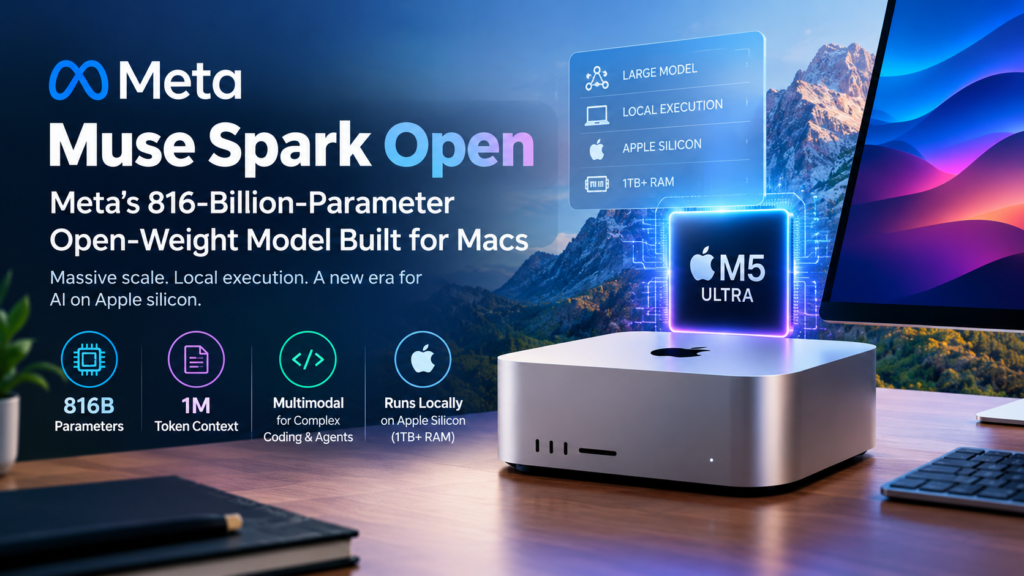
Muse Spark Open is Meta’s new open-weight AI model, with 816 billion parameters and a 1 million token context window, designed to run locally on Apple silicon Macs if your machine has at least 1 TB of RAM. In practical terms, the best local experience is a Mac Studio with an M5 Ultra chip, while everyone else will reach the model through hosted API platforms.
For years, running a frontier-scale model on your own desk sounded like a joke. Models that big lived in data centers, behind an API, on someone else’s bill. Meta’s launch on October 15, 2026 pushes against that assumption, and it raises a fair question for developers, video editors, and tech leaders: is a model this large a practical desktop tool, or mostly a statement of intent?
This guide answers that question in modular sections you can read in any order. You will find the specs, the hardware reality, the capabilities Meta demonstrated, a comparison of open-weight and closed models, and a plain-language FAQ.
What Is Muse Spark Open?
Muse Spark Open is an open-weight, natively multimodal large language model from Meta, built for complex coding and agentic work and designed to run locally on Apple hardware. It was announced on Thursday, October 15, 2026, and TechCrunch’s coverage described it as a launch in which Meta and Apple teamed up around local execution on Apple silicon.
Meta positions the release as the most capable open-weight model in the United States. That is Meta’s own claim, based on evaluation results the company published at launch, which it says show stronger performance than other popular open-weight models. Independent testing will take time, so treat the ranking as a vendor claim until third parties replicate it.
Three details define the release:
- Scale. The model uses 816 billion parameters, which places it among the largest openly available models.
- Memory. It supports a context window of 1 million tokens, enough to hold very large codebases or document collections in a single session.
- Target. It is designed to run on Macs, which is unusual for a model of this size.
Muse Spark Open Specifications at a Glance
The table below collects the confirmed details from launch coverage so you can scan them in one place.
| Attribute | Detail |
|---|---|
| Developer | Meta |
| Announced | October 15, 2026 |
| Model type | Open-weight, natively multimodal |
| Parameters | 816 billion |
| Context window | 1 million tokens |
| Built for | Complex coding and agentic tasks |
| Local hardware requirement | At least 1 TB of RAM (reported by Engadget) |
| Best-fit Mac | Mac Studio with M5 Ultra chip |
| Companion tool | Muse Code, Meta’s AI coding terminal |
| Availability | Hosted API platforms, available now |
Details not covered in launch reporting, such as license terms, per-token pricing, and full benchmark tables, should be checked on Meta’s official release page before you build anything on top of the model.
Why Did Meta Build Muse Spark Open to Run on Macs?
Meta designed the model for Apple silicon so that developers and professionals can run a very large model on their own hardware instead of sending every prompt to a remote server. Local execution changes the privacy, latency, and cost profile of AI work, and Macs are one of the few mainstream platforms with enough unified memory to make it plausible.
What Does Running Locally on Apple Silicon Mean?
Apple silicon refers to the in-house chips Apple designs for its Macs, which pair the CPU and GPU with a single pool of unified memory. That shared pool matters for AI because large models are limited far more by how much memory is available than by raw compute. A machine that can address hundreds of gigabytes of unified memory can hold model weights that a typical GPU with a few dozen gigabytes of dedicated video memory cannot.
Running locally means the weights sit on your machine and inference happens there. Your prompts, files, and outputs do not have to leave your desk to be processed, which is attractive for sensitive code, unreleased footage, or client material.
How Much RAM Does Muse Spark Open Need?
Running the model locally requires at least 1 TB of RAM, according to Engadget’s reporting. That is far beyond what ordinary laptops and most desktops ship with.
A quick back-of-envelope calculation shows why the number is so high. At 8-bit precision, each parameter takes roughly one byte, so 816 billion parameters alone would occupy about 816 GB before you count the memory needed for the context cache. Meta has not framed it this way in the coverage we reviewed, so treat this as an illustration of scale rather than an official breakdown. Smaller memory footprints usually involve more aggressive compression, which can affect output quality.
Which Mac Runs the Model Best?
The Mac Studio configured with an M5 Ultra chip is the best-fit machine for the model, according to TechCrunch. The Ultra tier is Apple’s highest-end silicon option for desktop Macs, and it supports the largest memory configurations in the lineup.
If your current Mac has 16, 32, or 64 GB of memory, this model is not a realistic local option. That is not a flaw in the hardware you own. It reflects how large frontier-class models have become, and it is why hosted API access exists alongside the local option.
What Can Muse Spark Open Do?
The model handles text and other inputs natively, writes and fixes code, and can operate software as part of agentic workflows. Meta emphasized coding and desktop tasks in its launch demonstrations, which tells you where it expects the model to earn its keep.
What Does “Natively Multimodal” Mean?
A natively multimodal model is trained to process multiple types of input, such as text and images, within one system, rather than bolting separate tools together afterward. The practical benefit is that the model can reason across formats in a single step. A video editing task, for example, involves looking at footage and deciding what to do with it, which is exactly the kind of work Meta demonstrated.
How Does the Model Handle Coding?
Meta paired the model with Muse Code, its AI coding terminal, and tested it on real software engineering work. In one demonstration, the company used the combination on a Mastodon client, covering bug fixes, new features, and a full build of the application.
That matters because a full build is a longer, more demanding task than answering a coding question. It requires planning across many files, running the code, reading errors, and iterating. Vendor demos are curated, so the sensible next step for any team is to run the model against your own repositories and measure how often its changes pass your test suite.
Can the Model Run Agentic Workflows?
Yes, Meta says it deployed the model in agentic workflows, including operating DaVinci Resolve, the professional video editing application. According to Meta, the model was able to review and crop footage inside the software.
An agentic workflow is one where the model takes actions toward a goal, such as clicking through an interface, running commands, or editing files, rather than only producing text for a human to act on. Desktop agentic work is a natural fit for local execution, because the model and the application share the same machine and the same files.
Why Does a 1 Million Token Context Window Matter?
A 1 million token context window lets the model consider a very large amount of material at once, such as an entire codebase, a long contract set, or hours of transcribed meetings. Larger context reduces the need to chunk documents and stitch partial answers together.
There is a trade-off to keep in mind. Longer contexts use more memory for the model’s working cache, which adds to the hardware demands described earlier. If you plan to use the full window locally, expect the memory budget to matter even more than the weights alone suggest.
How Does Muse Spark Open Compare With Closed Models?
Open-weight models trade the convenience of a managed service for greater control, transparency, and, often, lower cost. The comparison is not about which approach is better in the abstract. It is about which constraints matter for your team.
What Is an Open-Weight Model?
An open-weight model is an AI model whose trained parameters, called weights, are published so that others can download and run them. TechCrunch notes that open-weight models can be significantly more cost-efficient than closed, proprietary ones and offer transparency and flexibility that closed models do not allow.
Open-weight is not the same as open-source. Releasing weights does not automatically mean the training data, training code, or unrestricted commercial rights are included. The license attached to the release determines what you may do, so read it before shipping a product on top of the model.
Open-Weight vs Closed API Models: A Side-by-Side Comparison
| Factor | Open-weight (for example, Meta’s new model) | Closed, proprietary API model |
|---|---|---|
| Access to weights | Downloadable, subject to license | Not available |
| Where it runs | Your hardware or hosted platforms | Vendor’s servers only |
| Data control | High when run locally | Depends on vendor terms |
| Cost profile | Hardware or hosting cost, potentially lower per task at scale | Pay per use, predictable but ongoing |
| Customization | Broad, including fine-tuning where the license allows | Limited to what the vendor exposes |
| Transparency | Greater visibility into the model | Limited |
| Setup effort | Higher | Lower |
| Best for | Teams needing control, privacy, or cost optimization | Teams wanting speed to production with minimal infrastructure |
The right choice often is not exclusive. Many teams prototype against a hosted model, then move steady, high-volume workloads to a model they control.
Should You Run Muse Spark Open Locally or Through an API?
Run it locally only if you have a Mac with at least 1 TB of memory and a clear need for data control or offline-style operation; otherwise, use one of the hosted API platforms where Meta says the model is available now. For most readers, the API route is the realistic starting point.
Local vs API Access Compared
| Factor | Local on a high-memory Mac | Hosted API platform |
|---|---|---|
| Hardware needed | Mac Studio class machine with 1 TB or more of RAM | Any device with an internet connection |
| Upfront cost | High | Low |
| Privacy | Prompts and files stay on your machine | Depends on the platform’s terms |
| Setup effort | Higher | Minimal |
| Scaling | Limited to your machine | Scales with the platform |
| Best for | Sensitive projects, heavy daily use on one workstation | Evaluation, variable workloads, teams without special hardware |
Who Benefits Most From Local Use?
The people most likely to justify a local setup share a few traits. Use this list as a quick filter.
- Studios and creators handling unreleased video or other confidential assets who want editing assistance without uploading footage.
- Software teams working on proprietary code that policy forbids sending to third parties.
- Researchers who need to inspect and probe model behavior directly.
- Power users who already own a top-tier Mac Studio and want to avoid per-use fees.
- Organizations that need predictable costs for heavy, continuous workloads.
Who Should Skip Local Use for Now?
Most individual developers, small teams, and hobbyists will be better served by the hosted route. If you do not already have a machine with terabyte-class memory, buying one just to try the model is rarely the efficient first step. Start with an API, test it against your real tasks, and only then decide whether local hardware is worth the investment.
Where Does Muse Spark Open Fit in Meta’s Muse Lineup?
The model is the latest release in Meta’s growing Muse family, which also includes the Muse Code terminal tool and, according to TechCrunch, a model called Muse Wonder that Meta released days earlier as its first frontier model. Muse is also the name of Meta’s AI assistant, which appeared as a mascot on stage at the Meta Connect developer conference.
The pattern is worth noticing. Meta is building a set of connected pieces: models of different kinds, a coding terminal, and an assistant. Muse Spark Open is the piece aimed at people who want the weights in their own hands. We have not reviewed technical comparisons between the two models, so we will not speculate on how they differ in capability.
Frequently Asked Questions About Muse Spark Open
What is Muse Spark Open?
Muse Spark Open is Meta’s open-weight, natively multimodal AI model with 816 billion parameters and a 1 million token context window, built for coding and agentic tasks and designed to run locally on Apple silicon.
Can I run it on a MacBook?
Not with the requirement as reported. Engadget states the model needs at least 1 TB of RAM to run locally, which is well beyond typical laptop configurations. A Mac Studio with an M5 Ultra is the machine TechCrunch identifies as the best fit.
Is the model free?
The launch coverage we reviewed does not state license terms or pricing. Open-weight models are often free to download under specific license conditions, while hosted API platforms set their own prices. Check Meta’s release page and your chosen platform for current terms.
Where can I use the model right now?
Meta says it is available now through a number of API platforms. If you cannot meet the local hardware requirement, this is the way to try it.
Is Muse Spark Open really the most capable open-weight model in the US?
That is Meta’s claim, supported by evaluation results Meta released on launch day. Independent benchmarking is the way to confirm it, and results can vary by task, so test the model on the work you actually care about.
What is the model best at?
Meta highlights complex coding and agentic work. Demonstrations included building and fixing a Mastodon client with Muse Code and operating DaVinci Resolve to review and crop footage.
Does the model work with images and other media?
Yes. It is described as natively multimodal, meaning it was designed to handle more than text within a single model.
What is the difference between open-weight and open-source?
Open-weight means the trained model parameters are published for download. Open-source typically implies broader openness, such as training code and data and permissive licensing. Always read the license attached to a release.
Your Pre-Flight Checklist for Trying Muse Spark Open
Use these steps in order to avoid wasted time and money. Each one stands alone, so skip any that do not apply to you.
- Define the task. Pick two or three real workloads, such as a bug-fix backlog or a footage review job, so you can judge results objectively.
- Start with an API. Use a hosted platform to test quality before committing to hardware.
- Read the license. Confirm that your intended use, especially commercial use, is allowed.
- Check your memory budget. If you want local execution, confirm you can reach at least 1 TB of RAM, and remember that long contexts need extra headroom.
- Measure against alternatives. Compare outputs, speed, and cost against the models you use today.
- Plan for privacy and governance. Decide what data may touch the model, locally or hosted, and document it.
The Bottom Line on Muse Spark Open
Muse Spark Open matters less as a model most people will run on their desks and more as a signal of where open-weight AI is heading. A frontier-scale model with an 816-billion-parameter footprint and a 1 million token context window, designed from day one for Apple silicon, shows that Meta sees local, desktop-class AI as a serious category.
The hardware bar is high. At least 1 TB of RAM puts local use out of reach for most people, and the best-fit machine is a top-end Mac Studio. But the hosted options make the model accessible now, and the open-weight approach brings advantages in cost, transparency, and flexibility that closed models cannot match.
If you build software, edit video, or run an AI-heavy team, the sensible move is simple: test Muse Spark Open through an API on your real tasks, read the license, and let your own results, not launch-day claims, decide whether a local setup is worth the investment.