Muse AI ଆଭାଟାର୍ (Avatar): ଆମେରିକାର ବ୍ୟବହାରକାରୀଙ୍କ ପାଇଁ Meta-ର ନୂତନ ଭିଡିଓ ଚାଟ୍ ଫିଚର୍ କିପରି କାମ କରେ
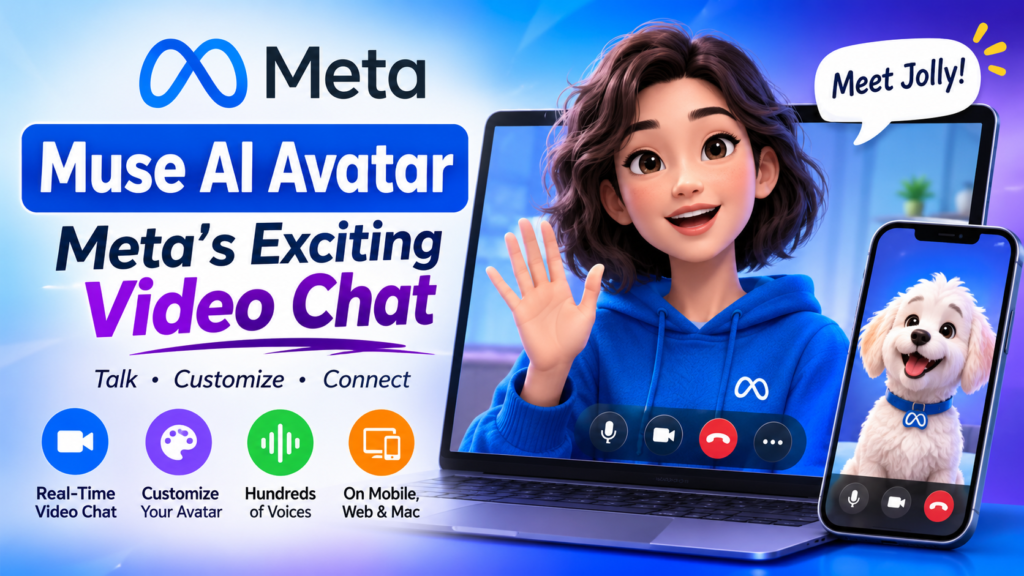
The Muse AI avatar is an animated, customizable character that lets you phone call or video chat with Meta’s AI agent, and it is now available to everyone in the United States. Meta announced the rollout on Thursday, November 5, 2026, as part of a feature called Muse Voice. The feature runs in the Muse app on mobile, web, and Mac. TechCrunchandroidauthority
Typing to an AI agent is efficient. Talking to one that nods, reacts, and shifts expression with your tone is a different kind of product. That move from a text box to a face is the real story of this launch. It also raises practical questions: what does the feature do, who can use it, how much can you change, and is it worth trying?
This guide answers each question in a stand-alone section, so you can jump straight to the part you need.
At a Glance: Six Facts About the Muse AI avatar
- What it is: a live, animated character that speaks for Meta’s Muse agent during calls and video chats.
- Who gets it: everyone in the US, as of November 5, 2026. TechCrunch
- Where it works: mobile, web, and Mac, with AI Glasses and a hardware device called Muse Charm to follow. TechCrunch
- What powers it: two models, Muse Realtime Avatar and Muse Realtime Voice. TechCrunch
- How you shape it: the look can be changed to resemble a person, an animal, or another character. TechCrunch
- Default persona: an animated character nicknamed Jolly. TechCrunch
What Is the Muse AI avatar?
Definition
A Muse AI avatar is the animated, on-screen persona of Meta’s Muse agent during a live conversation. Instead of reading blocks of text, you see a character that speaks, gestures, and reacts while you ask questions or hand off tasks.
Expansion: Why It Matters
Muse began life as a text-based assistant. The avatar extends it into something closer to a call with a helpful colleague. Meta believes giving Muse a human-like presence could make people feel more connected to it, and that the bond could deepen once conversations happen live. TechCrunch
It helps to be precise about what changed. The Muse AI avatar is less a new brain than a new interface. One analysis of the launch noted that a lifelike, responsive avatar does not by itself make an agent more capable. The upgrade is in how you interact with Muse, not necessarily in what Muse can do. runtimewire
Meet Jolly
Jolly is the nickname Meta uses for the default character. It responds as you ask questions or request tasks on your behalf. If the default isn’t your style, you can swap it for something else, which the customization section below covers. TechCrunch
How Does the Muse AI avatar Work?
Short answer: two models cooperate. Muse Realtime Voice handles live speech, and Muse Realtime Avatar turns that voice into a moving, expressive character.
Muse Realtime Voice
Muse Realtime Voice is the speech layer. It is what lets you talk to Muse out loud and hear it answer in real time rather than waiting for typed replies. Meta offers hundreds of voice options for these conversations. androidauthority
Muse Realtime Avatar
Muse Realtime Avatar is the visual layer. It animates a reference image, such as a photo, illustration, animal, or object, as a live conversational character driven by the voice model. That flexibility explains why the avatar is not locked to one cartoon face. nocode
Why the Shared Stream Matters
Meta’s research description says speech and video are generated from a shared stream, which keeps the voice, lip movement, and expression synchronized. That synchronization separates a convincing Muse AI avatar from a static picture with a voiceover. When lips and tone drift apart, a talking character quickly feels uncanny. Generating both together is how Meta tries to avoid that. runtimewire
While the character speaks, it uses small expressions and gestures that match the mood of the conversation. That is a design choice aimed at making calls feel natural rather than robotic. TechCrunch
Who Can Use the Muse AI avatar Right Now?
Short answer: anyone in the United States. The real-time conversation feature is currently limited to US users. Meta has not announced a wider rollout in the coverage I reviewed. androidauthority
Supported Platforms
At launch, the feature works in three places:
- Mobile: the Muse app on your phone.
- Web: Muse in a browser.
- Mac: the Muse app on macOS.
What Is Coming Later
Meta says real-time conversations will later come to its AI Glasses and to an upcoming hardware device called Muse Charm. Separately, Meta plans to release a Tamagotchi-like wearable for Muse before the end of the year, and when it arrives, the Muse AI avatar will appear on its small screen. That would let you talk to the agent without opening an app at all. TechCrunchTechCrunch
How Do You Customize the Muse AI avatar?
Short answer: you can change both how it looks and how it sounds.
Appearance
Users can change the character into something that resembles a person, an animal, or another character. In his launch demo, Meta’s chief AI officer Alexandr Wang used a fluffy white dog. Because the underlying model animates a reference image, the options go well beyond a single mascot. TechCrunchTechCrunch
Voice
Meta offers hundreds of voices. An early iOS test described voice-tone changes happening either through a request to the agent or through avatar settings. In practice, you may be able to ask your Muse AI avatar to change its tone mid-conversation, though exact controls could differ by platform and may change as Meta updates the app. androidauthoritydigg
How to Start a Video Chat With Your Muse AI avatar
Meta’s announcement coverage does not include a click-by-click walkthrough, so treat the steps below as the general flow. Exact menu labels may differ.
- Open Muse in the US. Use the mobile app, the web version, or the Mac app, updated to the latest version.
- Find the call or video option. Meta calls the overall feature Muse Voice. Look for a phone or video control.
- Pick or customize your character. Keep the default or change it to a person, animal, or other character.
- Choose a voice. Browse the options, or ask Muse to adjust its tone.
- Start talking. Ask a question, request advice, or hand off a task.
- Review permissions. Check which apps Muse can access before you rely on it for tasks.
What Can You Do on a Muse AI avatar Call?
The feature is built for two kinds of conversation: asking and delegating.
Asking. Wang’s announcement included a demo where he asked Muse for advice about a tricky situation. In the TechCrunch-reported demo, he joked about posting memes on X, and his dog-shaped Muse suggested adding disclaimers to memes that could be misread as Meta endorsing something risqué. diggTechCrunch
Delegating. Users can ask Muse for things while walking or cooking dinner, and Muse works on the task in the background while the conversation continues. In one Meta demo video, Muse noticed a flight price had dropped by 40 US dollars and asked the user whether to rebook. etvbharat36kr
Together, these examples show the intended experience: a voice-first assistant that handles errands while you stay hands-free.
Muse AI avatar vs. Text Chat vs. Standard Voice Chat
The table compares Muse’s video chat with the two interaction styles you may already use. Other AI products offer voice chat, but Muse adds an animated avatar. TechCrunch
| Feature | Text chat | Standard AI voice chat | Muse video chat with avatar |
|---|---|---|---|
| Interface | Typed messages | Spoken audio | Spoken audio plus an animated character |
| Visual presence | None | Usually minimal | Character with expressions and gestures |
| Customization | Limited | Voice options (varies by product) | Look and voice, per Meta |
| Hands-free use | No | Yes | Yes |
| Best for | Precise, copy-and-paste tasks | Quick questions, multitasking | Conversational, personality-driven interaction |
| Availability | Widely available | Varies by provider | US users only for now |
How to read it: the avatar is the differentiator. If you only want answers, voice or text may be faster. If you want an assistant that feels present, video chat is what Meta is betting on.
Why Is Meta Giving Muse a Face?
The Connection Argument
Meta believes anthropomorphizing Muse can make consumers feel more connected to the agent. The logic is straightforward. People return to products they feel attached to, and a character with a name, a look, and a voice invites attachment more than a blank text field does. TechCrunch
The Hardware Angle
Meta is not treating the avatar as a standalone gimmick. The same character is meant to show up across glasses, a wearable, and other devices. Seen that way, the launch is groundwork. Getting millions of people comfortable talking to a character on their phones makes a face-on-a-gadget product easier to sell later.
Benefits and Limitations
Where the Muse AI avatar Shines
- Natural interaction. Speaking is faster than typing for many requests.
- Hands-free delegation. You can hand off tasks while cooking or walking.
- Personal feel. Custom looks and voices make the agent feel like yours.
- Expressive feedback. Tone-matched gestures give you cues beyond words.
- Broad platform support. Mobile, web, and Mac cover most everyday setups.
Where It Falls Short
- US-only availability. People elsewhere cannot use it yet.
- Unproven task value. The launch demo did not establish how much video chat helps users actually complete tasks. runtimewire
- Attachment risks. A character designed to feel like a companion can blur the line between tool and relationship, which some users and critics may find uncomfortable.
- Hardware not yet here. Glasses and wearable support are still to come.
Privacy and Permissions: What to Check Before You Talk to Your Muse AI avatar
Any agent that can act on your behalf deserves a permissions check. Meta says users control which apps they connect to Muse and can review or change those permissions. runtimewire
Before you start, consider these steps:
- Review which accounts and apps Muse can reach.
- Remove access you don’t need for voice-driven tasks.
- Read Meta’s current privacy terms for the Muse app.
The coverage I reviewed does not spell out how call or video data is handled, so check Meta’s documentation rather than assuming. That caution applies to any camera- or microphone-based AI feature.
What the Muse AI avatar Signals for Brands and Content Teams
This section is analysis, not reporting.
For marketers, the lesson is about where answers get delivered. As agents become conversational, people will ask questions out loud and hear one synthesized answer instead of scanning ten blue links. Content that states its answer first, defines terms cleanly, and breaks into self-contained sections is easier for an agent to find and relay. That is the same modular structure used throughout this article.
Brands should also watch the interface itself. A voice-first agent with a face changes which moments count as “search.” A cooking question asked while walking, or a price check asked in the car, never touches a traditional results page. Clear, current, well-structured information is the best preparation for that shift.
Frequently Asked Questions
Is the Muse AI avatar available outside the United States?
Not yet, based on current reporting. The real-time conversation feature is limited to US users. Meta has not published an international timeline in the sources reviewed. androidauthority
Do I need a separate app to use it?
No separate app is described. The feature is rolling out inside the Muse app on mobile, web, and Mac. androidauthority
Can I make my Muse AI avatar look like a pet?
Possibly. Meta says users can change the character to look like a person, an animal, or another character. The underlying model can animate a photo, illustration, animal, or object. Whether a personal pet photo can be uploaded depends on app controls Meta has not detailed in the coverage reviewed. TechCrunchnocode
What is Muse Voice?
Muse Voice is the feature that lets you call and video chat with Muse. It was first introduced at Meta’s Connect developer conference in September and became available to all US users on November 5, 2026. TechCrunch
What is Jolly?
Jolly is the nickname for Muse’s default animated character, the one you interact with when you ask questions or assign tasks.
Does a Muse AI avatar make Muse smarter?
No evidence suggests that. A lifelike avatar does not by itself make an agent more capable. The change affects how you interact with Muse, not what it can do. runtimewire
Final Thoughts
The Muse AI avatar is Meta’s clearest bet yet that the future of AI assistants is conversational, expressive, and personal. For US users, the experience is available now across mobile, web, and Mac, with real customization of both look and voice. For everyone else, it is a preview of where consumer AI interfaces are heading.
Try it with realistic expectations. Treat the avatar as a more natural way to talk to Muse, check your permissions first, and judge it on whether it saves you time rather than on how charming it looks. If glasses and wearable support arrive as Meta has described, today’s phone call may turn out to be the first step toward an assistant that follows you around.
Muse AI ଆଭାଟାର୍ (Avatar): ଆମେରିକାର ବ୍ୟବହାରକାରୀଙ୍କ ପାଇଁ Meta-ର ନୂତନ ଭିଡିଓ ଚାଟ୍ ଫିଚର୍ କିପରି କାମ କରେ
‘Muse AI ଆଭାଟାର୍’ ହେଉଛି ଏକ ଆନିମେଟେଡ୍ (ଚଳମାନ ଚିତ୍ରଯୁକ୍ତ) ଏବଂ ନିଜ ଇଚ୍ଛା ଅନୁସାରେ ପରିବର୍ତ୍ତନଯୋଗ୍ୟ ଚରିତ୍ର, ଯାହା ଆପଣଙ୍କୁ Meta-ର AI ଏଜେଣ୍ଟ ସହିତ ଫୋନ୍ କଲ୍ କିମ୍ବା ଭିଡିଓ ଚାଟ୍ କରିବାକୁ ସୁଯୋଗ ଦିଏ। ବର୍ତ୍ତମାନ ଏହା ଆମେରିକାରେ ଥିବା ସମସ୍ତ ବ୍ୟବହାରକାରୀଙ୍କ ପାଇଁ ଉପଲବ୍ଧ। Meta ଗୁରୁବାର, ନଭେମ୍ବର ୫, ୨୦୨୬ ରେ ‘Muse Voice’ ନାମକ ଏକ ଫିଚର୍ର ଅଂଶ ଭାବରେ ଏହାକୁ ଜାରି କରିବା ବିଷୟରେ ଘୋଷଣା କରିଛି। ଏହି ଫିଚର୍ଟି ମୋବାଇଲ୍, ୱେବ୍ ଏବଂ Mac-ରେ ଥିବା ‘Muse’ ଆପ୍ ମାଧ୍ୟମରେ କାମ କରେ।
ଏକ AI ଏଜେଣ୍ଟ ସହିତ କେବଳ ଟାଇପ୍ କରି କଥା ହେବା ଏକ ଦକ୍ଷ ପଦ୍ଧତି ହୋଇପାରେ, କିନ୍ତୁ ଯେତେବେଳେ ଆପଣ ଏପରି ଏକ AI ସହ କଥା ହୁଅନ୍ତି ଯିଏ ଆପଣଙ୍କ କଥା ଶୁଣି ମୁଣ୍ଡ ହଲାଏ, ପ୍ରତିକ୍ରିୟା ଦିଏ ଏବଂ ଆପଣଙ୍କ ସ୍ୱର ଅନୁସାରେ ନିଜର ହାବଭାବ ବଦଳାଏ, ସେତେବେଳେ ଏହାର ଅନୁଭୂତି ସମ୍ପୂର୍ଣ୍ଣ ଭିନ୍ନ ହୋଇଥାଏ। ଏକ ସାଧାରଣ ଟେକ୍ସଟ୍ ବକ୍ସ (ଲେଖିବା ଜାଗା) ରୁ ବାହାରି ଏକ ଚେହେରା ବା ଚରିତ୍ର ଆଡ଼କୁ ଯିବା ହିଁ ଏହି ନୂତନ ଉପସ୍ଥାପନାର ମୁଖ୍ୟ ବିଷୟ। ଏହା କିଛି ବ୍ୟାବହାରିକ ପ୍ରଶ୍ନ ମଧ୍ୟ ସୃଷ୍ଟି କରେ: ଏହି ଫିଚର୍ଟି କ’ଣ କରେ? ଏହାକୁ କିଏ ବ୍ୟବହାର କରିପାରିବେ? ଆପଣ ଏଥିରେ କେତେ ପରିବର୍ତ୍ତନ କରିପାରିବେ? ଏବଂ ଏହାକୁ ବ୍ୟବହାର କରିବା କ’ଣ ଲାଭଦାୟକ ଅଟେ?
ଏହି ଗାଇଡ୍ରେ ପ୍ରତ୍ୟେକ ପ୍ରଶ୍ନର ଉତ୍ତର ଅଲଗା ଅଲଗା ଭାଗରେ ଦିଆଯାଇଛି, ଯାହାଫଳରେ ଆପଣ ସିଧାସଳଖ ଆପଣଙ୍କ ଆବଶ୍ୟକୀୟ ଅଂଶକୁ ଯାଇପାରିବେ।
ଏକ ନଜରରେ: Muse AI ଆଭାଟାର୍ ବିଷୟରେ ୬ଟି ତଥ୍ୟ
ଏହା କ’ଣ: ଏହା ଏକ ଲାଇଭ୍, ଆନିମେଟେଡ୍ ଚରିତ୍ର ଯାହା କଲ୍ ଏବଂ ଭିଡିଓ ଚାଟ୍ ସମୟରେ Meta-ର ‘Muse’ ଏଜେଣ୍ଟ ପାଇଁ କଥା କୁହେ।
କିଏ ବ୍ୟବହାର କରିପାରିବେ: ନଭେମ୍ବର ୫, ୨୦୨୬ ସୁଦ୍ଧା ଆମେରିକାରେ ଥିବା ସମସ୍ତ ବ୍ୟବହାରକାରୀ।
ଏହା କେଉଁଠାରେ କାମ କରେ: ମୋବାଇଲ୍, ୱେବ୍ ଏବଂ Mac-ରେ। ଭବିଷ୍ୟତରେ ଏହା AI ଚଷମା (AI Glasses) ଏବଂ ‘Muse Charm’ ନାମକ ଏକ ହାର୍ଡୱେର୍ ଏହି ଆଭାଟାର୍ (avatar) ଅନୁଭବକୁ ଏକ ସହଯୋଗୀ ସହୀକର୍ମୀଙ୍କ ସହ ହେଉଥିବା କଥାବାର୍ତ୍ତା ପରି କରିଦିଏ। ମେଟା (Meta) ବିଶ୍ୱାସ କରେ ଯେ ‘ମ୍ୟୁଜ୍’ (Muse) କୁ ଏକ ମାନବୀୟ ରୂପ ଦେବା ଦ୍ୱାରା ଲୋକମାନେ ଏହା ସହ ଅଧିକ ଜଡ଼ିତ ଅନୁଭବ କରିପାରିବେ ଏବଂ ସିଧାସଳଖ (live) କଥାବାର୍ତ୍ତା ହେବା ଦ୍ୱାରା ଏହି ସମ୍ପର୍କ ଆହୁରି ଗଭୀର ହୋଇପାରିବ।
TechCrunch
କ’ଣ ପରିବର୍ତ୍ତନ ହୋଇଛି, ସେ ବିଷୟରେ ସ୍ପଷ୍ଟ ହେବା ଭଲ। ‘ମ୍ୟୁଜ୍ ଏଆଇ’ (Muse AI) ଆଭାଟାର୍କୁ ଏକ ନୂତନ ମସ୍ତିଷ୍କ ବୋଲି କହିବା ଅପେକ୍ଷା ଏକ ନୂତନ ‘ଇଣ୍ଟରଫେସ୍’ (interface) ବୋଲି କହିବା ଅଧିକ ଉଚିତ୍ ହେବ। ଏହାର ଉନ୍ମୋଚନ ଉପରେ ହୋଇଥିବା ଏକ ବିଶ୍ଳେଷଣରୁ ଜଣାପଡ଼େ ଯେ, କେବଳ ଏକ ଜୀବନ୍ତ ଏବଂ ପ୍ରତିକ୍ରିୟାଶୀଳ ଆଭାଟାର୍ ଥିବା ମାତ୍ରେ ଏକ ଏଜେଣ୍ଟ (agent) ଅଧିକ ସକ୍ଷମ ହୋଇଯାଏ ନାହିଁ। ଏହି ଉନ୍ନତି (upgrade) ମୁଖ୍ୟତଃ ଆପଣ କିପରି ‘ମ୍ୟୁଜ୍’ ସହ କଥାବାର୍ତ୍ତା କରନ୍ତି, ସେଥିରେ ରହିଛି; ‘ମ୍ୟୁଜ୍’ କ’ଣ କରିପାରେ, ସେଥିରେ ନୁହେଁ।
runtimewire
‘ଜଲି’ (Jolly) ସହ ପରିଚିତ ହୁଅନ୍ତୁ
‘ଜଲି’ ହେଉଛି ସେହି ନାମ ଯାହାକୁ ମେଟା ଏହାର ଡିଫଲ୍ଟ (default) ଚରିତ୍ର ପାଇଁ ବ୍ୟବହାର କରେ। ଯେତେବେଳେ ଆପଣ ପ୍ରଶ୍ନ ପଚାରନ୍ତି କିମ୍ବା କୌଣସି କାର୍ଯ୍ୟ କରିବାକୁ ଅନୁରୋଧ କରନ୍ତି, ସେତେବେଳେ ଏହା ଉତ୍ତର ଦିଏ କିମ୍ବା କାର୍ଯ୍ୟ ସମ୍ପାଦନ କରେ। ଯଦି ଏହି ଡିଫଲ୍ଟ ଚରିତ୍ରଟି ଆପଣଙ୍କ ପସନ୍ଦର ନୁହେଁ, ତେବେ ଆପଣ ଏହାକୁ ବଦଳାଇ ଅନ୍ୟ କିଛି ବାଛିପାରିବେ; ଏ ବିଷୟରେ ନିମ୍ନରେ ଥିବା ‘କଷ୍ଟମାଇଜେସନ୍’ (customization) ବିଭାଗରେ ବର୍ଣ୍ଣନା କରାଯାଇଛି।
TechCrunch
‘ମ୍ୟୁଜ୍ ଏଆଇ’ (Muse AI) ଆଭାଟାର୍ କିପରି କାମ କରେ?
ସଂକ୍ଷେପରେ କହିଲେ: ଏଥିରେ ଦୁଇଟି ମଡେଲ୍ ମିଳିମିଶି କାମ କରନ୍ତି। ‘ମ୍ୟୁଜ୍ ରିଅଲ୍ଟାଇମ୍ ଭଏସ୍’ (Muse Realtime Voice) ଲାଇଭ୍ କଥାବାର୍ତ୍ତାକୁ ପରିଚାଳନା କରେ ଏବଂ ‘ମ୍ୟୁଜ୍ ରିଅଲ୍ଟାଇମ୍ ଆଭାଟାର୍’ (Muse Realtime Avatar) ସେହି ସ୍ୱରକୁ ଏକ ଗତିଶୀଳ ଓ ଭାବପୂର୍ଣ୍ଣ ଚରିତ୍ରରେ ପରିଣତ କରେ।
‘ମ୍ୟୁଜ୍ ରିଅଲ୍ଟାଇମ୍ ଭଏସ୍’ (Muse Realtime Voice)
‘ମ୍ୟୁଜ୍ ରିଅଲ୍ଟାଇମ୍ ଭଏସ୍’ ହେଉଛି ଏହାର ‘ସ୍ୱର ସ୍ତର’ (speech layer)। ଏହା ଆପଣଙ୍କୁ ‘ମ୍ୟୁଜ୍’ ସହ ସିଧ ଏହା ଏକ ଡିଜାଇନ୍ ନିଷ୍ପତ୍ତି, ଯାହାର ଉଦ୍ଦେଶ୍ୟ ହେଉଛି କଲ୍ଗୁଡ଼ିକୁ ଯାନ୍ତ୍ରିକ (ରୋବୋଟିକ୍) ନ କରି ସ୍ୱାଭାବିକ ଅନୁଭବ କରାଇବା।
TechCrunch
ବର୍ତ୍ତମାନ ‘Muse AI avatar’ କିଏ ବ୍ୟବହାର କରିପାରିବେ?
ସଂକ୍ଷିପ୍ତ ଉତ୍ତର: ଯୁକ୍ତରାଷ୍ଟ୍ର ଆମେରିକାରେ ଥିବା ଯେକୌଣସି ବ୍ୟକ୍ତି। ‘ରିଅଲ୍-ଟାଇମ୍’ (ତତକ୍ଷଣାତ୍) କଥାବାର୍ତ୍ତା କରିବାର ସୁବିଧା ବର୍ତ୍ତମାନ କେବଳ ଆମେରିକାର ବ୍ୟବହାରକାରୀଙ୍କ ପାଇଁ ଉପଲବ୍ଧ। ମୁଁ ଯେଉଁ ରିପୋର୍ଟଗୁଡ଼ିକ ଦେଖିଛି, ସେଥିରେ ମେଟା (Meta) ଏହାକୁ ଅନ୍ୟ ସ୍ଥାନରେ ଉପଲବ୍ଧ କରାଇବା ବିଷୟରେ କୌଣସି ଘୋଷଣା କରିନାହିଁ।
androidauthority
ସମର୍ଥିତ ପ୍ଲାଟଫର୍ମଗୁଡ଼ିକ
ଆରମ୍ଭ ସମୟରେ, ଏହି ସୁବିଧା ତିନୋଟି ସ୍ଥାନରେ କାମ କରେ:
ମୋବାଇଲ୍: ଆପଣଙ୍କ ଫୋନ୍ରେ ଥିବା ‘Muse’ ଆପ୍।
ୱେବ୍: ବ୍ରାଉଜର୍ ମାଧ୍ୟମରେ ‘Muse’।
ମ୍ୟାକ୍ (Mac): macOS ରେ ଥିବା ‘Muse’ ଆପ୍।
ଭବିଷ୍ୟତରେ କ’ଣ ଆସୁଛି?
ମେଟା କହିଛି ଯେ, ପରବର୍ତ୍ତୀ ସମୟରେ ଏହାର ‘AI Glasses’ (AI ଚଷମା) ଏବଂ ‘Muse Charm’ ନାମକ ଏକ ଆଗାମୀ ହାର୍ଡୱେର୍ ଡିଭାଇସ୍ରେ ମଧ୍ୟ ‘ରିଅଲ୍-ଟାଇମ୍’ କଥାବାର୍ତ୍ତା ସୁବିଧା ଉପଲବ୍ଧ ହେବ। ଏହା ବ୍ୟତୀତ, ମେଟା ଚଳିତ ବର୍ଷ ଶେଷ ସୁଦ୍ଧା ‘Muse’ ପାଇଁ ‘Tamagotchi’ (ଟାମାଗୋଚି) ଭଳି ଏକ ପିନ୍ଧିଯୋଗ୍ୟ ଉପକରଣ (wearable device) ଆଣିବାକୁ ଯୋଜନା କରୁଛି। ଏହା ଆସିଲେ, ଏହାର ଛୋଟ ସ୍କ୍ରିନ୍ରେ ‘Muse AI avatar’ ଦେଖାଯିବ। ଏହା ଦ୍ୱାରା ଆପଣ କୌଣସି ଆପ୍ ନ ଖୋଲି ମଧ୍ୟ ସେହି ‘AI agent’ (ଏଜେଣ୍ଟ) ସହିତ କଥା ହୋଇପାରିବେ।
TechCrunch
TechCrunch
‘Muse AI avatar’ କୁ ଆପଣ କିପରି ନିଜ ପସନ୍ଦ ଅନୁଯାୟୀ ପରିବର୍ତ୍ତନ (customize) କରିପାରିବେ?
ସଂକ୍ଷିପ୍ତ ଉତ୍ତର: ଆପଣ ଏହାର ରୂପ ଏବଂ ଶବ୍ଦ (ସ୍ୱର), ଉଭୟକୁ ପରିବର୍ତ୍ତନ କରିପାରିବେ।
ରୂପ (Appearance)
ବ୍ୟବହାରକାରୀମାନେ ଏହି ଚରିତ୍ରର ରୂପକୁ ବଦଳାଇ ଏପରି କରିପାରିବେ ଯାହା…ଏହା ଏକ ବ୍ୟକ୍ତି, ପଶୁ କିମ୍ବା ଅନ୍ୟ କୌଣସି ଚରିତ୍ର ପରି ଦେଖାଯାଇପାରେ। ଏହାର ଉନ୍ମୋଚନ ସମୟରେ ଦିଆଯାଇଥିବା ଡେମୋରେ, ମେଟା (Meta) ର ମୁଖ୍ୟ AI ଅଧିକାରୀ ଆଲେକ୍ସାଣ୍ଡ୍ର ୱାଙ୍ଗ ଏକ ଧଳା ରଙ୍ଗର ଲୋମଶ କୁକୁରର ରୂପ ବ୍ୟବହାର କରିଥିଲେ। ଯେହେତୁ ଏହାର ମୂଳ ମଡେଲ୍ (model) ଏକ ନିର୍ଦ୍ଦିଷ୍ଟ ଚିତ୍ରକୁ ଆଧାର କରି ତାକୁ ଜୀବନ୍ତ (animate) କରିଥାଏ, ତେଣୁ ଏଥିରେ କେବଳ ଗୋଟିଏ ନିର୍ଦ୍ଦିଷ୍ଟ ଚରିତ୍ର ବା ‘ମାସ୍କଟ୍’ (mascot) ମଧ୍ୟରେ ସୀମିତ ରହିବାର ଆବଶ୍ୟକତା ନାହିଁ; ଆପଣ ଅନେକ ବିକଳ୍ପ ବାଛିପାରିବେ।
ସ୍ୱର (Voice)
ମେଟା ଶହ ଶହ ପ୍ରକାରର ସ୍ୱର (voice) ପ୍ରଦାନ କରୁଛି। iOS ପ୍ଲାଟଫର୍ମରେ ହୋଇଥିବା ଏକ ପ୍ରାରମ୍ଭିକ ପରୀକ୍ଷଣରୁ ଜଣାପଡ଼ିଛି ଯେ, ଆପଣ AI ଏଜେଣ୍ଟକୁ ଅନୁରୋଧ କରି କିମ୍ବା ‘ଆଭାଟାର୍’ (avatar) ସେଟିଂସ୍ ମାଧ୍ୟମରେ ସ୍ୱରର ଢଙ୍ଗ ବା ‘ଟୋନ୍’ (tone) ପରିବର୍ତ୍ତନ କରିପାରିବେ। ବ୍ୟାବହାରିକ ସ୍ତରରେ, ଆପଣ ନିଜର ‘Muse AI’ ଆଭାଟାରକୁ କଥାବାର୍ତ୍ତା ଚାଲିଥିବା ସମୟରେ ମଧ୍ୟ ସ୍ୱର ବଦଳାଇବାକୁ କହିପାରିବେ। ତେବେ, ଏହାକୁ ନିୟନ୍ତ୍ରଣ କରିବାର ଉପାୟ ପ୍ଲାଟଫର୍ମ ଅନୁଯାୟୀ ଭିନ୍ନ ହୋଇପାରେ ଏବଂ ମେଟା ଯେପରି ଆପ୍କୁ ଅପଡେଟ୍ କରିବ, ସେହି ଅନୁସାରେ ଏଥିରେ ପରିବର୍ତ୍ତନ ମଧ୍ୟ ଆସିପାରେ।
‘Muse AI’ ଆଭାଟାର୍ ସହିତ ଭିଡିଓ ଚାଟ୍ କିପରି ଆରମ୍ଭ କରିବେ?
ମେଟା ପକ୍ଷରୁ ଦିଆଯାଇଥିବା ଘୋଷଣାରେ ପ୍ରତ୍ୟେକ ପଦକ୍ଷେପର ବିସ୍ତୃତ ବିବରଣୀ (step-by-step guide) ନାହିଁ, ତେଣୁ ନିମ୍ନରେ ଦିଆଯାଇଥିବା ସୋପାନଗୁଡ଼ିକୁ ଏକ ସାଧାରଣ ପ୍ରକ୍ରିୟା ଭାବରେ ଗ୍ରହଣ କରନ୍ତୁ। ମେନୁରେ ଥିବା ନାମଗୁଡ଼ିକ (labels) ଭିନ୍ନ ହୋଇପାରେ।
ଯଦି ଆପଣ ଆମେରିକାରେ (US) ଅଛନ୍ତି, ତେବେ ‘Muse’ ଆପ୍ ଖୋଲନ୍ତୁ। ଆପଣ ମୋବାଇଲ୍ ଆପ୍, ୱେବ୍ ସଂସ୍କରଣ କିମ୍ବା ମ୍ୟାକ୍ (Mac) ଆପ୍ ବ୍ୟବହାର କରିପାରିବେ; କିନ୍ତୁ ନିଶ୍ଚିତ କରନ୍ତୁ ଯେ ଏହା ସର୍ବଶେଷ ସଂସ୍କରଣକୁ ଅପଡେଟ୍ ହୋଇଛି।
କଲ୍ (call) କିମ୍ବା ଭିଡିଓ ବିକଳ୍ପ ଖୋଜନ୍ତୁ। ମେଟା ଏହି ସମ୍ପୂର୍ଣ୍ଣ ସୁବିଧାକୁ ‘Muse Voice’ ବୋଲି କହୁଛି। ଫୋନ୍ କିମ୍ବା ଭିଡିଓ ନିୟନ୍ତ୍ରଣ (control) ବିକଳ୍ପ ଖୋଜନ୍ତୁ।
ନିଜ ପସନ୍ଦର ଚରିତ୍ର ବାଛନ୍ତୁ କିମ୍ବା ନ ମେଟା (Meta) ର ଏକ ଡେମୋ ଭିଡିଓରେ, ‘ମ୍ୟୁଜ୍’ (Muse) ଲକ୍ଷ୍ୟ କଲା ଯେ ବିମାନ ଯାତ୍ରା ମୂଲ୍ୟ ୪୦ ଆମେରିକୀୟ ଡଲାର ହ୍ରାସ ପାଇଛି ଏବଂ ଉପଭୋକ୍ତାଙ୍କୁ ପଚାରିଲା ଯେ ସେମାନେ ପୁନର୍ବାର ବୁକିଂ କରିବାକୁ ଚାହାଁନ୍ତି କି ନାହିଁ।
ଏହି ଉଦାହରଣଗୁଡ଼ିକ ଏକ ନିର୍ଦ୍ଦିଷ୍ଟ ଅନୁଭୂତିକୁ ଦର୍ଶାଏ: ଏକ ‘ଭଏସ୍-ଫାଷ୍ଟ’ (voice-first) ବା କଣ୍ଠସ୍ୱର-ଆଧାରିତ ସହାୟକ, ଯାହା ଆପଣଙ୍କ ହାତ ବ୍ୟବହାର ନ କରି (hands-free) ବିଭିନ୍ନ କାର୍ଯ୍ୟ ସମ୍ପାଦନ କରିବାରେ ସାହାଯ୍ୟ କରେ।
‘ମ୍ୟୁଜ୍’ AI ଅବତାର ବନାମ ଟେକ୍ସଟ୍ ଚାଟ୍ (ଲିଖିତ ବାର୍ତ୍ତାଳାପ) ବନାମ ସାଧାରଣ ଭଏସ୍ ଚାଟ୍ (କଣ୍ଠସ୍ୱର-ଆଧାରିତ ବାର୍ତ୍ତାଳାପ)
ଏହି ତାଲିକା ‘ମ୍ୟୁଜ୍’ର ଭିଡିଓ ଚାଟକୁ ଅନ୍ୟ ଦୁଇଟି ପଦ୍ଧତି ସହିତ ତୁଳନା କରେ, ଯାହାକୁ ଆପଣ ବୋଧହୁଏ ପୂର୍ବରୁ ବ୍ୟବହାର କରୁଥିବେ। ଅନ୍ୟ AI ଉତ୍ପାଦଗୁଡ଼ିକରେ କେବଳ ଭଏସ୍ ଚାଟ୍ (କଣ୍ଠସ୍ୱର ମାଧ୍ୟମରେ କଥାବାର୍ତ୍ତା) ରହିଥାଏ, କିନ୍ତୁ ‘ମ୍ୟୁଜ୍’ ଏଥିରେ ଏକ ଆନିମେଟେଡ୍ ଅବତାର (ଏକ କାଳ୍ପନିକ ଚରିତ୍ର) ଯୋଡ଼ିଥାଏ।
ବୈଶିଷ୍ଟ୍ୟ | ଟେକ୍ସଟ୍ ଚାଟ୍ | ସାଧାରଣ AI ଭଏସ୍ ଚାଟ୍ | ଅବତାର ସହିତ ‘ମ୍ୟୁଜ୍’ ଭିଡିଓ ଚାଟ୍
ଇଣ୍ଟରଫେସ୍ | ଟାଇପ୍ କରାଯାଇଥିବା ବାର୍ତ୍ତା | କଥିତ ଅଡିଓ (ଶବ୍ଦ) | କଥିତ ଅଡିଓ ସହିତ ଏକ ଆନିମେଟେଡ୍ ଚରିତ୍ର
ଦୃଶ୍ୟମାନ ଉପସ୍ଥିତି | କିଛି ନାହିଁ | ସାଧାରଣତଃ ବହୁତ କମ୍ | ହାବଭାବ ଓ ଅଙ୍ଗଭଙ୍ଗୀ ଥିବା ଏକ ଚରିତ୍ର
କଷ୍ଟମାଇଜେସନ୍ (ନିଜ ମୁତାବକ ବଦଳାଇବା) | ସୀମିତ | କଣ୍ଠସ୍ୱର ବିକଳ୍ପ (ଉତ୍ପାଦ ଅନୁଯାୟୀ ଭିନ୍ନ ହୁଏ) | ମେଟା ଅନୁଯାୟୀ, ରୂପ ଏବଂ କଣ୍ଠସ୍ୱର ବଦଳାଇ ହେବ
ହାତ ବ୍ୟବହାର ନ କରି (Hands-free) ବ୍ୟବହାର | ନା | ହଁ | ହଁ
କେଉଁଥିପାଇଁ ଉପଯୁକ୍ତ | ସଠିକ୍ ତଥ୍ୟ, କପି-ପେଷ୍ଟ କାର୍ଯ୍ୟ | ତୁରନ୍ତ ପ୍ରଶ୍ନ ପଚାରିବା, ଏକାସାଙ୍ଗେ ଅନେକ କାମ କରିବା | ବାର୍ତ୍ତାଳାପ-ଭିତ୍ତିକ ଏବଂ ବ୍ୟକ୍ତିତ୍ୱଯୁକ୍ତ ପାରସ୍ପରିକ କଥାବାର୍ତ୍ତା
ଉପଲବ୍ଧତା | ବ୍ୟାପକ ଭାବେ ଉପଲବ୍ଧ | ପ୍ରଦାନକାରୀଙ୍କ ଉପରେ ନିର୍ଭର କରେ | ବର୍ତ୍ତମାନ କେବଳ ଆମେରିକାର ଉପଭୋକ୍ତାଙ୍କ ପାଇଁ
ଏହାକୁ ଏପରି ବୁଝନ୍ତୁ: ବ୍ୟକ୍ତିଗତ ଅନୁଭବ। କଷ୍ଟମ୍ ଲୁକ୍ ଏବଂ ସ୍ୱର ଏଜେଣ୍ଟଙ୍କୁ ଆପଣଙ୍କର ପରି ଅନୁଭବ କରାଏ।
ଅଭିବ୍ୟକ୍ତିଗତ ମତାମତ। ସ୍ୱର-ମେଳ ହେଉଥିବା ଇଙ୍ଗିତ ଆପଣଙ୍କୁ ଶବ୍ଦ ବାହାରେ ସଙ୍କେତ ଦିଏ।
ବିସ୍ତୃତ ପ୍ଲାଟଫର୍ମ ସମର୍ଥନ। ମୋବାଇଲ୍, ୱେବ୍ ଏବଂ ମ୍ୟାକ୍ ଅଧିକାଂଶ ଦୈନନ୍ଦିନ ସେଟଅପ୍ କଭର୍ କରେ।
ଯେଉଁଠାରେ ଏହା କମ୍ ପଡ଼ିଥାଏ
କେବଳ US-ଉପଲବ୍ଧତା। ଅନ୍ୟତ୍ର ଲୋକମାନେ ଏହାକୁ ବ୍ୟବହାର କରିପାରିବେ ନାହିଁ।
ଅପ୍ରମାଣିତ କାର୍ଯ୍ୟ ମୂଲ୍ୟ। ଲଞ୍ଚ ଡେମୋ ସ୍ଥାପନ କରିନାହିଁ ଯେ ଭିଡିଓ ଚାଟ୍ ବ୍ୟବହାରକାରୀମାନଙ୍କୁ ପ୍ରକୃତରେ କାର୍ଯ୍ୟଗୁଡ଼ିକ ସମାପ୍ତ କରିବାରେ କେତେ ସାହାଯ୍ୟ କରେ।
ରନଟାଇମୱାୟାର
ସଂଲଗ୍ନ ବିପଦ। ସାଥୀ ପରି ଅନୁଭବ କରିବା ପାଇଁ ଡିଜାଇନ୍ କରାଯାଇଥିବା ଏକ ଚରିତ୍ର ଉପକରଣ ଏବଂ ସମ୍ପର୍କ ମଧ୍ୟରେ ରେଖାକୁ ଝାପ୍ସା କରିପାରେ, ଯାହାକୁ କିଛି ବ୍ୟବହାରକାରୀ ଏବଂ ସମାଲୋଚକ ଅସହଜ ମନେ କରିପାରନ୍ତି।
ହାର୍ଡୱେୟାର ଏପର୍ଯ୍ୟନ୍ତ ଏଠାରେ ନାହିଁ। ଚଷମା ଏବଂ ପିନ୍ଧିବାଯୋଗ୍ୟ ସମର୍ଥନ ଆସିବାକୁ ବାକି ଅଛି।
ଗୋପନୀୟତା ଏବଂ ଅନୁମତି: ଆପଣଙ୍କ ମ୍ୟୁଜ୍ AI ଅବତାର ସହିତ କଥା ହେବା ପୂର୍ବରୁ କ’ଣ ଯାଞ୍ଚ କରିବେ
ଆପଣଙ୍କ ପକ୍ଷରୁ କାର୍ଯ୍ୟ କରିପାରୁଥିବା ଯେକୌଣସି ଏଜେଣ୍ଟ ଅନୁମତି ଯାଞ୍ଚ ପାଇବାକୁ ଯୋଗ୍ୟ। ମେଟା କହିଛି ଯେ ବ୍ୟବହାରକାରୀମାନେ ମ୍ୟୁଜ୍ ସହିତ କେଉଁ ଆପ୍ ସଂଯୋଗ କରନ୍ତି ତାହା ନିୟନ୍ତ୍ରଣ କରନ୍ତି ଏବଂ ସେହି ଅନୁମତିଗୁଡ଼ିକୁ ସମୀକ୍ଷା କିମ୍ବା ପରିବର୍ତ୍ତନ କରିପାରିବେ।
ରନଟାଇମୱାୟାର
ଆପଣ ଆରମ୍ଭ କରିବା ପୂର୍ବରୁ, ଏହି ପଦକ୍ଷେପଗୁଡ଼ିକ ବିଚାର କରନ୍ତୁ:
ସମୀକ୍ଷା କରନ୍ତୁ ଯାହାକୁMuse ଯେଉଁ ଆକାଉଣ୍ଟ୍ ଏବଂ ଆପ୍ଗୁଡ଼ିକ ସହିତ ଯୋଡ଼ି ହୋଇପାରେ।
ଭଏସ୍-ଆଧାରିତ (voice-driven) କାର୍ଯ୍ୟ ପାଇଁ ଆପଣଙ୍କୁ ଯେଉଁ ଆକ୍ସେସ୍ (access) ବା ଅନୁମତିର ଆବଶ୍ୟକତା ନାହିଁ, ତାହା ହଟାଇ ଦିଅନ୍ତୁ।
Muse ଆପ୍ ପାଇଁ Meta-ର ବର୍ତ୍ତମାନର ଗୋପନୀୟତା ସର୍ତ୍ତାବଳୀ (privacy terms) ପଢ଼ନ୍ତୁ।
ମୁଁ ଯେଉଁ ରିପୋର୍ଟଗୁଡ଼ିକ ଦେଖିଛି, ସେଥିରେ କଲ୍ କିମ୍ବା ଭିଡିଓ ଡାଟାକୁ କିପରି ପରିଚାଳନା କରାଯାଏ ସେ ବିଷୟରେ ସ୍ପଷ୍ଟ ଭାବରେ ଉଲ୍ଲେଖ ନାହିଁ; ତେଣୁ ନିଜ ଆଡ଼ୁ କିଛି ଅନୁମାନ କରିବା ପରିବର୍ତ୍ତେ Meta-ର ଅଫିସିଆଲ୍ ଡକ୍ୟୁମେଣ୍ଟେସନ୍ ଯାଞ୍ଚ କରନ୍ତୁ। କ୍ୟାମେରା କିମ୍ବା ମାଇକ୍ରୋଫୋନ୍ ଉପରେ ଆଧାରିତ ଯେକୌଣସି AI ଫିଚର୍ (feature) ପାଇଁ ଏହି ସତର୍କତା ଅବଲମ୍ବନ କରିବା ଉଚିତ୍।
ବ୍ରାଣ୍ଡ୍ ଏବଂ କଣ୍ଟେଣ୍ଟ୍ ଟିମ୍ଗୁଡ଼ିକ ପାଇଁ Muse AI ଅବତାର (avatar) କ’ଣ ସୂଚିତ କରେ?
ଏହି ଅଂଶଟି ଏକ ବିଶ୍ଳେଷଣ ଅଟେ, କେବଳ ତଥ୍ୟ ଉପସ୍ଥାପନ ନୁହେଁ।
ମାର୍କେଟରମାନଙ୍କ (marketers) ପାଇଁ ଏଥିରୁ ଶିଖିବାର କଥା ହେଲା – ଉତ୍ତରଗୁଡ଼ିକ କେଉଁଠାରେ ଉପସ୍ଥାପିତ ହେଉଛି। ଯେହେତୁ AI ଏଜେଣ୍ଟଗୁଡ଼ିକ ଏବେ କଥାବାର୍ତ୍ତା କରିବାର କ୍ଷମତା ରଖୁଛନ୍ତି, ତେଣୁ ଲୋକମାନେ ଅନେକ ଲିଙ୍କ୍ (links) ଦେଖିବା ବଦଳରେ ସିଧାସଳଖ ପ୍ରଶ୍ନ ପଚାରିବେ ଏବଂ ଗୋଟିଏ ସଂକ୍ଷିପ୍ତ ଉତ୍ତର ଶୁଣିବେ। ଯେଉଁ କଣ୍ଟେଣ୍ଟ୍ରେ ପ୍ରଥମେ ଉତ୍ତର ଦିଆଯାଇଥାଏ, ଶବ୍ଦଗୁଡ଼ିକର ସ୍ପଷ୍ଟ ବ୍ୟାଖ୍ୟା ଥାଏ ଏବଂ ବିଷୟବସ୍ତୁକୁ ସ୍ୱତନ୍ତ୍ର ଭାଗରେ ବିଭକ୍ତ କରାଯାଇଥାଏ, ସେହି କଣ୍ଟେଣ୍ଟ୍କୁ AI ଏଜେଣ୍ଟ ଖୋଜି ପାଇବା ଏବଂ ଉପଭୋକ୍ତାଙ୍କୁ ଜଣାଇବା ସହଜ ହୋଇଥାଏ। ଏହି ଲେଖାରେ ମଧ୍ୟ ଠିକ୍ ସେହିପରି ଏକ ମଡ୍ୟୁଲାର୍ (modular) ଗଠନ ବ୍ୟବହାର କରାଯାଇଛି।
ବ୍ରାଣ୍ଡଗୁଡ଼ିକୁ ଇଣ୍ଟରଫେସ୍ (interface) ଉପରେ ମଧ୍ୟ ନଜର ରଖିବା ଉଚିତ୍। ଯେତେବେଳେ ଏକ AI ଏଜେଣ୍ଟର ଏକ ଚେହେରା (face) ଥାଏ, ସେତେବେଳେ “ସର୍ଚ୍ଚ” (search) ବା ଖୋଜିବା ପ୍ରକ୍ରିୟାର ସଂଜ୍ଞା ବଦଳିଯାଏ। ଉଦାହରଣ ସ୍ୱରୂପ, ଚାଲିବା ସମୟରେ ରୋଷେଇ ସମ୍ବନ୍ଧୀୟ ପ୍ରଶ୍ନ ପଚାରିବା କିମ୍ବା ଗାଡ଼ିରେ ଥାଇ କୌଣସି ଜିନିଷର ଦାମ୍ ପଚ ଏହା ପ୍ରଥମେ ସେପ୍ଟେମ୍ବର ମାସରେ ମେଟା (Meta) ର ‘କନେକ୍ଟ’ (Connect) ଡେଭଲପର ସମ୍ମିଳନୀରେ ଉପସ୍ଥାପିତ ହୋଇଥିଲା ଏବଂ ୫ ନଭେମ୍ବର, ୨୦୨୬ ରେ ଆମେରିକାର ସମସ୍ତ ବ୍ୟବହାରକାରୀଙ୍କ ପାଇଁ ଉପଲବ୍ଧ ହୋଇଥିଲା।
ଟେକ୍କ୍ରଞ୍ଚ (TechCrunch)
‘ଜଲି’ (Jolly) କ’ଣ?
‘ଜଲି’ ହେଉଛି ‘ମ୍ୟୁଜ୍’ (Muse) ର ଡିଫଲ୍ଟ ଆନିମେଟେଡ୍ ଚରିତ୍ରର ଡାକନାମ; ଆପଣ ଯେତେବେଳେ ପ୍ରଶ୍ନ ପଚାରନ୍ତି କିମ୍ବା କୌଣସି କାର୍ଯ୍ୟ ଦିଅନ୍ତି, ସେତେବେଳେ ଆପଣ ଏହି ଚରିତ୍ର ସହିତ ହିଁ କଥାବାର୍ତ୍ତା କରନ୍ତି।
‘ମ୍ୟୁଜ୍ ଏଆଇ’ (Muse AI) ର ଏହି ଅବତାର (avatar) କ’ଣ ‘ମ୍ୟୁଜ୍’କୁ ଅଧିକ ବୁଦ୍ଧିମାନ କରିଥାଏ?
ଏହାର କୌଣସି ପ୍ରମାଣ ନାହିଁ। କେବଳ ଏକ ଜୀବନ୍ତ ଦେଖାଯାଉଥିବା ଅବତାର ଥିବା ମାତ୍ରେ ଏକ ଏଜେଣ୍ଟ (AI agent) ଅଧିକ ସକ୍ଷମ ହୋଇଯାଏ ନାହିଁ। ଏହି ପରିବର୍ତ୍ତନ କେବଳ ଆପଣ ‘ମ୍ୟୁଜ୍’ ସହିତ କିପରି କଥାବାର୍ତ୍ତା କରନ୍ତି, ତାହା ଉପରେ ପ୍ରଭାବ ପକାଏ; କିନ୍ତୁ ‘ମ୍ୟୁଜ୍’ କ’ଣ କରିପାରିବ, ସେଥିରେ କୌଣସି ପରିବର୍ତ୍ତନ ଆଣେ ନାହିଁ।
ରନଟାଇମ୍ୱାୟାର (runtimewire)
ଶେଷ ମତାମତ
‘ମ୍ୟୁଜ୍ ଏଆଇ’ ଅବତାର ମାଧ୍ୟମରେ ମେଟା ଏହା ସ୍ପଷ୍ଟ କରିବାକୁ ଚାହୁଁଛି ଯେ, ଭବିଷ୍ୟତର ଏଆଇ ସହାୟକ (AI assistant) ଗୁଡ଼ିକ କଥାବାର୍ତ୍ତା-ଭିତ୍ତିକ, ଭାବପୂର୍ଣ୍ଣ ଏବଂ ବ୍ୟକ୍ତିଗତ ହେବେ। ଆମେରିକାର ବ୍ୟବହାରକାରୀଙ୍କ ପାଇଁ, ଏହି ଅନୁଭୂତି ବର୍ତ୍ତମାନ ମୋବାଇଲ୍, ୱେବ୍ ଏବଂ ମ୍ୟାକ୍ (Mac) ରେ ଉପଲବ୍ଧ ଅଛି, ଯେଉଁଠାରେ ଆପଣ ଏହାର ରୂପ ଏବଂ ସ୍ୱରକୁ ନିଜ ପସନ୍ଦ ଅନୁଯାୟୀ ବଦଳାଇ ପାରିବେ। ଅନ୍ୟ ସମସ୍ତଙ୍କ ପାଇଁ, ଏହା ଏକ ସଙ୍କେତ ଯେ ସାଧାରଣ ବ୍ୟବହାରକାରୀଙ୍କ ପାଇଁ ଉଦ୍ଦିଷ୍ଟ ଏଆଇ ଇଣ୍ଟରଫେସ୍ଗୁଡ଼ିକ ଭବିଷ୍ୟତରେ କେଉଁ ଦିଗକୁ ଗତି କରୁଛି।
ଏହାକୁ ବ୍ୟବହାର କରିବା ସମୟରେ ବାସ୍ତବବାଦୀ ଆଶା ରଖନ୍ତୁ। ଏହି ଅବତାରକୁ ‘ମ୍ୟୁଜ୍’ ସହିତ କଥା ହେବାର ଏକ ଅଧିକ ସ୍ୱାଭାବିକ ମାଧ୍ୟମ ଭାବରେ ଗ୍ରହଣ କରନ୍ତୁ। ବ୍ୟବହାର କରିବା ପୂର୍ବରୁ ଆବଶ୍ୟକୀୟ ଅନୁମତି (permissions) ଯାଞ୍ଚ କରିନିଅନ୍ତୁ।