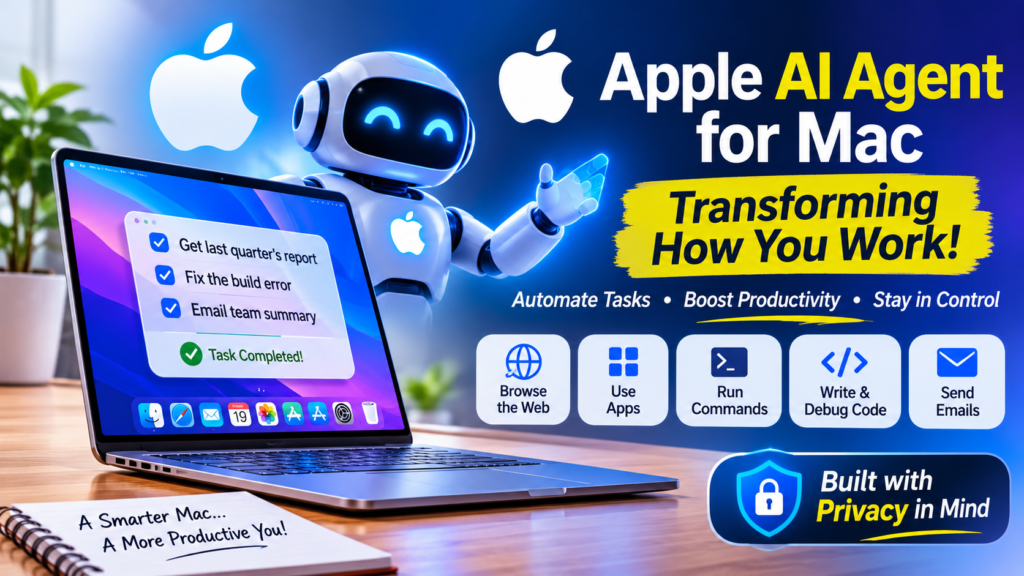
Imagine saying, “Pull last quarter’s numbers from that spreadsheet, fix the failing build, and email my team a summary,” and then walking away to make a cup of chai. No tab-switching, no copy-pasting, no babysitting. That promise is behind a wave of “computer-use” AI agents, and as of this week, Apple appears to want in.
On November 19, 2026, Bloomberg reported that Apple is working on an AI agent that can operate a computer on a user’s behalf. TechCrunch’s Lucas Ropek followed up the same day. The evidence is a job listing for a senior engineering manager to lead “agentic AI” work. The posting describes software that can browse the web, work across apps, run commands, write and debug code, and call services.
Here’s the catch: the Apple AI agent isn’t a product you can download, and Apple hasn’t announced it. It’s a signal. But it’s a loud one, especially because Apple is simultaneously making it harder for other companies’ agents to take control of the Mac.
This guide separates what’s actually reported from what’s speculation, explains why it matters, and gives you practical steps whether you’re a Mac user, a developer, or a business owner.
Key Takeaways
- Bloomberg reports Apple is building an agent that can use apps, browse websites, run commands, and write code.
- The main evidence is a public Apple job listing, not a product announcement.
- Bloomberg says progress is early, with an internal target of as soon as the end of next year (2027).
- Apple is adding warnings in macOS 27.3 that discourage users from granting third-party agents full access.
- Apple’s pitch is likely privacy and polish, since the job listing emphasizes doing everything privately.
- Apple hasn’t commented publicly, so treat timelines and features as provisional.
What Is the Apple AI Agent, and Why Is Everyone Talking About It?
Most people know AI assistants as things you ask. An AI agent is something you delegate to. Instead of answering a question and stopping, an agent plans a sequence of steps, picks the right tools, takes actions, checks the results, and keeps going until the job is done.
That’s the core idea behind the Apple AI agent: software that uses a computer roughly the way a capable human would, clicking through apps, running terminal commands, and calling online services without you handling each step.
What the Job Listing Actually Says
The reporting centers on a job posting for a senior engineering manager focused on agentic and proactive AI. The listing asks candidates to imagine an agent that can “use a computer the way a capable person does.” It then lists capabilities: browsing the web, working across apps, running commands, writing and debugging code, and calling services, choosing the right tool for each step.
Two further details matter:
- The listing says the agent should move fluidly between tools and handle multi-step tasks across apps, browsers, command lines, code, and APIs.
- It stresses doing all of this privately and with the polish people expect from Apple.
That second point is the brand positioning in one sentence. Apple isn’t promising to be first. It’s promising to be trustworthy.
What’s Confirmed vs. What’s Not
Everything we know about the Apple AI agent comes from one job listing and one Bloomberg report. TechCrunch asked Apple for comment and hadn’t heard back at the time of publication. Here’s how to separate the solid from the speculative:
| Question | Status | What we know |
|---|---|---|
| Is Apple building an agent? | Reported | Bloomberg says yes; a job listing supports it |
| What can it do? | Described in a job listing | Browse, use apps, run commands, write and debug code, call services |
| When will it launch? | Early and uncertain | Bloomberg says Apple has eyed as soon as the end of next year |
| Will it be Mac-only? | Unknown | Reporting frames it around computers; other devices aren’t confirmed |
| Has Apple confirmed it? | No | No public comment so far |
| Which AI model powers it? | Unknown | Not stated in the reporting |
Anything beyond this table, including pricing, naming, device support, and model partners, is guesswork. I’ll flag analysis as analysis below.
Why an AI Agent That Runs Your Mac Is a Big Deal
From Chatbots to Doers
For the past few years, AI has mostly lived in a chat box. You type, it replies, and you do the actual work. Agents flip that relationship. The AI does the clicking, the typing, and the sequencing. You supervise.
TechCrunch notes that agents capable of computer work have become one of the hottest commodities in tech over the past year, with major labs like Anthropic and OpenAI launching such services. Meta has also entered the space with its Muse agent line.
Why the Mac Is the Natural Starting Point
The reporting points to the Mac, and the logic holds up:
- Desktop work is multi-app by nature. Real tasks span a browser, a spreadsheet, a code editor, and an email client.
- The Mac has a command line. Running commands and debugging code, both in the listing, is far more natural on a Mac than on a locked-down phone.
- Apple controls the whole stack. Hardware, operating system, and first-party apps all come from one company, which makes deep, reliable integration possible.
- Mac users skew professional. Developers, designers, and knowledge workers are the people who benefit most from delegating multi-step digital chores.
My read, and it is analysis, not reporting, is that Apple wants the agent to feel less like a bolt-on chatbot and more like part of the operating system itself.
The Competitive Landscape: Who Else Is Building Computer-Use Agents?
Apple isn’t entering an empty field. Per TechCrunch’s reporting, the market already includes several players:
| Company | Status per reporting | Notable angle |
|---|---|---|
| Anthropic | Has launched computer-working agent services | Claude is cited as a direct competitor |
| OpenAI | Has launched computer-working agent services | Cited alongside Anthropic |
| Meta | Recently launched its Muse agent line | A newer entrant |
| Apple | In development, early stages | Privacy, polish, and OS-level integration |
Where does the Apple AI agent fit in this lineup? Based on the job listing, Apple’s differentiator won’t be raw capability. Rivals are already shipping. It will be trust, tight OS integration, and a consistent experience. That’s the same playbook Apple has used in other categories: arrive later, and compete on refinement and privacy.
TechCrunch also notes that Apple is trying to expand its AI offerings in what it calls the new John Ternus era. An in-house agent fits that push toward a broader AI lineup.
The Other Half of the Story: Apple Is Tightening Access for Third-Party Agents
This is the part many headlines will skip, and it may be the most strategically interesting.
According to Bloomberg, as reported by TechCrunch, Apple is making it significantly harder for third-party agents to gain total control over Macs. The upcoming macOS 27.3 will show warnings that discourage users from granting full access to outside agents.
This follows an October notice to developers. In it, Apple said it planned to add controls so that users who want to give an app this “extraordinary level of access” can only do so through very explicit user action.
Two Ways to Read This
The generous reading: user safety. An agent with full control of your computer can read files, send messages, move money, and change settings. A single mistake, or a malicious instruction hidden inside a webpage, could cause serious damage. Strong warnings and explicit consent are reasonable guardrails.
The skeptical reading: platform control. Apple controls the operating system. If it raises friction for rival agents while preparing its own, the practical effect could be a tilted playing field. Developers building agent products for Mac should watch how these controls are implemented and whether Apple’s own agent gets privileged access.
Both readings can be true at once. The timing alone, with restrictions arriving while the Apple AI agent is in development, will draw scrutiny from developers and possibly regulators.
Privacy and Security: Apple’s Likely Pitch
Privacy is Apple’s most consistent brand promise, and the job listing leans on it. Agents raise the stakes of privacy because they need broad access to be useful. To act on your behalf, an agent may need to see your screen, files, accounts, and messages.
The Core Risks of Any Computer-Use Agent
- Over-permissioning: granting more access than a task needs.
- Prompt injection: malicious text on a webpage or in a document that tricks the agent into following an attacker’s instructions.
- Irreversible actions: deleting files, sending emails, or making purchases that can’t be undone.
- Data exposure: sensitive information leaving the device when processed by cloud models.
- Silent errors: an agent confidently completing the wrong task.
What Apple Will Need to Get Right
To make the privacy promise real, the Apple AI agent would need strong answers to a few questions. These are my questions, not reported features:
- What runs on-device, and what goes to the cloud? Users will want clarity.
- How granular are permissions? Per-app and per-task approvals beat all-or-nothing access.
- Are risky actions confirmed first? Payments, deletions, and external messages should require a human click.
- Is there an audit trail? You should be able to see exactly what the agent did.
- Can you stop it instantly? A reliable kill switch is non-negotiable.
If Apple delivers on these, its late arrival could become an advantage.
What Could an Apple AI Agent Do for You? (Realistic Scenarios)
These examples are illustrative, based on the capabilities named in the job listing. None are confirmed features.
- Research and reporting: gather information from several websites, collect it in a document, and format it for sharing.
- Inbox and calendar chores: sort messages, draft replies, and find meeting slots, with you approving anything sent.
- Developer workflows: write a function, run it, read the error, debug, and re-run. The listing explicitly mentions writing and debugging code.
- File organization: rename, sort, and archive hundreds of files according to rules you describe in plain language.
- Cross-app tasks: move data from a PDF into a spreadsheet, build a chart, and drop it into a presentation.
- Repetitive web tasks: fill in forms, compare prices, or check status pages across several sites.
The pattern is the same everywhere: tasks that today require you to act as the “glue” between apps. If you spend hours moving information from one window to another, that’s where agents will help first.
When Could the Apple AI Agent Launch?
Bloomberg says Apple has eyed introducing the service as soon as the end of next year, which would be late 2027, but that progress remains in the early stages. Both parts of that sentence matter.
- “As soon as” is a best-case target, not a promise.
- “Early stages” means the design, features, and scope could change or slip.
In practical terms, the Apple AI agent is not something to plan a product roadmap around today. It’s something to prepare for. A realistic expectation is a first showing at a future Apple developer event, followed by a gradual rollout, though that is my speculation and nothing in the reporting confirms it.
Actionable Insights: How to Prepare
For Everyday Mac Users
Before the Apple AI agent or any agent arrives, build good habits now:
- Audit your permissions. Open System Settings and review which apps already have Accessibility, Full Disk Access, and Screen Recording. Remove anything you don’t recognize or no longer use.
- Treat “full access” requests as serious. With macOS 27.3 adding warnings, take them seriously rather than clicking through.
- Back up regularly. Any agent that can edit and delete files makes a reliable backup your safety net.
- Start small if you try agents. Test any agent on low-stakes tasks with a throwaway folder before trusting it with real work.
- Keep confirmation prompts on. Don’t disable approval steps for convenience.
For Developers
- Watch Apple’s developer notices. The October notice signals that permission rules for powerful apps are changing.
- Design for explicit consent. If your app requests broad system access, build a clear, honest explanation of why and make the request easy to understand.
- Expose clean interfaces. Apps with well-documented scripting support, shortcuts, and APIs will likely be easier for agents to use than apps that only work through screen clicks. This is an inference, not an announcement.
- Plan for coexistence. Assume users may run multiple agents, including Apple’s, and avoid designs that break when automated software uses your interface.
- Test against prompt injection. If your app displays untrusted content, consider how an agent might misread instructions hidden in it.
For Businesses and Marketers
- Map your repetitive workflows. List the multi-step, copy-and-paste tasks your team does weekly. These are your best candidates for agent automation.
- Set a policy early. Decide which data agents may touch and which accounts are off-limits.
- Pilot before you scale. Run small experiments with current agent tools to learn where they save time and where they fail.
- Invest in human review. Agents are fast but fallible, so keep a person in the loop for anything customer-facing or financial.
For Students and Young Professionals
- Learn to delegate precisely. Clear, specific instructions are the core skill of working with agents.
- Learn the fundamentals underneath. Basic scripting, spreadsheets, and the command line help you supervise an agent and catch its mistakes.
- Build a portfolio of workflows. Document how you used AI tools to complete real projects. That experience will matter to employers.
- Stay skeptical. Always verify an agent’s output before submitting or sending it.
Risks and Open Questions
Even if everything goes to plan, several uncertainties remain:
- Quality: Will Apple’s first release match agents that have been in the market for a year?
- Access: Will Apple’s own agent get deeper system access than rivals can?
- Availability: Will it work across every Mac, or only the newest hardware?
- Cost: Will it be included free, or sit behind a subscription?
- Models: Will it run on Apple’s own models, partner models, or a mix?
- Regulation: Could restricting third-party agents while promoting its own attract antitrust attention?
None of these are answered in the current reporting. Watch for them as more details emerge.
Frequently Asked Questions
Is the Apple AI agent available now?
No. Reports say Apple is in the early stages of development, and Apple hasn’t publicly announced or confirmed a product. [11]
What would an Apple AI agent actually do?
According to the job listing, it would browse the web, work across apps, run commands, write and debug code, and call services, choosing tools for each step.
Will Apple block other AI agents on the Mac?
Not outright, based on current reporting. Apple is adding warnings in macOS 27.3 that discourage users from granting full access to third-party agents, and developers have been told that such access will require very explicit user action.
How is an AI agent different from Siri or a chatbot?
A chatbot answers questions. An agent carries out multi-step tasks by operating software for you. The job listing’s emphasis on acting across apps, browsers, and code is what sets it apart.
Should I switch my workflow because of this news?
No. Use it as a prompt to tidy your permissions, back up your data, and experiment with existing agent tools on low-risk tasks.
Final Thoughts: The Apple AI Agent and the Next Era of Computing
The big picture is simple. AI is moving from answering to acting, and every major platform company needs a credible agent. The Apple AI agent is Apple’s attempt to make sure the world’s most popular premium computing platform doesn’t depend entirely on other companies’ software for that shift.
What’s real today is modest: a job listing, a Bloomberg report, an early-stage project, and new restrictions on outside agents. What’s possible is much bigger: a privacy-first assistant woven into the operating system, running the tedious parts of your digital life.
For now, stay curious and cautious. Tighten your permissions, learn to delegate clearly, and keep watching. Apple tends to reveal its plans on its own schedule, and when it does, you’ll be glad you prepared.