Apple Watch ରେ Siri Recap: ଏହା କ’ଣ କରେ, କାହାକୁ ମିଳିବ ଏବଂ ‘ବିଟା’ (Beta) ର ଅର୍ଥ କ’ଣ?
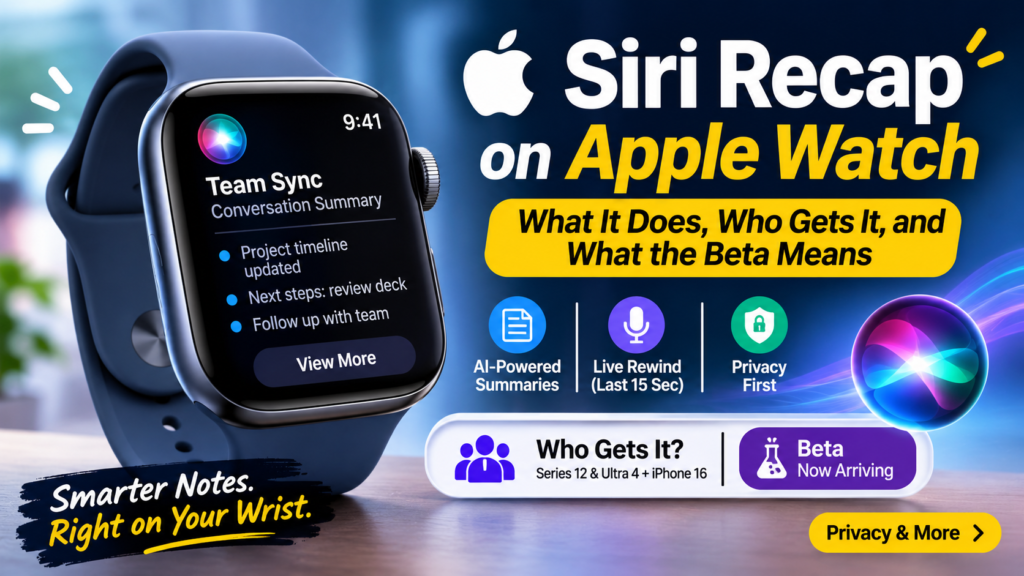
Siri Recap is an Apple Watch feature that turns a conversation into a short note with a title, a summary, and key points. TechCrunch reports that beta testing is now beginning. The feature only works on Apple Watch Series 12 and Apple Watch Ultra 4 paired with an iPhone 16 or newer.
Think of the last time someone gave you directions, a doctor outlined a plan, or a meeting wandered across three topics. You nodded along, and ten minutes later half of it was gone. Siri Recap is Apple’s attempt to fix that moment from your wrist. This analysis covers what the feature does, what it requires, how its privacy design works, where it may fall short, and how it compares with dedicated AI recorders. Every section stands alone, so jump to whatever you need.
What Is Siri Recap?
Definition: A Watch Feature That Writes the Notes
Siri Recap is an Audio Intelligence feature in watchOS 27. It uses Apple Intelligence to take ambient notes during conversations and generate a title, a summary, and key points, which you can review in the Siri app on Apple Watch or iPhone. gadgetreview
Expansion: How It Works in Practice
You turn the feature on, keep talking, and read a compact note afterward instead of typing or scribbling. Apple says it is designed to help you stay present during meetings, classes, and everyday conversations. The output is meant to be skimmable. You get the gist of what was discussed, not a word-for-word transcript. igeeksblog
That design choice shapes everything else about the feature. It is built for people who want the outcome of a conversation, such as decisions, names, and follow-ups, without managing a recording. Because it runs on Apple Intelligence, it also depends on a supported iPhone and the Siri AI beta.
How Siri Recap Differs From a Voice Recorder
A recorder hands you raw audio. Siri Recap hands you an interpretation. Neither this feature nor Live Rewind creates a conventional audio recording the user can access. dymesty
That distinction matters for trust. With a recording, you can replay a disputed sentence. With a summary, you rely on the model having understood the conversation correctly. Apple itself warns that Live Rewind snippets and summaries may be incomplete or inaccurate. Treat the notes as a memory aid, not as a record. neoteo
What Is Live Rewind, and How Does It Relate to Siri Recap?
Live Rewind is a companion Audio Intelligence feature that shows a text snippet of the previous 15 seconds of speech when you double-press the Digital Crown. You can read the snippet, ask Siri about it, or save it for later. wersm
The two features solve different problems. Live Rewind answers the question “what did they just say?” Siri Recap answers the broader question “what did we cover over the last half hour?” One is a short-term rescue for the moment your attention slipped. The other is a longer-form note-taker.
Live Rewind also has a clear accessibility angle. People who have hearing problems or trouble following conversations could benefit. Some reviewers find its everyday value less obvious beyond accessibility, and they want to see the finished version before judging. bgr
Both features share hardware and software requirements and are expected to arrive together. Each has its own privacy documentation from Apple.
Which Devices Support Siri Recap?
Only Apple Watch Series 12 and Apple Watch Ultra 4 support Siri Recap. Older watches that receive watchOS 27 do not get these two features. You also need a compatible iPhone running Apple Intelligence and the Siri AI beta. tech-ish
| Requirement | Siri Recap | Live Rewind |
|---|---|---|
| Apple Watch | Series 12 or Ultra 4 | Series 12 or Ultra 4 |
| Paired iPhone | iPhone 16 or later | iPhone 16 or later |
| Software | Apple Intelligence plus Siri AI beta | Apple Intelligence plus Siri AI beta |
| Language | English first | English first |
| EU availability | Not at launch (reported) | Not at launch (reported) |
| Age limit | Reported to exclude under-13s | Reported to exclude under-13s |
| Output | Title, summary, key points | Text of the last 15 seconds |
| Trigger | Turned on by the user | Double-press the Digital Crown |
Apple’s support requirements list the iPhone 16 and later, including iPhone Air. One report says the iPhone 16e is excluded. If you own a Series 11 or an iPhone 15, none of this reaches you. Apple Watch Siri Recap will summarize your conversations, but it won’t record audio +2
When Does Siri Recap Arrive?
Siri Recap is expected in watchOS 27.3, not in the watchOS 27.2 release. The watchOS 27.2 release notes, dated October 26, focus on Siri AI and mention neither feature. The rollout so far looks like this: laxis
- September 9: Apple announces the Apple Watch Series 12 and Ultra 4 and previews both Audio Intelligence features as a later beta.
- September 18: Apple Watch Series 12 retail availability begins. neoteo
- October 26: watchOS 27.2 ships without either conversation feature.
- October 28: 9to5Mac reports that Apple is expected to introduce both features in watchOS 27.3, with a beta arriving very soon. 9to5Mac
- November 2: TechCrunch reports that beta testing has begun.
Both features arrive in English only at first, with the US and UK among the first markets. Expect a staged rollout, and expect Apple’s own support pages to be the final word on regions and languages. pasqualepillitteri
How Does Siri Recap Handle Privacy?
Privacy is the central debate around this feature, because it listens to conversations that include other people.
Where the Processing Happens
Reports say Live Rewind is processed directly on the device, inside the Secure Enclave of the S11 chip. For the longer summaries, Apple cites Private Cloud Compute for some Siri Recap processing, and says saved snippets and summaries are end-to-end encrypted when they sync through iCloud. borncityneoteo
In plain terms, Apple is promising that the most sensitive step, turning raw speech into text, stays as local as possible. Whether that holds up under independent scrutiny is something only the beta period can show.
The Bystander Problem
Siri Recap, like any ambient note-taker, processes the voices of people who never opted in. Privacy lawyers in the US are questioning whether continuously analyzing speech could still count as interception under state eavesdropping laws, even when no audio file is kept. Apple argues the features are memory aids rather than recording tools. channelnewschannelnews
There is also a practical gap. Apple’s support documentation does not describe a notification for nearby people while the feature is running, beyond advising users to be mindful during private or sensitive conversations. That puts the burden of etiquette on you. A sensible habit is to follow these steps: wersm
- Tell people before you start capturing a conversation.
- Ask for explicit agreement in meetings, interviews, and medical settings.
- Switch the feature off for private or sensitive talks.
- Check your local consent rules, since some US states require all parties to agree. This is general information, not legal advice.
How Does It Compare With Dedicated AI Meeting Recorders?
Apple’s feature is a casual, always-on-your-wrist note-taker. Dedicated recorders are purpose-built for meetings and typically keep more of the source material. Apple has now brought ambient AI note-taking to a product it sells in the tens of millions, which turns a niche accessory idea into a mainstream one. plaud
| Factor | Siri Recap | Dedicated AI recorder (typical) |
|---|---|---|
| Output | Title, summary, key points | Summary plus full transcript |
| Audio file you can replay | No conventional recording | Often yes |
| Extra hardware | None if you own the watch | Separate device or app |
| Platform | Apple Watch plus iPhone only | Often cross-platform |
| Best for | Everyday, informal conversations | Scheduled meetings and interviews |
| Multi-speaker accuracy | Unproven until the beta ships | Varies by product |
The honest verdict is that Apple is not trying to replace a professional recorder. It is designed to make a conventional recording unnecessary for some everyday conversations. If you need verbatim records, searchable transcripts, or legal-grade documentation, a dedicated tool still wins. If you want the gist of a hallway conversation, the watch is already on your wrist. dymesty
Who Benefits Most?
Suggested uses include meetings, medical appointments, school conferences, and spontaneous creative conversations. Based on how the feature works, the likely winners are: wersm
- Students who want a quick recap of a lecture or study group without a laptop.
- Professionals in informal conversations that never get a calendar invite.
- Patients and caregivers who need to remember what a clinician explained, with consent from everyone involved.
- People with hearing or processing difficulties, who may get the most from the 15-second text rewind.
- Parents juggling school conferences and appointments.
- Anyone who forgets action items the moment a conversation ends.
What Do We Still Not Know?
Multi-speaker accuracy, noisy-room performance, practical daily limits, and the quality of summary boundaries remain open questions until the beta is available for real-world testing. Battery impact and language support beyond English are also unconfirmed. dymesty
There is a reliability concern as well. AI summaries are prone to errors, and Apple has had to disable AI-powered summarization features in the past after incorrect results. A wrong summary of a casual chat is an annoyance. A wrong summary of a medical or legal conversation could be a real problem, so verify anything important. bgr
Frequently Asked Questions
Does Siri Recap record audio?
No conventional audio recording is created or made accessible to you. The feature produces a summary with a title and key points, and Live Rewind produces a short text snippet.
Is this available in the EU?
Not at launch, according to multiple reports. Apple is starting in English, with the US and UK among the first markets.
Will this work on my Apple Watch Series 11?
No. It requires an Apple Watch Series 12 or Ultra 4, paired with an iPhone 16 or newer.
Where do I read my notes?
In the Siri app on your Apple Watch or on your iPhone.
Is it legal to use in any conversation?
It depends on where you are and who is present. Some US states require every party’s consent to record or intercept conversations. Tell people up front and ask a lawyer if the stakes are high.
Should I trust the summaries?
Use them as a memory aid. Apple warns that outputs may be incomplete or inaccurate, so check anything consequential.
The Bottom Line: Is Siri Recap Worth Trying?
Siri Recap is the clearest sign yet that Apple wants the wrist to become a memory assistant, not just a fitness tracker. By bringing AI-powered conversation summaries directly to Apple Watch, Apple is entering a space that has largely been occupied by dedicated AI recorders, smartphone applications, and meeting transcription tools. The difference is convenience. Instead of taking out a phone, opening an app, or carrying another recording device, users can potentially capture the important details of everyday conversations using a device they already wear.
However, the feature is still at an early stage. Its hardware requirements are narrow, its initial language support is limited to English, and its availability depends on Apple’s latest compatible devices and software. Owners of older Apple Watch models will not be able to access Siri Recap simply by installing watchOS 27. Even users with supported hardware must have a compatible iPhone and the required Apple Intelligence capabilities.
The biggest question is whether Siri Recap can consistently produce accurate summaries in real-world situations. Conversations rarely happen in perfect recording environments. People interrupt each other, speak simultaneously, change subjects without warning, and use unfamiliar names or technical terms. Background noise from restaurants, classrooms, offices, and public spaces could also affect how well the feature understands speech. Apple will need to demonstrate that its AI can handle these conditions before users can confidently depend on its summaries.
Privacy is another issue that deserves attention. Apple’s approach, which emphasizes on-device processing, Private Cloud Compute, and encrypted synchronization, provides a promising foundation. Nevertheless, processing a conversation without saving a conventional audio recording does not automatically resolve every privacy concern. Other people may not know that their words are being analyzed, and local laws may impose consent requirements. Users should develop the habit of informing participants before activating conversation-based AI features, particularly during professional meetings, interviews, and medical appointments.
There is also a question of how much control Apple will eventually give users. Can they organize summaries by date, search for specific topics, identify action items, or export notes to other productivity applications? Will users be able to correct inaccurate summaries or combine notes from multiple conversations? These capabilities could determine whether Siri Recap becomes a regular productivity tool or remains a convenient feature that people occasionally use.
For now, dedicated AI recorders still have an advantage for users who need detailed transcripts, speaker identification, searchable archives, and access to original recordings. Siri Recap appears better suited to informal conversations where remembering the main points matters more than preserving every spoken sentence. That distinction makes it a useful companion rather than a complete replacement for professional note-taking solutions.
For students, professionals, caregivers, and people who sometimes struggle to remember spoken information, the potential benefits are easy to understand. A short summary after an important discussion could save time, reduce forgotten follow-ups, and make everyday communication easier. Live Rewind could provide additional value when someone misses a sentence and needs a quick reminder of what was just said.
Ultimately, Siri Recap is worth watching, but it is too early to treat it as a dependable replacement for traditional note-taking. If you own a compatible Apple Watch Series 12 or Apple Watch Ultra 4, experimenting with the beta in low-risk conversations involving consenting participants is a sensible starting point. Check the generated notes against what was actually discussed, especially when names, dates, decisions, or instructions matter.
Apple has an opportunity to make conversational AI feel natural by putting it on a device people already use throughout the day. Whether Siri Recap succeeds will depend less on the excitement surrounding its launch and more on everyday accuracy, battery efficiency, privacy protections, and practical usefulness. If Apple gets those details right, the Apple Watch could become a genuinely helpful personal memory assistant. If it does not, Siri Recap may remain an interesting demonstration of what wearable AI can do rather than a feature people rely on.
ଆପଲ୍ ୱାଚ୍ (Apple Watch)-ର ଏକ ଫିଚର୍, ଯାହା କଥାବାର୍ତ୍ତାକୁ ଏକ ସଂକ୍ଷିପ୍ତ ନୋଟ୍ରେ ପରିଣତ କରେ; ଏଥିରେ ଏକ ଶୀର୍ଷକ, ସାରାଂଶ ଏବଂ ମୁଖ୍ୟ ବିନ୍ଦୁଗୁଡ଼ିକ ଅନ୍ତର୍ଭୁକ୍ତ ଥାଏ। ‘ଟେକ୍କ୍ରଞ୍ଚ’ (TechCrunch) ଅନୁଯାୟୀ, ବର୍ତ୍ତମାନ ଏହାର ‘ବିଟା ଟେଷ୍ଟିଂ’ (beta testing) ଆରମ୍ଭ ହୋଇଛି। ଏହି ଫିଚର୍ଟି କେବଳ ‘ଆପଲ୍ ୱାଚ୍ ସିରିଜ୍ ୧୨’ (Apple Watch Series 12) ଏବଂ ‘ଆପଲ୍ ୱାଚ୍ ଅଲ୍ଟ୍ରା ୪’ (Apple Watch Ultra 4) ରେ କାମ କରେ, ଯାହା ‘ଆଇଫୋନ୍ ୧୬’ (iPhone 16) କିମ୍ବା ତା’ଠାରୁ ନୂତନ ମଡେଲ୍ ସହିତ ସଂଯୁକ୍ତ (paired) ଥାଏ।
କଳ୍ପନା କରନ୍ତୁ, କେହି ଜଣେ ଆପଣଙ୍କୁ ରାସ୍ତା ବତାଇଲେ, କୌଣସି ଡାକ୍ତର ଚିକିତ୍ସା ଯୋଜନା ବିଷୟରେ କହିଲେ, କିମ୍ବା କୌଣସି ବୈଠକରେ ତିନୋଟି ଭିନ୍ନ ବିଷୟ ଉପରେ ଆଲୋଚନା ହେଲା। ଆପଣ ସେତେବେଳେ ମୁଣ୍ଡ ହଲାଇ ସହମତି ଜଣାଇଲେ, କିନ୍ତୁ ଦଶ ମିନିଟ୍ ପରେ ସେଥିମଧ୍ୟରୁ ଅଧା କଥା ଆପଣ ଭୁଲିଗଲେ।
‘ସିରି ରିକ୍ୟାପ୍’ (Siri Recap) ହେଉଛି ଆପଲ୍ର ଏକ ପ୍ରୟାସ, ଯାହା ଆପଣଙ୍କ ହାତଗଣ୍ଠିରେ (wrist) ଥିବା ଘଣ୍ଟା ମାଧ୍ୟମରେ ଏହି ସମସ୍ୟାର ସମାଧାନ କରିବ। ଏହି ବିଶ୍ଳେଷଣରେ ଆଲୋଚନା କରାଯାଇଛି ଯେ ଏହି ଫିଚର୍ଟି କ’ଣ କରେ, ଏଥିପାଇଁ କ’ଣ ଆବଶ୍ୟକ, ଏହାର ଗୋପନୀୟତା ବ୍ୟବସ୍ଥା କିପରି କାମ କରେ, ଏଥିରେ କେଉଁ ସୀମାବଦ୍ଧତା ରହିପାରେ ଏବଂ ଏହା ଅନ୍ୟ ସ୍ୱତନ୍ତ୍ର AI ରେକର୍ଡରଗୁଡ଼ିକ ତୁଳନାରେ କିପରି ଭିନ୍ନ। ପ୍ରତ୍ୟେକ ବିଭାଗ ସ୍ୱତନ୍ତ୍ର, ତେଣୁ ଆପଣ ନିଜ ଆବଶ୍ୟକତା ଅନୁଯାୟୀ ଯେକୌଣସି ଅଂଶକୁ ପଢ଼ିପାରିବେ।
‘ସିରି ରିକ୍ୟାପ୍’ (Siri Recap) କ’ଣ?
ସଂଜ୍ଞା: ଏକ ୱାଚ୍ ଫିଚର୍ ଯାହା କଥାବାର୍ତ୍ତାକୁ ନୋଟ୍ ଆକାରରେ ଲେଖିଦିଏ
‘ସିରି ରିକ୍ୟାପ୍’ ହେଉଛି ‘ୱାଚ୍ଓଏସ୍ ୨୭’ (watchOS 27)-ରେ ଥିବା ଏକ ‘ଅଡିଓ ଇଣ୍ଟେଲିଜେନ୍ସ’ (Audio Intelligence) ଫିଚର୍। ଏହା ‘ଆପଲ୍ ଇଣ୍ଟେଲିଜେନ୍ସ’ (Apple Intelligence) ବ୍ୟବହାର କରି କଥାବାର୍ତ୍ତା ସମୟରେ ଆଖପାଖର ଶବ୍ଦ ଓ କଥାକୁ ଶୁଣି ନୋଟ୍ ପ୍ରସ୍ତୁତ କରେ। ଏଥିରେ ଏକ ଶୀର୍ଷକ, ସାରାଂଶ ଏବଂ ମୁଖ୍ୟ ବିନ୍ଦୁଗୁଡ଼ିକ ରହିଥାଏ, ଯାହାକୁ ଆପଣ ‘ଆପଲ୍ ୱାଚ୍’ କିମ୍ବା ‘ଆଇଫୋନ୍’ରେ ଥିବା ‘ସିରି’ (Siri ସାରାଂଶ (summary) ଉପରେ ନିର୍ଭର କରିବା ସମୟରେ, ଆପଣଙ୍କୁ ଏହା ବିଶ୍ୱାସ କରିବାକୁ ପଡ଼ିବ ଯେ ମଡେଲ୍ଟି (AI ମଡେଲ୍) କଥାବାର୍ତ୍ତାକୁ ସଠିକ୍ ଭାବରେ ବୁଝିପାରିଛି।
ଆପଲ୍ ନିଜେ ଚେତାବନୀ ଦେଇଛି ଯେ ‘ଲାଇଭ୍ ରିୱାଇଣ୍ଡ୍’ (Live Rewind) ର ଅଂଶବିଶେଷ ଏବଂ ସାରାଂଶଗୁଡ଼ିକ ଅସମ୍ପୂର୍ଣ୍ଣ କିମ୍ବା ଭୁଲ୍ ହୋଇପାରେ। ତେଣୁ, ଏହି ନୋଟ୍ଗୁଡ଼ିକୁ କେବଳ ମନେ ରଖିବାରେ ସାହାଯ୍ୟ କରୁଥିବା ଏକ ମାଧ୍ୟମ ଭାବରେ ଗ୍ରହଣ କରନ୍ତୁ, ଏହାକୁ ଏକ ସଠିକ୍ ରେକର୍ଡ ବୋଲି ଭାବନ୍ତୁ ନାହିଁ।
‘ଲାଇଭ୍ ରିୱାଇଣ୍ଡ୍’ (Live Rewind) କ’ଣ ଏବଂ ଏହା ‘ସିରି ରିକ୍ୟାପ୍’ (Siri Recap) ସହିତ କିପରି ଜଡ଼ିତ?
‘ଲାଇଭ୍ ରିୱାଇଣ୍ଡ୍’ ହେଉଛି ଏକ ‘ଅଡିଓ ଇଣ୍ଟେଲିଜେନ୍ସ’ (Audio Intelligence) ସୁବିଧା। ଯେତେବେଳେ ଆପଣ ‘ଡିଜିଟାଲ୍ କ୍ରାଉନ୍’ (Digital Crown) କୁ ଦୁଇଥର ଦବାନ୍ତି, ସେତେବେଳେ ଏହା ଗତ ୧୫ ସେକେଣ୍ଡର କଥାବାର୍ତ୍ତାକୁ ଏକ ଲିଖିତ ରୂପରେ (text snippet) ପ୍ରଦର୍ଶିତ କରେ। ଆପଣ ଏହି ଲେଖାକୁ ପଢ଼ିପାରିବେ, ଏ ବିଷୟରେ ‘ସିରି’ (Siri) କୁ ପଚାରିପାରିବେ କିମ୍ବା ପରବର୍ତ୍ତୀ ସମୟ ପାଇଁ ସେଭ୍ (save) କରି ରଖିପାରିବେ।
ଏହି ଦୁଇଟି ସୁବିଧା ଭିନ୍ନ ଭିନ୍ନ ସମସ୍ୟାର ସମାଧାନ କରନ୍ତି। ‘ଲାଇଭ୍ ରିୱାଇଣ୍ଡ୍’ “ସେମାନେ ଏବେ କ’ଣ କହିଲେ?” – ଏହି ପ୍ରଶ୍ନର ଉତ୍ତର ଦିଏ। ଅନ୍ୟପକ୍ଷରେ, ‘ସିରି ରିକ୍ୟାପ୍’ ଏକ ବ୍ୟାପକ ପ୍ରଶ୍ନର ଉତ୍ତର ଦିଏ, ଯେପରିକି “ଗତ ଅଧ ଘଣ୍ଟା ମଧ୍ୟରେ ଆମେ କେଉଁ ବିଷୟଗୁଡ଼ିକ ଉପରେ ଆଲୋଚନା କଲୁ?”। ପ୍ରଥମଟି ହେଉଛି ଏକ ତତକ୍ଷଣାତ୍ ସହାୟତା, ଯାହା ସେତେବେଳେ କାମରେ ଆସେ ଯେତେବେଳେ ଆପଣଙ୍କ ଧ୍ୟାନ କିଛି କ୍ଷଣ ପାଇଁ ଅନ୍ୟ ଆଡ଼କୁ ଚାଲିଯାଏ। ଅନ୍ୟଟି ହେଉଛି ଏକ ଦୀର୍ଘକାଳୀନ ନୋଟ୍ ରଖିବା ପଦ୍ଧତି।
‘ଲାଇଭ୍ ରିୱାଇଣ୍ଡ୍’ର ଏକ ଗୁରୁତ୍ୱପୂର୍ଣ୍ଣ ‘ଆକ୍ସେସିବିଲିଟି’ (accessibility – ଅକ୍ଷମ ବ୍ୟକ୍ତିଙ୍କ ପାଇଁ ସୁବିଧା) ଦିଗ ମଧ୍ୟ ରହିଛି। ଯେଉଁ ବ୍ୟକ୍ତିମାନଙ୍କର ଶୁଣିବାରେ ଅସୁବିଧା ଅଛି କିମ୍ବା କଥାବାର୍ତ୍ତାକୁ ଅନୁସରଣ କରିବାରେ କଷ୍ଟ ହୁଏ, ସେମାନେ ଏଥିରୁ ଉପକୃତ ହୋଇପାରିବେ। କିଛି ସମୀକ୍ଷକଙ୍କ ମତରେ, ‘ଆକ୍ସେସିବିଲିଟି’ ବ୍ୟତୀତ ଦୈନନ୍ଦିନ ଜୀବ ଟେକ୍-ସମ୍ବନ୍ଧୀୟ
ଆବଶ୍ୟକତା | Siri Recap (ସିରି ରିକ୍ୟାପ୍) | Live Rewind (ଲାଇଭ୍ ରିୱାଇଣ୍ଡ୍)
Apple Watch (ଆପଲ୍ ୱାଚ୍) | Series 12 କିମ୍ବା Ultra 4 | Series 12 କିମ୍ବା Ultra 4
ଯୁଗ୍ମ iPhone (iPhone ଯାହା ସହ ସଂଯୁକ୍ତ) | iPhone 16 କିମ୍ବା ତା’ପରବର୍ତ୍ତୀ ମଡେଲ୍ | iPhone 16 କିମ୍ବା ତା’ପରବର୍ତ୍ତୀ ମଡେଲ୍
ସଫ୍ଟୱେର୍ | Apple Intelligence ଏବଂ Siri AI ବିଟା (beta) | Apple Intelligence ଏବଂ Siri AI ବିଟା (beta)
ଭାଷା | ପ୍ରଥମେ ଇଂରାଜୀ | ପ୍ରଥମେ ଇଂରାଜୀ
EU (ୟୁରୋପୀୟ ସଂଘ) ରେ ଉପଲବ୍ଧତା | ଆରମ୍ଭ ସମୟରେ ଉପଲବ୍ଧ ନୁହେଁ (ରିପୋର୍ଟ ଅନୁଯାୟୀ) | ଆରମ୍ଭ ସମୟରେ ଉପଲବ୍ଧ ନୁହେଁ (ରିପୋର୍ଟ ଅନୁଯାୟୀ)
ବୟସ ସୀମା | ୧୩ ବର୍ଷରୁ କମ୍ ବୟସର ପିଲାଙ୍କ ପାଇଁ ଉପଲବ୍ଧ ନୁହେଁ ବୋଲି ଜଣାପଡ଼ିଛି | ୧୩ ବର୍ଷରୁ କମ୍ ବୟସର ପିଲାଙ୍କ ପାଇଁ ଉପଲବ୍ଧ ନୁହେଁ ବୋଲି ଜଣାପଡ଼ିଛି
ଆଉଟପୁଟ୍ (ଫଳାଫଳ) | ଶୀର୍ଷକ, ସାରାଂଶ, ମୁଖ୍ୟ ବିନ୍ଦୁଗୁଡ଼ିକ | ଶେଷ ୧୫ ସେକେଣ୍ଡର ଟେକ୍ସଟ୍ (ଲେଖା)
କିପରି ଆରମ୍ଭ ହେବ | ବ୍ୟବହାରକାରୀଙ୍କ ଦ୍ୱାରା ସକ୍ରିୟ କରାଯିବ | Digital Crown (ଡିଜିଟାଲ୍ କ୍ରାଉନ୍) କୁ ଦୁଇଥର ଦବାନ୍ତୁ
ଆପଲ୍ର ସହାୟତା ଆବଶ୍ୟକତା ଅନୁଯାୟୀ, ଏଥିରେ iPhone 16 ଏବଂ ତା’ପରବର୍ତ୍ତୀ ମଡେଲଗୁଡ଼ିକ (iPhone Air ସହିତ) ଅନ୍ତର୍ଭୁକ୍ତ। ଏକ ରିପୋର୍ଟ ଅନୁଯାୟୀ, iPhone 16e ଏଥିରେ ଅନ୍ତର୍ଭୁକ୍ତ ନୁହେଁ। ଯଦି ଆପଣଙ୍କ ପାଖରେ Series 11 କିମ୍ବା iPhone 15 ଅଛି, ତେବେ ଆପଣ ଏହି ସୁବିଧାଗୁଡ଼ିକ ପାଇପାରିବେ ନାହିଁ। Apple Watch-ର ‘Siri Recap’ ଆପଣଙ୍କ କଥାବାର୍ତ୍ତାର ସାରାଂଶ ପ୍ରଦାନ କରିବ, କିନ୍ତୁ ଏହା ଅଡିଓ (ଅଡିଓ ରେକର୍ଡିଂ) ସଂରକ୍ଷଣ କରିବ ନାହିଁ।
Siri Recap କେବେ ଆସିବ?
Siri Recap, watchOS 27.2 ରିଲିଜ୍ରେ ନୁହେଁ, ବରଂ watchOS 27.3 ରେ ଆସିବ ବୋଲି ଆଶା କରାଯାଉଛି। ଅକ୍ଟୋବର ୨୬ ତାରିଖର watchOS 27.2 ରିଲିଜ୍ ନୋଟ୍ରେ Siri AI ଉପରେ ଧ୍ୟାନ ଦିଆଯାଇଛି, କିନ୍ତୁ ଏହି ଦୁଇଟି ଫିଚର୍ (ବୈଶିଷ୍ଟ୍ୟ) ବିଷୟରେ କୌଣସି ଉଲ୍ଲେଖ ନାହିଁ। ବର୍ତ୍ତମାନ ସୁଦ୍ଧା ଘଟଣାକ୍ରମ ଏହିପରି ରହିଛି:
ସେପ୍ଟେମ୍ବର ୯: ଆପଲ୍, Apple Watch Series 12 ଏବଂ Ultra 4 ଘୋଷଣା କଲା ଏବଂ ଉଭୟ ‘Audio Intelligence’ ଫିକାରଣ ବିଟା ପରୀକ୍ଷଣ ଆରମ୍ଭ ହୋଇଛି।
ଉଭୟ ବୈଶିଷ୍ଟ୍ୟ ପ୍ରଥମେ କେବଳ ଇଂରାଜୀରେ ପହଞ୍ଚୁଛି, ପ୍ରଥମ ବଜାର ମଧ୍ୟରେ US ଏବଂ UK ସହିତ। ଏକ ପର୍ଯ୍ୟାୟବଦ୍ଧ ରୋଲଆଉଟ୍ ଆଶା କରନ୍ତୁ, ଏବଂ Apple ର ନିଜସ୍ୱ ସମର୍ଥନ ପୃଷ୍ଠାଗୁଡ଼ିକ ଅଞ୍ଚଳ ଏବଂ ଭାଷା ଉପରେ ଶେଷ ଶବ୍ଦ ହେବ ବୋଲି ଆଶା କରନ୍ତୁ। pasqualepillitteri
Siri Recap କିପରି ଗୋପନୀୟତା ପରିଚାଳନା କରେ?
ଏହି ବୈଶିଷ୍ଟ୍ୟର ମୁଖ୍ୟ ବିତର୍କ ହେଉଛି ଗୋପନୀୟତା, କାରଣ ଏହା ଅନ୍ୟ ଲୋକଙ୍କୁ ଅନ୍ତର୍ଭୁକ୍ତ କରୁଥିବା ବାର୍ତ୍ତାଳାପଗୁଡ଼ିକୁ ଶୁଣେ।
ପ୍ରକ୍ରିୟାକରଣ କେଉଁଠାରେ ହୁଏ
ରିପୋର୍ଟଗୁଡ଼ିକ କୁହନ୍ତି ଯେ ଲାଇଭ୍ ରିୱାଇଣ୍ଡ୍ ସିଧାସଳଖ ଡିଭାଇସରେ ପ୍ରକ୍ରିୟାକରଣ କରାଯାଏ, S11 ଚିପ୍ ର ସିକ୍ୟୁର୍ ଏନକ୍ଲେଭ୍ ଭିତରେ। ଲମ୍ବା ସାରାଂଶ ପାଇଁ, Apple କିଛି Siri Recap ପ୍ରକ୍ରିୟାକରଣ ପାଇଁ Private Cloud Compute କୁ ଉଲ୍ଲେଖ କରେ, ଏବଂ କଞ୍ଚା କଥାକୁ ପାଠ୍ୟରେ ପରିଣତ କରିବା ସମୟରେ ସେଭ୍ ହୋଇଥିବା ସ୍ନିପେଟ୍ ଏବଂ ସାରାଂଶଗୁଡ଼ିକୁ ଏଣ୍ଡ-ଟୁ-ଏଣ୍ଡ ଏନକ୍ରିପ୍ଟ କରାଯାଏ ବୋଲି କହିଥାଏ।
ସାଧା ଶବ୍ଦରେ, Apple ପ୍ରତିଶ୍ରୁତି ଦେଉଛି ଯେ ସବୁଠାରୁ ସମ୍ବେଦନଶୀଳ ପଦକ୍ଷେପ, କଞ୍ଚା କଥାକୁ ପାଠ୍ୟରେ ପରିଣତ କରିବା, ଯଥାସମ୍ଭବ ସ୍ଥାନୀୟ ରହିଥାଏ। ଏହା ସ୍ୱାଧୀନ ଯାଞ୍ଚ ଅଧୀନରେ ରହିବ କି ନାହିଁ ତାହା କେବଳ ବିଟା ଅବଧି ଦେଖାଇପାରିବ।
ବାଇଷ୍ଟାଣ୍ଡର ସମସ୍ୟା
ଯେକୌଣସି ଆମ୍ବିଏଣ୍ଟ ନୋଟ୍-ଟେକର ପରି, ସିରି ରିକ୍ୟାପ୍, ଯେଉଁମାନେ କେବେ ବି ପସନ୍ଦ କରିନାହାଁନ୍ତି ସେମାନଙ୍କ ସ୍ୱର ପ୍ରକ୍ରିୟାକରଣ କରନ୍ତି। ଆମେରିକାର ଗୋପନୀୟତା ଓକିଲମାନେ ପ୍ରଶ୍ନ କରୁଛନ୍ତି ଯେ ନିରନ୍ତର ଭାଷଣ ବିଶ୍ଳେଷଣ କରିବା ରାଜ୍ୟ ଗୁପ୍ତ ଆଇନ ଅନୁଯାୟୀ ବାକ୍ ଚାଳନ ଭାବରେ ଗଣନା କରାଯାଇପାରିବ କି, ଯେତେବେଳେ କୌଣସି ଅଡିଓ ଫାଇଲ୍ ରଖା ନ ଯାଏ। ଆପଲ୍ ଯୁକ୍ତି କରେ ଯେ ବୈଶିଷ୍ଟ୍ୟଗୁଡ଼ିକ ରେକର୍ଡିଂ ଉପକରଣ ବଦଳରେ ମେମୋରୀ ସହାୟକ।
ଏଠାରେ ଏକ ବ୍ୟବହାରିକ ବ୍ୟବଧାନ ମଧ୍ୟ ଅଛି। ଆପଲ୍ର ସମର୍ଥନ ଡକ୍ୟୁମେଣ୍ଟେସନ୍ ବ୍ୟକ୍ତିଗତ କିମ୍ବା ସମ୍ବେଦନଶୀଳ କଥାବାର୍ତ୍ତା ସମୟରେ ସଚେତନ ରହିବାକୁ ଉପଦେଶ ଦେବା ବ୍ୟତୀତ, ବୈଶିଷ୍ଟ୍ୟ ଚାଲୁଥିବା ସମୟରେ ନିକଟବର୍ତ୍ତୀ ଲୋକଙ୍କ ପାଇଁ ଏକ ବିଜ୍ଞପ୍ତି ବର୍ଣ୍ଣନା କରେ ନାହିଁ। ଏହା ଆପଣଙ୍କ ଉପରେ ଶିଷ୍ଟାଚାରର ଭାର ଲଦିଥାଏ। ଏକ ବୁଦ୍ଧିମାନ ଅଭ୍ୟାସ ହେଉଛି ଏହି ପଦକ୍ଷେପଗୁଡ଼ିକୁ ଅନୁସରଣ କରିବା: wersm
ଆପଣ ଏକ ବାର୍ତ୍ତାଳାପ କ୍ୟାପଚର୍ କରିବା ଆରମ୍ଭ କରିବା ପୂର୍ବରୁ ଲୋକମାନଙ୍କୁ କୁହନ୍ତୁ।
ବୈଠକ, ସାକ୍ଷାତକାର ଏବଂ ଡାକ୍ତରୀ ସେଟିଂରେ ସ୍ପଷ୍ଟ ସହମତି ପାଇଁ ପଚାରନ୍ତୁ।
ବ୍ୟକ୍ତିଗତ କିମ୍ବା ସମ୍ବେଦନଶୀଳ କଥାବାର୍ତ୍ତା ପାଇଁ ବୈଶିଷ୍ଟ୍ୟକୁ ବନ୍ଦ କରନ୍ତୁ।
ଆପଣଙ୍କ ସ୍ଥାନୀୟ ସମ୍ମତି ନିୟମ ଯାଞ୍ଚ କରନ୍ତୁ, କାରଣ କିଛି ଆମେରିକାର ରାଜ୍ୟ ସମସ୍ତ ପକ୍ଷଙ୍କୁ ସହମତ ହେବା ଆବଶ୍ୟକ କରେ। ଏହା ସାଧାରଣ ସୂଚନା, ଆଇନଗତ ପରାମର୍ଶ ନୁହେଁ।
ଏହା ସମର୍ପିତ AI ବୈଠକ ରେକର୍ଡର ସହିତ କିପରି ତୁଳନା କରାଯାଏ?
ଆପଲ୍ର ବୈଶିଷ୍ଟ୍ୟ ହେଉଛି ଏକ ସାଧାରଣ, ସର୍ବଦା ଆପଣଙ୍କ କଣ୍ଠରେ ନୋଟ୍ ନେବା। ସମର୍ପିତ ରେକର୍ଡର୍ ବୈଠକ ପାଇଁ ଉଦ୍ଦେଶ୍ୟମୂଳକ ଭାବରେ ନିର୍ମିତ ଏବଂ ସାଧାରଣତଃ ଅଧିକ ଉତ୍ସ ସାମଗ୍ରୀ ରଖେ। ଆପଲ୍ ବର୍ତ୍ତମାନ ଲକ୍ଷ ଲକ୍ଷ ଟଙ୍କାରେ ବିକ୍ରି ହେଉଥିବା ଉତ୍ପାଦରେ ଆମ୍ବିଆଣ୍ଟ AI ନୋଟ୍-ଟେକିଂ ଆଣିଛି, ଯାହା ଏକ ନିଶ ଆସେସୋରି ଧାରଣାକୁ ମୁଖ୍ୟଧାରାରେ ପରିଣତ କରେ। ପ୍ଲାଡ୍
ଫ୍ୟାକ୍ଟରସିରି ରିକ୍ୟାପ୍ ସମର୍ପିତ AI ରେକର୍ଡର୍ (ସାଧାରଣ) ଆଉଟପୁଟ୍ଶୀର୍ଷକ, ସାରାଂଶ, ମୁଖ୍ୟ ପଏଣ୍ଟ୍ସାରାଂଶ ଏବଂ ପୂର୍ଣ୍ଣ ଟ୍ରାନ୍ସକ୍ରିପ୍ଟ ଅଡିଓ ଫାଇଲ୍ ଆପଣ ପୁଣି ଚଲାଇପାରିବେ କୌଣସି ପାରମ୍ପରିକ ରେକର୍ଡିଂ ନାହିଁ ପ୍ରାୟତଃ ହଁ ଅତିରିକ୍ତ ହାର୍ଡୱେର୍ ଯଦି ଆପଣ ଘଣ୍ଟାର ମାଲିକ ଅଟନ୍ତି ତେବେ କିଛି ନୁହେଁ ପୃଥକ ଡିଭାଇସ୍ କିମ୍ବା ଆପ୍ ପ୍ଲାଟଫର୍ମ ଆପଲ୍ ୱାଚ୍ ଏବଂ କେବଳ iPhone ପ୍ରାୟତଃ କ୍ରସ୍-ପ୍ଲାଟଫର୍ମ ପ୍ରତିଦିନ, ଅନୌପଚାରିକ ବାର୍ତ୍ତାଳାପ ପାଇଁ ସର୍ବୋତ୍ତମ ସୂଚୀବଦ୍ଧ ବୈଠକ ଏବଂ ସାକ୍ଷାତକାର ବହୁ-ସ୍ପିକର ସଠିକତା ବିଟା ପଠାଯିବା ପର୍ଯ୍ୟନ୍ତ ଅପ୍ରମାଣିତ ଉତ୍ପାଦ ଅନୁସାରେ ଭିନ୍ନ ହୁଏ
ସତ୍ ନିଷ୍ପତ୍ତି ହେଉଛି ଯେ ଆପଲ୍ ଏକ ବୃତ୍ତିଗତ ରେକର୍ଡର୍କୁ ବଦଳାଇବାକୁ ଚେଷ୍ଟା କରୁନାହିଁ। ଏହା କିଛି ଦୈନନ୍ଦିନ କଥାବାର୍ତ୍ତା ପାଇଁ ଏକ ପାରମ୍ପରିକ ରେକର୍ଡିଂକୁ ଅନାବଶ୍ୟକ କରିବା ପାଇଁ ଡିଜାଇନ୍ କରାଯାଇଛି। ଯଦି ଆପଣଙ୍କୁ ଶବ୍ଦଗତ ରେକର୍ଡ, ସନ୍ଧାନଯୋଗ୍ୟ ଟ୍ରାନ୍ସକ୍ରିପ୍ଟ, କିମ୍ବା ଆଇନଗତ-ଗ୍ରେଡ୍ ଡକ୍ୟୁମେଣ୍ଟେସନ୍ ଆବଶ୍ୟକ ହୁଏ, ତେବେ ଏକ ସମର୍ପିତ ଉପକରଣ ତଥାପି ଜିତିଥାଏ। ଯଦି ଆପଣ ହଲୱେ କଥାବାର୍ତ୍ତାର ସାରାଂଶ ଚାହାଁନ୍ତି, ତେବେ ଘଣ୍ଟାଟି ଆପଣଙ୍କ ହାତପାଖରେ ଅଛି। dymesty
କିଏ ସବୁଠାରୁ ଅଧିକ ଲାଭବାନ ହୁଏ?
ପ୍ରସ୍ତାବିତ ବ୍ୟବହାରଗୁଡ଼ିକ ମଧ୍ୟରେ ବୈଠକ, ଡାକ୍ତରୀ ନିଯୁକ୍ତି, ସ୍କୁଲ ସମ୍ମିଳନୀ ଏବଂ ସ୍ୱତଃସ୍ଫୂର୍ତ୍ତ ସୃଜନଶୀଳ ଆଲୋଚନା ଅନ୍ତର୍ଭୁକ୍ତ। ଏହି ବୈଶିଷ୍ଟ୍ୟଟି କିପରି କାମ କରେ ତାହା ଉପରେ ଆଧାର କରି, ସମ୍ଭାବ୍ୟ ବିଜେତାମାନେ ହେଉଛନ୍ତି: wersm
ଯେଉଁମାନେ ଲାପଟପ୍ ବିନା ଏକ ବକ୍ତୃତା କିମ୍ବା ଅଧ୍ୟୟନ ଗୋଷ୍ଠୀର ଶୀଘ୍ର ସଂକ୍ଷେପ ଚାହାଁନ୍ତି।
ଅନୌପଚାରିକ କଥାବାର୍ତ୍ତାରେ ବୃତ୍ତିଗତ ଯେଉଁମାନେ କେବେବି କ୍ୟାଲେଣ୍ଡର ନିମନ୍ତ୍ରଣ ପାଆନ୍ତି ନାହିଁ।
ରୋଗୀ ଏବଂ ଯତ୍ନ ନେଉଥିବା ବ୍ୟକ୍ତି ଯେଉଁମାନେ ଜଣେ କ୍ଲିନସିନିୟସ୍ କ’ଣ ବ୍ୟାଖ୍ୟା କରିଛନ୍ତି ତାହା ମନେ ରଖିବା ଆବଶ୍ୟକ, ସମ୍ପୃକ୍ତ ସମସ୍ତଙ୍କ ସମ୍ମତି ସହିତ।
ଶ୍ରବଣ କିମ୍ବା ପ୍ରକ୍ରିୟାକରଣ ସମସ୍ୟା ଥିବା ଲୋକମାନେ, ଯେଉଁମାନେ 15-ସେକେଣ୍ଡ ପାଠ୍ୟ ରିୱାଇଣ୍ଡରୁ ସର୍ବାଧିକ ଲାଭ ପାଇପାରନ୍ତି।
ଅଭିଭାବକମାନେ ସ୍କୁଲ ସମ୍ମିଳନୀ ଏବଂ ନିଯୁକ୍ତିଗୁଡ଼ିକୁ ଜାଗଲିଂ କରୁଛନ୍ତି।
ଯେକେହି କଥାବାର୍ତ୍ତା ଶେଷ ହେବା ମାତ୍ରେ କାର୍ଯ୍ୟ ଆଇଟମ୍ ଭୁଲି ଯାଆନ୍ତି।
ଆମେ ଏପର୍ଯ୍ୟନ୍ତ କ’ଣ ଜାଣି ନାହୁଁ?
ବହୁ-ବକ୍ତା ସଠିକତା, ଶବ୍ଦ-କକ୍ଷ କାର୍ଯ୍ୟଦକ୍ଷତା, ବ୍ୟବହାରିକ ଦୈନିକ ସୀମା, ଏବଂ ସାରାଂଶ ସୀମାର ଗୁଣବତ୍ତା ବାସ୍ତବ-ବିଶ୍ୱ ପରୀକ୍ଷଣ ପାଇଁ ବିଟା ଉପଲବ୍ଧ ନହେବା ପର୍ଯ୍ୟନ୍ତ ଖୋଲା ପ୍ରଶ୍ନ ରହିଥାଏ। ଇଂରାଜୀ ବ୍ୟତୀତ ବ୍ୟାଟେରୀ ପ୍ରଭାବ ଏବଂ ଭାଷା ସମର୍ଥନ ମଧ୍ୟ ନିଶ୍ଚିତ ନୁହେଁ। dymesty
ଏଠାରେ ଏକ ନିର୍ଭରଯୋଗ୍ୟତା ଚିନ୍ତା ମଧ୍ୟ ଅଛି। AI ସାରାଂଶଗୁଡ଼ିକ ତ୍ରୁଟିପୂର୍ଣ୍ଣ ହୋଇଥାଏ, ଏବଂ Apple ଭୁଲ ଫଳାଫଳ ପରେ ଅତୀତରେ AI-ଚାଳିତ ସାରାଂଶକରଣ ବୈଶିଷ୍ଟ୍ୟଗୁଡ଼ିକୁ ଅକ୍ଷମ କରିବାକୁ ପଡିଛି। ଏକ ସାଧାରଣ ଚାଟର ଏକ ଭୁଲ ସାରାଂଶ ଏକ ବିରକ୍ତିକର ବିଷୟ। ଏକ ଡାକ୍ତରୀ କିମ୍ବା ଆଇନଗତ କଥାବାର୍ତ୍ତାର ଏକ ଭୁଲ ସାରାଂଶ ଏକ ପ୍ରକୃତ ସମସ୍ୟା ହୋଇପାରେ, ତେଣୁ ଗୁରୁତ୍ୱପୂର୍ଣ୍ଣ କିଛି ଯାଞ୍ଚ କରନ୍ତୁ। bgr
ପ୍ରାୟତଃ ପଚରାଯାଉଥିବା ପ୍ରଶ୍ନ
Siri Recap କ’ଣ ଅଡିଓ ରେକର୍ଡ କରେ?
କୌଣସି ପାରମ୍ପରିକ ଅଡିଓ ରେକର୍ଡିଂ ସୃଷ୍ଟି ହୁଏ ନାହିଁ କିମ୍ବା ଆପଣଙ୍କ ପାଇଁ ଉପଲବ୍ଧ ହୁଏ ନାହିଁ। ଏହି ବୈଶିଷ୍ଟ୍ୟ ଏକ ଶୀର୍ଷକ ଏବଂ ମୁଖ୍ୟ ବିନ୍ଦୁ ସହିତ ଏକ ସାରାଂଶ ପ୍ରସ୍ତୁତ କରେ, ଏବଂ ଲାଇଭ୍ ରିୱାଇଣ୍ଡ ଏକ ଛୋଟ ପାଠ୍ୟ ସ୍ନିପେଟ୍ ପ୍ରସ୍ତୁତ କରେ।
ଏହା EU ରେ ଉପଲବ୍ଧ କି?
ଅନେକ ରିପୋର୍ଟ ଅନୁଯାୟୀ ଲଞ୍ଚ ସମୟରେ ନୁହେଁ। Apple ପ୍ରଥମ ବଜାର ମଧ୍ୟରେ US ଏବଂ UK ସହିତ ଇଂରାଜୀରେ ଆରମ୍ଭ ହେଉଛି।
ଏହା ମୋର Apple Watch Series 11 ରେ କାମ କରିବ କି?
ନା। ଏଥିପାଇଁ Apple Watch Series 12 କିମ୍ବା Ultra 4 ଆବଶ୍ୟକ, iPhone 16 କିମ୍ବା ନୂତନତମ ସହିତ ଯୋଡା।
ମୁଁ ମୋର ନୋଟ୍ସ ପଢିବା ପୂର୍ବରୁ?
ଆପଣଙ୍କ Apple Watch କିମ୍ବା ଆପଣଙ୍କ iPhone ରେ Siri ଆପରେ।
ଯେକୌଣସି ବାର୍ତ୍ତାଳାପରେ ବ୍ୟବହାର କରିବା ଆଇନଗତ କି?
ଏହା ଆପଣ କେଉଁଠି ଅଛନ୍ତି ଏବଂ କିଏ ଉପସ୍ଥିତ ଅଛନ୍ତି ତାହା ଉପରେ ନିର୍ଭର କରେ। କିଛି ଆମେରିକୀୟ ରାଜ୍ୟ ବାର୍ତ୍ତାଳାପ ରେକର୍ଡ କରିବା କିମ୍ବା ଅଟକାଇବା ପାଇଁ ପ୍ରତ୍ୟେକ ପକ୍ଷର ସମ୍ମତି ଆବଶ୍ୟକ କରନ୍ତି। ଲୋକଙ୍କୁ ଆଗୁଆ କୁହନ୍ତୁ ଏବଂ ଜଣେ ଓକିଲଙ୍କୁ ପଚାରନ୍ତୁ ଯେ ବାଜି ଅଧିକ ଅଛି କି ନାହିଁ।
ମୁଁ ସାରାଂଶଗୁଡ଼ିକୁ ବିଶ୍ୱାସ କରିବା ଉଚିତ କି?
ସେଗୁଡ଼ିକୁ ମେମୋରୀ ସହାୟତା ଭାବରେ ବ୍ୟବହାର କରନ୍ତୁ। Apple ଚେତାବନୀ ଦେଇଛି ଯେ ଆଉଟପୁଟ୍ ଅସମ୍ପୂର୍ଣ୍ଣ କିମ୍ବା ଭୁଲ ହୋଇପାରେ, ତେଣୁ ପରିଣାମସ୍ୱରୂପ କିଛି ଯାଞ୍ଚ କରନ୍ତୁ।
ମୂଳ କଥା: Siri Recap ଚେଷ୍ଟା କରିବା ଯୋଗ୍ୟ କି?
Siri Recap ହେଉଛି ଏପର୍ଯ୍ୟନ୍ତ ସ୍ପଷ୍ଟ ସଙ୍କେତ ଯେ Apple କେବଳ ଏକ ଫିଟନେସ୍ ଟ୍ରାକର ନୁହେଁ ବରଂ ଏକ ମେମୋରୀ ସହାୟକ ହେବାକୁ ଚାହୁଁଛି। Apple Watch କୁ ସିଧାସଳଖ AI-ଚାଳିତ ବାର୍ତ୍ତାଳାପ ସାରାଂଶ ଆଣି, Apple ଏକ ଏପରି ସ୍ଥାନରେ ପ୍ରବେଶ କରୁଛି ଯାହା ମୁଖ୍ୟତଃ ଉତ୍ସର୍ଗୀକୃତ AI ରେକର୍ଡର, ସ୍ମାର୍ଟଫୋନ୍ ଆପ୍ଲିକେସନ୍ ଏବଂ ମିଟିଂ ଟ୍ରାନ୍ସକ୍ରିପସନ୍ ଉପକରଣ ଦ୍ୱାରା ଅଧିକୃତ ହୋଇଛି। ପାର୍ଥକ୍ୟ ହେଉଛି ସୁବିଧା। ଫୋନ୍ ବାହାର କରିବା, ଏକ ଆପ୍ ଖୋଲିବା କିମ୍ବା ଅନ୍ୟ ଏକ ରେକର୍ଡିଂ ଡିଭାଇସ୍ ବହନ କରିବା ପରିବର୍ତ୍ତେ, ବ୍ୟବହାରକାରୀମାନେ ସମ୍ଭାବ୍ୟ ଭାବରେ ଦୈନନ୍ଦିନ କଥାବାର୍ତ୍ତାର ଗୁରୁତ୍ୱପୂର୍ଣ୍ଣ ବିବରଣୀଗୁଡ଼ିକୁ ସେମାନେ ପୂର୍ବରୁ ପିନ୍ଧୁଥିବା ଏକ ଡିଭାଇସ୍ ବ୍ୟବହାର କରି କ୍ୟାପଚର କରିପାରିବେ।
ତଥାପି, ଏହି ବୈଶିଷ୍ଟ୍ୟଟି ଏପର୍ଯ୍ୟନ୍ତ ପ୍ରାରମ୍ଭିକ ପର୍ଯ୍ୟାୟରେ ଅଛି। ଏହାର ହାର୍ଡୱେର୍ ଆବଶ୍ୟକତା ସଂକୀର୍ଣ୍ଣ, ଏହାର ପ୍ରାରମ୍ଭିକ ଭାଷା ସମର୍ଥନ ଇଂରାଜୀରେ ସୀମିତ, ଏବଂ ଏହାର ଉପଲବ୍ଧତା Apple ର ନୂତନତମ ସୁସଙ୍ଗତ ଡିଭାଇସ୍ ଏବଂ ସଫ୍ଟୱେର୍ ଉପରେ ନିର୍ଭର କରେ। ପୁରୁଣା Apple ୱାଚ୍ ମଡେଲ୍ର ମାଲିକମାନେ କେବଳ watchOS 27 ସଂସ୍ଥାପନ କରି Siri Recap ପ୍ରବେଶ କରିପାରିବେ ନାହିଁ। ସମର୍ଥିତ ହାର୍ଡୱେର୍ ଥିବା ବ୍ୟବହାରକାରୀଙ୍କ ପାଖରେ ମଧ୍ୟ ଏକ ସୁସଙ୍ଗତ iPhone ଏବଂ ଆବଶ୍ୟକୀୟ Apple Intelligence କ୍ଷମତା ରହିବା ଆବଶ୍ୟକ।
ସବୁଠାରୁ ବଡ଼ ପ୍ରଶ୍ନ ହେଉଛି Siri Recap ବାସ୍ତବ-ବିଶ୍ୱ ପରିସ୍ଥିତିରେ ନିରନ୍ତର ସଠିକ୍ ସାରାଂଶ ପ୍ରସ୍ତୁତ କରିପାରିବ କି ନାହିଁ। ସମ୍ପୂର୍ଣ୍ଣ ରେକର୍ଡିଂ ପରିବେଶରେ କଥାବାର୍ତ୍ତା ବହୁତ କମ୍ ଘଟେ। ଲୋକମାନେ ପରସ୍ପରକୁ ବାଧା ଦିଅନ୍ତି, ଏକ ସମୟରେ କଥା ହୁଅନ୍ତି, ଚେତାବନୀ ବିନା ବିଷୟ ପରିବର୍ତ୍ତନ କରନ୍ତି ଏବଂ ଅପରିଚିତ ନାମ କିମ୍ବା ବୈଷୟିକ ଶବ୍ଦ ବ୍ୟବହାର କରନ୍ତି। ରେଷ୍ଟୁରାଣ୍ଟ, ଶ୍ରେଣୀଗୃହ, କାର୍ଯ୍ୟାଳୟ ଏବଂ ସାର୍ବଜନୀନ ସ୍ଥାନରୁ ପୃଷ୍ଠଭୂମି ଶବ୍ଦ ମଧ୍ୟ ବୈଶିଷ୍ଟ୍ୟଟି କଥାକୁ କେତେ ଭଲ ଭାବରେ ବୁଝେ ତାହା ପ୍ରଭାବିତ କରିପାରେ। Apple କୁ ପ୍ରଦର୍ଶନ କରିବାକୁ ପଡିବ ଯେ ଏହାର AI ଏହି ପରିସ୍ଥିତିଗୁଡ଼ିକୁ ପରିଚାଳନା କରିପାରିବ ପୂର୍ବରୁ ବ୍ୟବହାରକାରୀମାନେ ଆତ୍ମବିଶ୍ୱାସର ସହିତ ଏହାର ସାରାଂଶ ଉପରେ ନିର୍ଭର କରିପାରିବେ।
ଗୋପନୀୟତା ହେଉଛି ଆଉ ଏକ ସମସ୍ୟା ଯାହା ଧ୍ୟାନ ଦେବା ଯୋଗ୍ୟ। Apple ର ଆଭିମୁଖ୍ୟ, ଯାହା ଡିଭାଇସ୍ରେ ପ୍ରକ୍ରିୟାକରଣ, ପ୍ରାଇଭେଟ୍ କ୍ଲାଉଡ୍ କମ୍ପ୍ୟୁଟ୍ ଏବଂ ଏନକ୍ରିପ୍ଟେଡ୍ ସିଙ୍କ୍ରୋନାଇଜେସନ୍ ଉପରେ ଗୁରୁତ୍ୱାରୋପ କରେ, ଏକ ପ୍ରତିଶ୍ରୁତିବଦ୍ଧ ଭିତ୍ତିଭୂମି ପ୍ରଦାନ କରେ। ତଥାପି, ଏକ ପାରମ୍ପରିକ ଅଡିଓ ରେକର୍ଡିଂ ସଂରକ୍ଷଣ ନକରି ଏକ ବାର୍ତ୍ତାଳାପ ପ୍ରକ୍ରିୟାକରଣ କରିବା ସ୍ୱୟଂଚାଳିତ ଭାବରେ ପ୍ରତ୍ୟେକ ଗୋପନୀୟତା ଚିନ୍ତାର ସମାଧାନ କରେ ନାହିଁ। ଅନ୍ୟ ଲୋକମାନେ ହୁଏତ ଜାଣି ନ ପାରନ୍ତି ଯେ ସେମାନଙ୍କ ଶବ୍ଦ ବିଶ୍ଳେଷଣ କରାଯାଉଛି, ଏବଂ ସ୍ଥାନୀୟ ଆଇନ ସମ୍ମତି ଆବଶ୍ୟକତା ଲାଗୁ କରିପାରେ। ବ୍ୟବହାରକାରୀମାନେ କଥାବାର୍ତ୍ତା-ଆଧାରିତ AI ବୈଶିଷ୍ଟ୍ୟଗୁଡ଼ିକୁ ସକ୍ରିୟ କରିବା ପୂର୍ବରୁ ଅଂଶଗ୍ରହଣକାରୀମାନଙ୍କୁ ସୂଚନା ଦେବାର ଅଭ୍ୟାସ ବିକଶିତ କରିବା ଉଚିତ, ବିଶେଷକରି ବୃତ୍ତିଗତ ବୈଠକ, ସାକ୍ଷାତକାର ଏବଂ ଡାକ୍ତରୀ ନିଯୁକ୍ତି ସମୟରେ।
ଆପଲ୍ ଶେଷରେ ବ୍ୟବହାରକାରୀମାନଙ୍କୁ କେତେ ନିୟନ୍ତ୍ରଣ ଦେବ ତାହା ମଧ୍ୟ ଏକ ପ୍ରଶ୍ନ। ସେମାନେ ତାରିଖ ଅନୁସାରେ ସାରାଂଶ ସଂଗଠିତ କରିପାରିବେ, ନିର୍ଦ୍ଦିଷ୍ଟ ବିଷୟ ଖୋଜିପାରିବେ, କାର୍ଯ୍ୟ ଆଇଟମ୍ ଚିହ୍ନଟ କରିପାରିବେ, କିମ୍ବା ଅନ୍ୟ ଉତ୍ପାଦକତା ଆପ୍ଲିକେସନ୍ଗୁଡ଼ିକୁ ନୋଟ୍ ରପ୍ତାନି କରିପାରିବେ କି? ବ୍ୟବହାରକାରୀମାନେ ଭୁଲ ସାରାଂଶ ସଂଶୋଧନ କରିପାରିବେ କିମ୍ବା ଏକାଧିକ ବାର୍ତ୍ତାଳାପରୁ ନୋଟ୍ ମିଶ୍ରଣ କରିପାରିବେ କି? ଏହି କ୍ଷମତାଗୁଡ଼ିକ ନିର୍ଦ୍ଧାରଣ କରିପାରିବ ଯେ Siri Recap ଏକ ନିୟମିତ ଉତ୍ପାଦକତା ଉପକରଣ ହୋଇଯାଏ କି ନାହିଁ କିମ୍ବା ଏକ ସୁବିଧାଜନକ ବୈଶିଷ୍ଟ୍ୟ ହୋଇ ରହିଥାଏ ଯାହାକୁ ଲୋକମାନେ ବେଳେବେଳେ ବ୍ୟବହାର କରନ୍ତି।
ବର୍ତ୍ତମାନ ପାଇଁ, ସମର୍ପିତ AI ରେକର୍ଡର୍ଗୁଡ଼ିକର ଏବେ ବି ଉପଯୋଗୀତା ଅଛି ଯେଉଁମାନଙ୍କୁ ବିସ୍ତୃତ ଟ୍ରାନ୍ସକ୍ରିପ୍ଟ, ସ୍ପିକର୍ ଚିହ୍ନଟକରଣ, ସନ୍ଧାନଯୋଗ୍ୟ ଅଭିଲେଖାଗାର ଏବଂ ମୂଳ ରେକର୍ଡିଂଗୁଡ଼ିକର ପ୍ରବେଶ ଆବଶ୍ୟକ। Siri Recap ଅନୌପଚାରିକ ବାର୍ତ୍ତାଳାପ ପାଇଁ ଅଧିକ ଉପଯୁକ୍ତ ମନେପଡ଼େ ଯେଉଁଠାରେ ପ୍ରତ୍ୟେକ କଥିତ ବାକ୍ୟକୁ ସଂରକ୍ଷଣ କରିବା ଅପେକ୍ଷା ମୁଖ୍ୟ ବିନ୍ଦୁଗୁଡ଼ିକୁ ମନେ ରଖିବା ଅଧିକ ଗୁରୁତ୍ୱପୂର୍ଣ୍ଣ। ସେହି ପାର୍ଥକ୍ୟ ଏହାକୁ ବୃତ୍ତିଗତ ନୋଟ୍-ନେବା ସମାଧାନ ପାଇଁ ସମ୍ପୂର୍ଣ୍ଣ ପ୍ରତିସ୍ଥାପନ ବଦଳରେ ଏକ ଉପଯୋଗୀ ସାଥୀ କରିଥାଏ।
ଛାତ୍ର, ବୃତ୍ତିଗତ, ଯତ୍ନ ନେଉଥିବା ବ୍ୟକ୍ତି ଏବଂ ଯେଉଁମାନେ ବେଳେବେଳେ କଥିତ ସୂଚନା ମନେ ରଖିବାକୁ ସଂଘର୍ଷ କରନ୍ତି, ସମ୍ଭାବ୍ୟ ଲାଭ ବୁଝିବା ସହଜ। ଏକ ଗୁରୁତ୍ୱପୂର୍ଣ୍ଣ ଆଲୋଚନା ପରେ ଏକ ସଂକ୍ଷିପ୍ତ ସାରାଂଶ ସମୟ ବଞ୍ଚାଇପାରେ, ଭୁଲିଯାଇଥିବା ଅନୁସରଣକୁ ହ୍ରାସ କରିପାରିବ ଏବଂ ଦୈନନ୍ଦିନ ଯୋଗାଯୋଗକୁ ସହଜ କରିପାରିବ। ଯେତେବେଳେ କେହି ଏକ ବାକ୍ୟ ହରାନ୍ତି ଏବଂ ଯାହା କୁହାଯାଇଥିଲା ତାହାର ଶୀଘ୍ର ସ୍ମରଣ ଆବଶ୍ୟକ କରେ, ସେତେବେଳେ ଲାଇଭ୍ ରିୱାଇଣ୍ଡ ଅତିରିକ୍ତ ମୂଲ୍ୟ ପ୍ରଦାନ କରିପାରେ।
ଶେଷରେ, ସିରି ରିକ୍ୟାପ୍ ଦେଖିବା ଯୋଗ୍ୟ, କିନ୍ତୁ ଏହାକୁ ପାରମ୍ପରିକ ନୋଟ୍ ନେବା ପାଇଁ ଏକ ନିର୍ଭରଯୋଗ୍ୟ ବଦଳ ଭାବରେ ବ୍ୟବହାର କରିବା ବହୁତ ଶୀଘ୍ର। ଯଦି ଆପଣ ଏକ ସୁସଙ୍ଗତ Apple Watch Series 12 କିମ୍ବା Apple Watch Ultra 4 ର ମାଲିକ, ତେବେ ସମ୍ମତି ପ୍ରଦାନକାରୀ ଅଂଶଗ୍ରହଣକାରୀମାନଙ୍କୁ ଅନ୍ତର୍ଭୁକ୍ତ କରି କମ୍ ବିପଦପୂର୍ଣ୍ଣ କଥାବାର୍ତ୍ତାରେ ବିଟା ସହିତ ପରୀକ୍ଷଣ କରିବା ଏକ ବୁଦ୍ଧିମାନ ଆରମ୍ଭ ବିନ୍ଦୁ। ପ୍ରକୃତରେ ଯାହା ଆଲୋଚନା ହୋଇଥିଲା ତାହା ବିରୁଦ୍ଧରେ ସୃଷ୍ଟି ହୋଇଥିବା ନୋଟ୍ ଯାଞ୍ଚ କରନ୍ତୁ, ବିଶେଷକରି ଯେତେବେଳେ ନାମ, ତାରିଖ, ନିଷ୍ପତ୍ତି, କିମ୍ବା ନିର୍ଦ୍ଦେଶ ଗୁରୁତ୍ୱପୂର୍ଣ୍ଣ।
ଆପଲ୍ ପାଖରେ କଥାବାର୍ତ୍ତା AI କୁ ସ୍ୱାଭାବିକ ଅନୁଭବ କରାଇବାର ସୁଯୋଗ ଅଛି ଯାହା ଲୋକମାନେ ଦିନସାରା ବ୍ୟବହାର କରୁଛନ୍ତି। ସିରି ରିକ୍ୟାପ୍ ସଫଳ ହୁଏ କି ନାହିଁ ତାହା ଏହାର ଲଞ୍ଚକୁ ଚାରିପାଖରେ ଥିବା ଉତ୍ସାହ ଉପରେ କମ୍ ଏବଂ ଦୈନନ୍ଦିନ ସଠିକତା, ବ୍ୟାଟେରୀ ଦକ୍ଷତା, ଗୋପନୀୟତା ସୁରକ୍ଷା ଏବଂ ବ୍ୟବହାରିକ ଉପଯୋଗିତା ଉପରେ ଅଧିକ ନିର୍ଭର କରିବ। ଯଦି ଆପଲ୍ ସେହି ବିବରଣୀଗୁଡ଼ିକୁ ସଠିକ୍ ଭାବରେ ପାଏ, ତେବେ ଆପଲ୍ ୱାଚ୍ ଏକ ପ୍ରକୃତ ସହାୟକ ବ୍ୟକ୍ତିଗତ ସ୍ମୃତି ସହାୟକ ହୋଇପାରେ। ଯଦି ଏହା କରେ ନାହିଁ, ତେବେ ସିରି ରିକ୍ୟାପ୍ ପିନ୍ଧିବା AI କ’ଣ କରିପାରିବ ତାହାର ଏକ ଆକର୍ଷଣୀୟ ପ୍ରଦର୍ଶନ ହୋଇ ରହିପାରେ।
ଏହା ଏପରି ଏକ ବିଶେଷତା ନୁହେଁ ଯାହା ଉପରେ ଲୋକମାନେ ନିର୍ଭର କରନ୍ତି।