Apple Watch-ରେ ‘Siri Recaps’: ଏହା କ’ଣ, କିପରି କାମ କରେ ଏବଂ ଏହାକୁ ଚାଲୁ କରିବା ଉଚିତ୍ କି ନୁହେଁ?
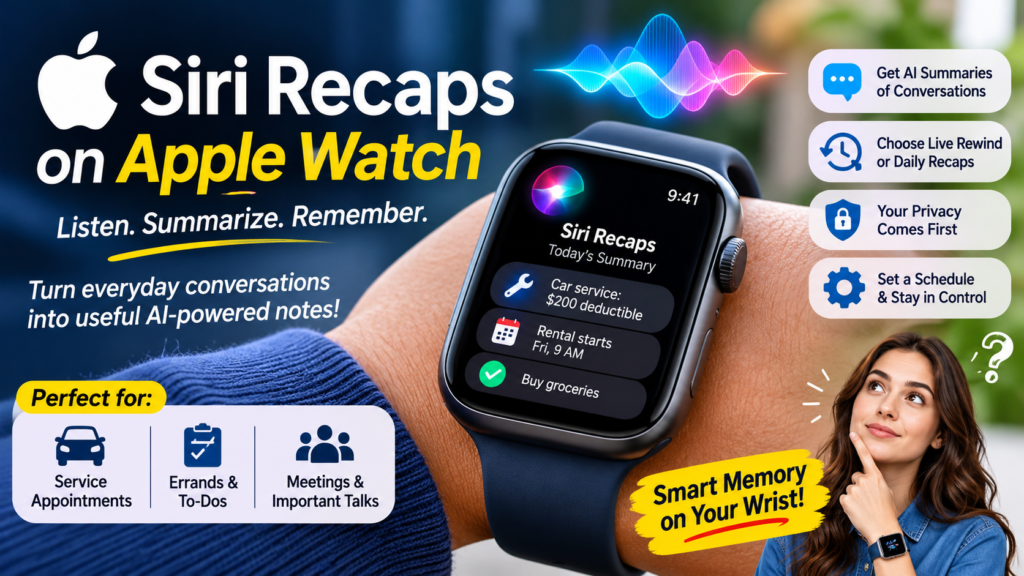
Siri Recaps is Apple’s new Apple Watch feature that listens to the conversations around you, uses AI to pull out the details that matter, and saves them as short notes you can review later. Early hands-on testing suggests it earns a place on your wrist for moments like service appointments and errands, but it works best on a schedule rather than switched on around the clock.
You know the scene. You’re standing at a counter while someone rattles off prices, deadlines and policies faster than you can type them into your phone, and by dinner half of it has evaporated. Apple is betting that your watch can hold on to those details for you. This guide explains what the feature is, how Apple handles the audio, where it helps, where it stumbles, and how to configure it so your home life doesn’t become note fodder.
What Are Siri Recaps?
Siri Recaps are AI-generated summaries of the spoken conversations your Apple Watch hears during the day. Instead of a word-for-word transcript, you get condensed, bulleted notes that highlight the details worth keeping, such as a repair timeline, an insurance deductible or an errand you agreed to run.
Apple moved the feature into testing with the first developer betas of iOS 27.3 and watchOS 27.3, as one of four new Audio Intelligence tools for Apple Watch Series 12 owners: detecting important sounds, identifying songs, catching up on conversations and taking notes. The conversation-focused pair is Live Rewind and Siri Recaps. Those two are the ones generating both excitement and debate. TechCrunch
Live Rewind vs. Recaps: What Is the Difference?
The two conversation features are often mentioned in the same breath, but they solve different problems.
Live Rewind is a short-term memory aid. It lets you go back and see what was said in roughly the past 15 seconds, which is handy when you missed a name or a phone number. The daily summary feature is a long-term memory aid. It listens throughout the day and saves the important points so you can return to them hours later. TechCrunch
A simple rule of thumb: reach for Live Rewind when you need to catch something again right now, and rely on the daily summaries when you’ll need to remember something later.
What About Sound Detection and Song Identification?
The other two Audio Intelligence features are far less controversial. Sound detection listens for important noises such as alarms and doorbells, which helps deaf and hard-of-hearing users, while song identification relies on Shazam’s technology. Neither one records or summarizes human conversation, so neither raises the same privacy questions. TechCrunch
What Do You Need to Use Siri Recaps?
Question: Which devices, languages and regions does the feature support?
Direct answer: The feature requires Apple Intelligence and the new Siri AI, plus an iPhone 16 or newer, and it launches in English only at first. It is built for Apple Watch Series 12, and it is still in developer beta, so most people can’t try it yet. One European report says the feature is not launching in the EU for now, so check availability before you plan around it. trendingtopics
Here is the requirements checklist:
- Watch: Apple Watch Series 12 running the watchOS 27.3 beta
- Phone: iPhone 16 or newer running the iOS 27.3 beta
- Software: Apple Intelligence and the new Siri AI enabled
- Language: English only at launch
- Region: Not confirmed for the EU at launch, according to European coverage
If you miss any item on that list, expect the feature to be unavailable until Apple broadens support.
How Siri Recaps Work Behind the Scenes
In plain terms, the system listens, condenses and keeps only the useful parts. The design leans on restraint, which matters because a summary is lossy by nature: it preserves meaning, not a recording.
According to TechCrunch, Apple processes the audio and runs the AI models on the device whenever possible, doesn’t identify speakers, doesn’t store raw audio files, and redacts private details like government ID numbers and personal account information. That combination is what Apple is counting on to make an always-available microphone acceptable. TechCrunch
Privacy Safeguards Apple Has Built In
Based on the reporting so far, the safeguards break down like this:
- On-device processing: audio is handled locally when possible, which limits what leaves your wrist and phone.
- No speaker identification: the notes don’t label who said what.
- No stored raw audio: the features don’t store recordings and the raw audio is inaccessible. aiweekly
- Redaction: sensitive identifiers such as ID numbers and account details are removed.
- Encryption: Live Rewind recaps are end-to-end encrypted. aiweekly
None of these is a guarantee, and independent security researchers will probably test the claims as the beta matures. They are still a more careful starting point than a feature that uploads everything it hears.
How Long Do Saved Notes Last?
By default, the notes are temporary. A German-language report says the summaries disappear after seven days unless you save or export them. TechCrunch describes a bookmark icon you tap to keep a note. That default expiry is a sensible design choice, because it forces a small act of curation. The things you actually care about get saved, and the rest quietly disappears. appgefahren
What Early Testing Found: Where Siri Recaps Shine
The most detailed hands-on account so far comes from TechCrunch’s Sarah Perez, who tested the feature for a single day. She concluded that its value may ultimately outweigh the creepiness that comes with AI audio recording, despite her privacy reservations. TechCrunch
Her clearest win came while dropping off a teenager’s car for repairs and picking up a rental. Employees at both stops shared times, prices and policies out loud, too quickly to jot down. When she checked back later, the summary had captured the deductible, the repair timeline, the starting fuel level in the rental and other details she wanted to remember.
That example is a template for the feature’s sweet spot: information-dense, short-lived conversations where writing is awkward and forgetting is expensive. She was less sold on Live Rewind. She hadn’t yet tested it and didn’t expect to use it often, since she would sooner ask someone to repeat themselves before turning to her watch.
The Best Use Cases
Based on that early report and related coverage, the strongest scenarios are:
- Service and repair appointments: quotes, deductibles, timelines and policies
- Errands and to-dos: tasks mentioned in passing during a conversation
- Verbal instructions: anything you can’t stop to type or write down
- Meeting-heavy days: TechRadar notes that a virtual assistant taking minutes in the background could be very useful for people who attend lots of meetings. techradar
Where Siri Recaps Still Fall Short
Early adopters should go in with realistic expectations. The same hands-on report that praised the feature also listed several rough edges:
- Topics get blended. Car-repair details landed in the same note as an errand and a babysitting schedule from a later family conversation. The tester wanted a separate note, something like “family schedule and errands,” instead of one combined summary.
- Trivia gets captured. With the feature running all the time, it saved low-value items such as a plan to watch election coverage on TV. That is a reminder of how much it hears.
- Editing is clunky. Removing a single bullet means entering edit mode, placing the cursor and deleting text. A swipe-to-delete gesture would be faster.
- Exporting takes extra steps. Moving a saved summary into Apple’s Notes app is manual. The tester wants an option to auto-export saved summaries into a dedicated folder.
These are one reviewer’s wish list after one day with beta software, so treat them as areas to watch, not permanent flaws. Apple has time to refine the grouping and editing before a public release.
Comparison: Which Memory Tool Fits Which Moment?
The table below compares the two conversation features with the old-fashioned alternative.
| Feature | Siri Recaps | Live Rewind | Manual Note-Taking |
|---|---|---|---|
| Time window | Across the day | Roughly the last 15 seconds | Whatever you choose to write |
| Output | Condensed, bulleted notes | Recent speech you can read back | Your own words |
| Effort | Automatic once enabled | On demand, in the moment | High, and hard in fast conversations |
| Best for | Appointments, errands, details to recall later | Catching something you just missed | Sensitive or private discussions |
| Retention | Deleted after about seven days unless saved or exported | Short-term by design | Permanent until you delete it |
| Privacy posture | On-device where possible, no speaker labels, no stored raw audio | Encrypted recaps, no stored raw audio | Fully under your control |
The takeaway is that these tools complement each other. Automated summaries save you effort, and manual notes keep you in control when the subject is delicate.
Is It Private Enough? The Privacy Debate Around Siri Recaps
Apple’s safeguards haven’t silenced every critic. Some people object to the idea that we’re normalizing technology that is always listening. TechRadar compares the feature to the Amazon Bee, a microphone worn on a smart band that captures and summarizes conversations, and says there are understandable privacy concerns. A Computerworld column argues that even if Apple builds the feature responsibly, other companies might not. A European tech outlet reports that security experts are pushing back as the beta begins. TechCrunchtechradar
There’s also a practical question that rarely gets airtime: the people around you didn’t opt in. The device on your wrist is yours, but the voices it hears aren’t. Even without speaker labels or retained recordings, a summary can still include what someone else said. A quick heads-up before a sensitive conversation goes a long way, and so does simply turning the feature off.
Controls You Can Use
You have more control than the “always listening” label suggests. Users can switch the feature on manually or set a schedule, for example during working hours only and never at night, and they can turn it off at any time from Control Center. That means you can enable Siri Recaps for the moments it helps and skip the moments it doesn’t. The tester herself considered switching it off at home in the evenings so dinner-table chatter doesn’t turn into notes. trendingtopics
How to Set Up Siri Recaps Without Over-Recording
Menu names may shift during the beta, so check Settings and Control Center on your watch for the exact toggles. The approach below keeps the benefits and trims the downsides:
- Pick a schedule that matches your day. Working hours is a sensible default, with nights excluded.
- Leave it off in private settings. Family dinners, personal calls and sensitive talks don’t need a summary.
- Review notes at the end of the day. Skim the bullets while the conversations are fresh.
- Save what matters. Tap the bookmark icon on notes worth keeping, then export them to Notes or Journal if you want a permanent home.
- Let the rest expire. Unsaved summaries disappear on their own, which keeps clutter low.
- Tell people when it counts. If a conversation involves someone else’s private information, mention it or pause the feature.
Who Should Use Siri Recaps?
Likely a good fit:
- People who handle many short, detail-heavy conversations, such as appointments, repairs and errands
- Professionals who sit through lots of meetings and want a background safety net
- Anyone who often thinks “I should have written that down”
Probably best to skip for now:
- Anyone who frequently discusses confidential client, medical or legal matters
- People who live or work with others who haven’t agreed to being summarized
- Users without an Apple Watch Series 12 and a compatible iPhone, since the feature isn’t available to you yet
Frequently Asked Questions
Do Siri Recaps Store Audio Recordings?
No, according to reports. The features don’t store recordings, and the raw audio is inaccessible. The system keeps summaries, not sound files, and processes audio on the device when possible. aiweekly
Can Siri Recaps Identify Who Is Speaking?
No. The feature doesn’t identify individual speakers, so the notes record what was said without attributing it to a named person.
How Long Are Siri Recaps Kept?
Unsaved summaries reportedly disappear after seven days. Save or export a note if you want to keep it longer.
Can I Turn Siri Recaps Off?
Yes. You can toggle the feature from Control Center at any time, or set a schedule so it only runs when you want it to.
Is This the Same as Live Rewind?
No. Live Rewind shows you what was said in the last 15 seconds, while the daily summaries capture the important points across your whole day.
The Bottom Line on Siri Recaps
Siri Recaps turns a familiar problem, forgetting what someone told you thirty minutes ago, into something your watch can handle. The early evidence is encouraging: in a real-world test, it captured the details that mattered and shrugged off the ones that didn’t need writing down. The weak points are real too, including blended topics, saved trivia and clumsy editing. Those are the kind of problems software updates tend to fix.
The privacy trade-off is the real question, and you can manage it. Use a schedule, keep the feature off in private spaces, save only what you need and let everything else expire. If Apple keeps tightening the editing and organization tools while holding to its on-device, no-raw-audio promises, this could be one of the more useful AI features to land on a wrist so far.
Apple Watch-ରେ ‘Siri Recaps’: ଏହା କ’ଣ, କିପରି କାମ କରେ ଏବଂ ଏହାକୁ ଚାଲୁ କରିବା ଉଚିତ୍ କି ନୁହେଁ?
‘Siri Recaps’ ହେଉଛି Apple Watch-ର ଏକ ନୂତନ ଫିଚର୍। ଏହା ଆପଣଙ୍କ ଆଖପାଖରେ ହେଉଥିବା କଥାବାର୍ତ୍ତାକୁ ଶୁଣିଥାଏ ଏବଂ AI (କୃତ୍ରିମ ବୁଦ୍ଧିମତ୍ତା) ବ୍ୟବହାର କରି ସେଥିରୁ ଗୁରୁତ୍ୱପୂର୍ଣ୍ଣ ତଥ୍ୟଗୁଡ଼ିକୁ ବାଛି ନେଇଥାଏ। ଏହାକୁ ଛୋଟ ଛୋଟ ନୋଟ୍ ଆକାରରେ ସେଭ୍ କରି ରଖେ, ଯାହାକୁ ଆପଣ ପରେ ଦେଖିପାରିବେ। ପ୍ରାରମ୍ଭିକ ପରୀକ୍ଷଣରୁ ଜଣାପଡ଼ିଛି ଯେ, ବିଭିନ୍ନ ସେବା ପାଇଁ ଆପଏଣ୍ଟମେଣ୍ଟ ନେବା କିମ୍ବା ଅନ୍ୟ କୌଣସି କାମ ସମ୍ବନ୍ଧୀୟ ଆଲୋଚନା ବେଳେ ଏହା ବେଶ୍ ଉପଯୋଗୀ ହୋଇପାରେ। ତେବେ, ଏହାକୁ ସବୁବେଳେ ଚାଲୁ ରଖିବା ଅପେକ୍ଷା, କେବଳ ଆବଶ୍ୟକ ସମୟରେ ବ୍ୟବହାର କରିବା ଅଧିକ ଲାଭଦାୟକ ହେବ।
ଏଭଳି ପରିସ୍ଥିତି ବିଷୟରେ ଆପଣ ନିଶ୍ଚିତ ଭାବରେ ଜାଣିଥିବେ: ଆପଣ କୌଣସି କାଉଣ୍ଟର ପାଖରେ ଛିଡ଼ା ହୋଇଛନ୍ତି ଏବଂ ସାମ୍ନାରେ ଥିବା ବ୍ୟକ୍ତି ଜଣକ ଦ୍ରୁତ ଗତିରେ ବିଭିନ୍ନ ମୂଲ୍ୟ, ସମୟସୀମା (deadlines) ଏବଂ ନିୟମାବଳୀ ବିଷୟରେ କହିଚାଲିଛନ୍ତି। ଆପଣ ନିଜ ଫୋନରେ ସେଗୁଡ଼ିକୁ ଟାଇପ୍ କରିବା ପୂର୍ବରୁ ହିଁ ସେସବୁ କୁହାଯାଇସାରିଥାଏ, ଫଳରେ ରାତି ସୁଦ୍ଧା ଆପଣ ସେଥିରୁ ଅଧା କଥା ଭୁଲି ଯାଇଥାନ୍ତି। Apple-ର ଲକ୍ଷ୍ୟ ହେଉଛି, ଆପଣଙ୍କ ଘଣ୍ଟା (Apple Watch) ଆପଣଙ୍କ ପାଇଁ ସେହି ତଥ୍ୟଗୁଡ଼ିକୁ ସାଇତି ରଖିବ। ଏହି ଗାଇଡ୍ରେ ଆମେ ଜାଣିବା ଯେ ଏହି ଫିଚର୍ଟି କ’ଣ, Apple କିପରି ଅଡିଓ (audio) ତଥ୍ୟକୁ ପରିଚାଳନା କରେ, ଏହା କେଉଁଠାରେ ସାହାଯ୍ୟ କରେ, କେଉଁଠାରେ ଅସୁବିଧା ସୃଷ୍ଟି କରିପାରେ ଏବଂ ଏହାକୁ କିପରି ସେଟ୍ ଅପ୍ (configure) କରାଯିବ ଯାହାଦ୍ୱାରା ଆପଣଙ୍କ ଘରୋଇ ଜୀବନର କଥାବାର୍ତ୍ତା ଅଯଥା ନୋଟ୍ ଆକାରରେ ସେଭ୍ ହୋଇ ରହିବ ନାହିଁ।
‘Siri Recaps’ କ’ଣ?
‘Siri Recaps’ ହେଉଛି AI ଦ୍ୱାରା ପ୍ରସ୍ତୁତ ସେହି କଥାବାର୍ତ୍ତାର ସାରାଂଶ, ଯାହାକୁ ଆପଣଙ୍କ Apple Watch ଦିନସାରା ଶୁଣିଥାଏ। ଏହା କଥାବାର୍ତ୍ତାର ପ୍ରତ୍ୟେକ ଶବ୍ଦକୁ ଲିପିବଦ୍ଧ (transcript) କରିବା ପରିବର୍ତ୍ତେ, କେବଳ ଗୁରୁତ୍ୱପୂର୍ଣ୍ଣ ତଥ୍ୟଗୁଡ଼ିକୁ ବାଛି ଏକ ସଂକ୍ଷିପ୍ତ ତାଲିକା (bulleted notes) ପ୍ରସ୍ତୁତ କରେ। ଉଦାହରଣ ସ୍ୱର ‘ଦୈନିକ ସାରାଂଶ’ (Daily Summary) ବୈଶିଷ୍ଟ୍ୟଟି ଦୀର୍ଘକାଳୀନ ସ୍ମୃତି ପାଇଁ ଏକ ସହାୟକ ଉପକରଣ ଅଟେ। ଏହା ଦିନସାରା ଶବ୍ଦ ଶୁଣିଥାଏ ଏବଂ ଗୁରୁତ୍ୱପୂର୍ଣ୍ଣ ବିଷୟଗୁଡ଼ିକୁ ସଂରକ୍ଷିତ କରି ରଖେ, ଯାହାଫଳରେ ଆପଣ ପରବର୍ତ୍ତୀ ସମୟରେ ସେଗୁଡ଼ିକୁ ପୁନର୍ବାର ଦେଖିପାରିବେ।
TechCrunch
ଏକ ସରଳ ନିୟମ ହେଲା: ଯଦି ଆପଣଙ୍କୁ ତୁରନ୍ତ କୌଣସି ବିଷୟ ପୁନର୍ବାର ଶୁଣିବାକୁ ପଡ଼େ, ତେବେ ‘ଲାଇଭ୍ ରିୱାଇଣ୍ଡ୍’ (Live Rewind) ବ୍ୟବହାର କରନ୍ତୁ; ଏବଂ ଯଦି ଆପଣଙ୍କୁ ପରେ କୌଣସି ବିଷୟ ମନେ ରଖିବାର ଆବଶ୍ୟକତା ଥାଏ, ତେବେ ‘ଦୈନିକ ସାରାଂଶ’ (Daily Summaries) ଉପରେ ନିର୍ଭର କରନ୍ତୁ।
ଶବ୍ଦ ଚିହ୍ନଟ (Sound Detection) ଏବଂ ଗୀତ ଚିହ୍ନଟ (Song Identification) ବିଷୟରେ କ’ଣ କୁହାଯାଇପାରେ?
‘ଅଡିଓ ଇଣ୍ଟେଲିଜେନ୍ସ’ (Audio Intelligence) ଅନ୍ତର୍ଗତ ଅନ୍ୟ ଦୁଇଟି ବୈଶିଷ୍ଟ୍ୟକୁ ନେଇ ବିଶେଷ ବିବାଦ ନାହିଁ। ‘ଶବ୍ଦ ଚିହ୍ନଟ’ ବୈଶିଷ୍ଟ୍ୟଟି ଆଲାର୍ମ କିମ୍ବା ଡୋର୍ବେଲ୍ ଭଳି ଗୁରୁତ୍ୱପୂର୍ଣ୍ଣ ଶବ୍ଦଗୁଡ଼ିକୁ ଚିହ୍ନିଥାଏ, ଯାହା ଶ୍ରବଣ ଶକ୍ତି ହରାଇଥିବା କିମ୍ବା କମ୍ ଶୁଣୁଥିବା ବ୍ୟକ୍ତିଙ୍କ ପାଇଁ ସହାୟକ ହୋଇଥାଏ। ଅନ୍ୟପକ୍ଷରେ, ‘ଗୀତ ଚିହ୍ନଟ’ ବୈଶିଷ୍ଟ୍ୟଟି ‘Shazam’ (ଶାଜାମ୍) ର ପ୍ରଯୁକ୍ତିବିଦ୍ୟା ଉପରେ ଆଧାରିତ। ଏହି ଦୁଇଟି ମଧ୍ୟରୁ କୌଣସିଟି ମଣିଷଙ୍କ କଥାବାର୍ତ୍ତାକୁ ରେକର୍ଡ କରେ ନାହିଁ କିମ୍ବା ସାରାଂଶ ପ୍ରସ୍ତୁତ କରେ ନାହିଁ, ତେଣୁ ଏହାକୁ ନେଇ ଗୋପନୀୟତା ସମ୍ବନ୍ଧୀୟ କୌଣସି ପ୍ରଶ୍ନ ଉଠେ ନାହିଁ।
TechCrunch
‘Siri Recaps’ (ସିରି ରିକ୍ୟାପ୍ସ) ବ୍ୟବହାର କରିବା ପାଇଁ କ’ଣ ଆବଶ୍ୟକ?
ପ୍ରଶ୍ନ: ଏହି ବୈଶିଷ୍ଟ୍ୟଟି କେଉଁ ଡିଭାଇସ୍ (ଉପକରଣ), ଭାଷା ଏବଂ ଅଞ୍ଚଳରେ ଉପଲବ୍ଧ?
ସିଧାସଳଖ ଉତ୍ତର: ଏହି ବୈଶିଷ୍ଟ୍ୟ ପାଇଁ ‘Apple Intelligence’ (ଆପଲ୍ ଇଣ୍ଟେଲିଜେନ୍ସ) ଏବଂ ନୂତନ ‘Siri AI’ (ସିରି ଏଆଇ) ଆବଶ୍ୟକ। ଏହା ସହିତ ଆପଣଙ୍କ ପାଖରେ iPhone 16 କିମ୍ବା ତା’ଠାରୁ ନୂତନ ମଡେଲ୍ ରହିବା ଆବଶ୍ୟକ। ଆରମ୍ଭରେ ଏହା କେବଳ ଇଂରାଜୀ ଭାଷାରେ ଉପଲବ୍ଧ ହେବ। ଏହା ‘Apple Watch Series 12’ ପାଇଁ ପ୍ରସ୍ତୁତ କରାଯାଇଛି ଏବଂ ବର୍ତ୍ତମାନ ଏହା ‘ଡେଭଲପର ବିଟା’ (developer beta) ପର୍ଯ୍ୟାୟରେ ଅଛି, ତେଣୁ ଅଧିକାଂଶ ଲ TechCrunch ଅନୁଯାୟୀ, Apple ଅଡିଓ ପ୍ରକ୍ରିୟାକରଣ କରେ ଏବଂ ଯେତେବେଳେ ସମ୍ଭବ ହୁଏ ଡିଭାଇସରେ AI ମଡେଲଗୁଡ଼ିକୁ ଚଲାଏ, ସ୍ପିକରଗୁଡ଼ିକୁ ଚିହ୍ନଟ କରେ ନାହିଁ, କଞ୍ଚା ଅଡିଓ ଫାଇଲଗୁଡ଼ିକୁ ସଂରକ୍ଷଣ କରେ ନାହିଁ, ଏବଂ ସରକାରୀ ID ନମ୍ବର ଏବଂ ବ୍ୟକ୍ତିଗତ ଆକାଉଣ୍ଟ ସୂଚନା ପରି ବ୍ୟକ୍ତିଗତ ବିବରଣୀଗୁଡ଼ିକୁ ସଂଶୋଧନ କରେ। ସେହି ମିଶ୍ରଣ ହେଉଛି ଯାହା ଉପରେ Apple ସର୍ବଦା ଉପଲବ୍ଧ ମାଇକ୍ରୋଫୋନକୁ ଗ୍ରହଣୀୟ କରିବା ପାଇଁ ନିର୍ଭର କରୁଛି।
TechCrunch
Apple ଦ୍ୱାରା ନିର୍ମିତ ଗୋପନୀୟତା ସୁରକ୍ଷା
ଏପର୍ଯ୍ୟନ୍ତ ରିପୋର୍ଟିଂ ଉପରେ ଆଧାର କରି, ସୁରକ୍ଷା ବ୍ୟବସ୍ଥାଗୁଡ଼ିକ ଏହିପରି ଭାଙ୍ଗିଯାଏ:
ଡିଭାଇସ୍ରେ ପ୍ରକ୍ରିୟାକରଣ: ସମ୍ଭବ ହେଲେ ଅଡିଓ ସ୍ଥାନୀୟ ଭାବରେ ପରିଚାଳିତ ହୁଏ, ଯାହା ଆପଣଙ୍କ ହାତ ଏବଂ ଫୋନ୍କୁ କ’ଣ ଛାଡିଥାଏ ତାହା ସୀମିତ କରେ।
କୌଣସି ସ୍ପିକର ଚିହ୍ନଟକରଣ ନାହିଁ: ନୋଟ୍ଗୁଡ଼ିକ କିଏ କ’ଣ କହିଛନ୍ତି ତାହା ଲେବଲ୍ କରେ ନାହିଁ।
କୌଣସି ସଂରକ୍ଷିତ କଞ୍ଚା ଅଡିଓ ନାହିଁ: ବୈଶିଷ୍ଟ୍ୟଗୁଡ଼ିକ ରେକର୍ଡିଂଗୁଡ଼ିକୁ ସଂରକ୍ଷଣ କରେ ନାହିଁ ଏବଂ କଞ୍ଚା ଅଡିଓ ପ୍ରବେଶଯୋଗ୍ୟ ନୁହେଁ।
aiwiki
ସଂରକ୍ଷଣ: ID ନମ୍ବର ଏବଂ ଆକାଉଣ୍ଟ ବିବରଣୀ ପରି ସମ୍ବେଦନଶୀଳ ଚିହ୍ନଟକାରୀଗୁଡ଼ିକୁ ଅପସାରିତ କରାଯାଏ।
ଏନକ୍ରିପ୍ସନ୍: ଲାଇଭ୍ ରିୱାଇଣ୍ଡ ପୁନରାବୃତ୍ତିଗୁଡ଼ିକୁ ଏଣ୍ଡ-ଟୁ-ଏଣ୍ଡ ଏନକ୍ରିପ୍ଟ କରାଯାଏ।
aiwiki
ଏହା ମଧ୍ୟରୁ କୌଣସିଟି ଏକ ଗ୍ୟାରେଣ୍ଟି ନୁହେଁ, ଏବଂ ସ୍ୱାଧୀନ ସୁରକ୍ଷା ଗବେଷକମାନେ ବିଟା ପରିପକ୍ୱ ହେବା ସହିତ ଦାବିଗୁଡ଼ିକୁ ପରୀକ୍ଷା କରିବେ। ସେମାନେ ଏବେ ବି ଏକ ଅଧିକ ସତର୍କ ଆରମ୍ଭ ବିନ୍ଦୁ ଯାହା ଏହା ଶୁଣୁଥିବା ସମସ୍ତ ଜିନିଷ ଅପଲୋଡ୍ କରେ।
କିପରି ଲନ୍g ସଂରକ୍ଷିତ ନୋଟ୍ସ କ’ଣ ଶେଷ ହେବ?
ଡିଫଲ୍ଟ ଭାବରେ, ନୋଟ୍ସ ଅସ୍ଥାୟୀ। ଏକ ଜର୍ମାନ-ଭାଷା ରିପୋର୍ଟରେ କୁହାଯାଇଛି ଯେ ସାରାଂଶଗୁଡ଼ିକ ସାତ ଦିନ ପରେ ଅଦୃଶ୍ୟ ହୋଇଯାଏ ଯଦି ଆପଣ ସେଗୁଡ଼ିକୁ ସଂରକ୍ଷଣ କିମ୍ବା ରପ୍ତାନି କରନ୍ତି ନାହିଁ। ଟେକ୍ କ୍ରଞ୍ଚ ଏକ ବୁକମାର୍କ ଆଇକନ୍ ବର୍ଣ୍ଣନା କରେ ଯାହା ଆପଣ ଏକ ନୋଟ୍ ରଖିବା ପାଇଁ ଟ୍ୟାପ୍ କରନ୍ତି। ସେହି ଡିଫଲ୍ଟ ସମାପ୍ତି ଏକ ବୁଦ୍ଧିମାନ ଡିଜାଇନ୍ ପସନ୍ଦ, କାରଣ ଏହା ଏକ ଛୋଟ କ୍ୟୁରେସନ୍ କାର୍ଯ୍ୟକୁ ବାଧ୍ୟ କରେ। ଆପଣ ପ୍ରକୃତରେ ଯେଉଁ ଜିନିଷଗୁଡ଼ିକ ବିଷୟରେ ଚିନ୍ତା କରନ୍ତି ତାହା ସେଭ୍ ହୋଇଯାଏ, ଏବଂ ବାକିଗୁଡ଼ିକ ଚୁପଚାପ୍ ଅଦୃଶ୍ୟ ହୋଇଯାଏ।
appgefahren
ପ୍ରାରମ୍ଭିକ ପରୀକ୍ଷଣ କ’ଣ ପାଇଲା: ସିରି ରିକ୍ୟାପ୍ସ କେଉଁଠାରେ ଚମକୁଛି
ଏପର୍ଯ୍ୟନ୍ତ ସବୁଠାରୁ ବିସ୍ତୃତ ହସ୍ତ-ଅନ୍ ଆକାଉଣ୍ଟ ଟେକ୍ କ୍ରଞ୍ଚର ସାରା ପେରେଜଙ୍କଠାରୁ ଆସିଛି, ଯିଏ ଗୋଟିଏ ଦିନ ପାଇଁ ବୈଶିଷ୍ଟ୍ୟ ପରୀକ୍ଷା କରିଥିଲେ। ସେ ସିଦ୍ଧାନ୍ତରେ କହିଥିଲେ ଯେ ଏହାର ମୂଲ୍ୟ ଶେଷରେ AI ଅଡିଓ ରେକର୍ଡିଂ ସହିତ ଆସୁଥିବା ଭୟଙ୍କରତାକୁ ପଛରେ ପକାଇପାରେ, ତାଙ୍କ ଗୋପନୀୟତା ସଂରକ୍ଷଣ ସତ୍ତ୍ୱେ।
ଟେକ୍ କ୍ରଞ୍ଚ
ତାଙ୍କର ସ୍ପଷ୍ଟ ବିଜୟ ଏକ କିଶୋରୀଙ୍କ ଗାଡ଼ି ମରାମତି ପାଇଁ ଛାଡ଼ିବା ଏବଂ ଭଡ଼ା ନେବା ସମୟରେ ଆସିଥିଲା। ଉଭୟ ଷ୍ଟପରେ କର୍ମଚାରୀମାନେ ସମୟ, ମୂଲ୍ୟ ଏବଂ ନୀତିଗୁଡ଼ିକୁ ଜୋରରେ ସେୟାର କରିଥିଲେ, ବହୁତ ଶୀଘ୍ର ଲେଖିବା ପାଇଁ। ପରେ ଯେତେବେଳେ ସେ ଯାଞ୍ଚ କଲେ, ସାରାଂଶରେ ଡିଡକ୍ୟୁଟେବଲ୍, ମରାମତି ସମୟସୀମା, ଭଡ଼ାରେ ଆରମ୍ଭ ଇନ୍ଧନ ସ୍ତର ଏବଂ ଅନ୍ୟ ବିବରଣୀ ଥିଲା ଯାହା ସେ ମନେ ରଖିବାକୁ ଚାହୁଁଥିଲେ।
ସେହି ଉଦାହରଣଟି ବୈଶିଷ୍ଟ୍ୟର ମଧୁର ସ୍ଥାନ ପାଇଁ ଏକ ଟେମ୍ପଲେଟ୍: ସୂଚନା-ଘନ, କ୍ଷଣସ୍ଥାୟୀ ବାର୍ତ୍ତାଳାପ ଯେଉଁଠାରେ ଲେଖିବା କଷ୍ଟକର ଏବଂ ଭୁଲିଯିବା ମହଙ୍ଗା। ସେ ଲାଇଭ୍ ରିୱାଇଣ୍ଡରେ କମ୍ ବିକ୍ରି ହୋଇଥିଲେ। ସେ ଏପର୍ଯ୍ୟନ୍ତ ଏହାକୁ ପରୀକ୍ଷା କରିନଥିଲେ ଏବଂ ଏହାକୁ ପ୍ରାୟତଃ ବ୍ୟବହାର କରିବାକୁ ଆଶା କରିନଥିଲେ, କାରଣ ସେ ଶୀଘ୍ର ତାଙ୍କ ଘଣ୍ଟାକୁ ଫେରିବା ପୂର୍ବରୁ ନିଜକୁ ପୁନରାବୃତ୍ତି କରିବାକୁ କାହାକୁ କହିବେ।
ସର୍ବୋତ୍ତମ ବ୍ୟବହାର ମାମଲା
ସେହି ପ୍ରାରମ୍ଭିକ ରିପୋର୍ଟ ଏବଂ ସମ୍ବନ୍ଧିତ କଭରେଜ୍ ଉପରେ ଆଧାରିତ, ସବୁଠାରୁ ଶକ୍ତିଶାଳୀ ପରିସ୍ଥିତି ହେଉଛି:
ସେବା ଏବଂ ମରାମତି ନିଯୁକ୍ତି: କୋଟ୍, ଡିଡ୍ୟୁଟେବଲ୍, ସମୟସୀମା ଏବଂ ନୀତି
କାର୍ଯ୍ୟ ଏବଂ କାର୍ଯ୍ୟ: ଏକ ବାର୍ତ୍ତାଳାପ ସମୟରେ ପାସ୍ କରିବାରେ ଉଲ୍ଲେଖ କରାଯାଇଥିବା କାର୍ଯ୍ୟ
ମୌଖିକ ନିର୍ଦ୍ଦେଶାବଳୀ: ଯେକୌଣସି ଜିନିଷ ଯାହାକୁ ଆପଣ ଟାଇପ୍ କିମ୍ବା ଲେଖିବାକୁ ବନ୍ଦ କରିପାରିବେ ନାହିଁ
ବୈଠକ-ଭାରୀ ଦିନ: TechRadar ଉଲ୍ଲେଖ କରେ ଯେ ଏକ ଭର୍ଚୁଆଲ୍ ସହାୟକ ପୃଷ୍ଠଭୂମିରେ ମିନିଟ୍ ନେଉଥିବା ଲୋକମାନଙ୍କ ପାଇଁ ବହୁତ ଉପଯୋଗୀ ହୋଇପାରେ ଯେଉଁମାନେ ବହୁତ ବୈଠକରେ ଯୋଗ ଦିଅନ୍ତି।
techradar
ଯେଉଁଠାରେ Siri Recaps ଏବେ ବି କମ୍ ପଡ଼ିଥାଏ
ପ୍ରାରମ୍ଭିକ ଗ୍ରହଣକାରୀମାନେ ବାସ୍ତବବାଦୀ ଆଶା ସହିତ ଯିବା ଉଚିତ। ଏହି ବୈଶିଷ୍ଟ୍ୟକୁ ପ୍ରଶଂସା କରିଥିବା ସମାନ ହାତପାହାନ୍ତା ରିପୋର୍ଟରେ ଅନେକ କଷ୍ଟକର ଦିଗ ମଧ୍ୟ ତାଲିକାଭୁକ୍ତ କରାଯାଇଥିଲା:
ବିଷୟଗୁଡ଼ିକ ମିଶ୍ରିତ ହୋଇଛି। କାର-ମରାମତି ବିବରଣୀ ପରବର୍ତ୍ତୀ ପରିବାର ବାର୍ତ୍ତାଳାପରୁ ଏକ କାମ ଏବଂ ଶିଶୁ ପରିକ୍ଷଣ କାର୍ଯ୍ୟସୂଚୀ ପରି ସମାନ ନୋଟରେ ସ୍ଥାନ ପାଇଛି। ପରୀକ୍ଷକ ଏକ ମିଶ୍ରିତ ସାରାଂଶ ପରିବର୍ତ୍ତେ ଏକ ପୃଥକ ନୋଟ ଚାହୁଁଥିଲେ, “ପରିବାର ସମୟସୂଚୀ ଏବଂ କାମ” ପରି କିଛି।
ଟ୍ରିଭିଆ ଧରାପଡ଼ିଛି। ଏହି ବୈଶିଷ୍ଟ୍ୟଟି ସର୍ବଦା ଚାଲୁ ରହିବା ସହିତ, ଏହା ଟିଭିରେ ନିର୍ବାଚନ କଭରେଜ୍ ଦେଖିବା ପାଇଁ ଯୋଜନା ପରି କମ୍ ମୂଲ୍ୟର ଜିନିଷଗୁଡ଼ିକୁ ସଞ୍ଚୟ କରିଥିଲା। ଏହା କେତେ ଶୁଣେ ତାହା ସ୍ମରଣ କରାଏ।
ସମ୍ପାଦନ କରିବା କଷ୍ଟକର। ଗୋଟିଏ ବୁଲେଟ୍ ଅପସାରଣ କରିବା ଅର୍ଥ ସମ୍ପାଦନ ମୋଡ୍ ପ୍ରବେଶ କରିବା, କର୍ସର ରଖିବା ଏବଂ ପାଠ୍ୟ ଡିଲିଟ୍ କରିବା। ଏକ ସ୍ୱାଇପ୍-ଟୁ-ଡିଲିଟ୍ ଜେଶ୍ଚର ଦ୍ରୁତ ହେବ।
ରପ୍ତାନି କରିବା ଅତିରିକ୍ତ ପଦକ୍ଷେପ ନେଇଥାଏ। ଆପଲ୍ର ନୋଟ୍ସ ଆପ୍ରେ ଏକ ସଂରକ୍ଷିତ ସାରାଂଶ ସ୍ଥାନାନ୍ତର କରିବା ମାନୁଆଲ୍ ଅଟେ। ପରୀକ୍ଷକ ଏକ ସମର୍ପିତ ଫୋଲ୍ଡରରେ ସଂରକ୍ଷିତ ସାରାଂଶଗୁଡ଼ିକୁ ସ୍ୱୟଂ-ରପ୍ତାନି କରିବାର ବିକଳ୍ପ ଚାହାଁନ୍ତି।
ଏଗୁଡ଼ିକ ବିଟା ସଫ୍ଟୱେର୍ ସହିତ ଗୋଟିଏ ଦିନ ପରେ ଜଣେ ସମୀକ୍ଷକଙ୍କ ଇଚ୍ଛା ତାଲିକା, ତେଣୁ ସେଗୁଡ଼ିକୁ ଦେଖିବା ପାଇଁ କ୍ଷେତ୍ର ଭାବରେ ବ୍ୟବହାର କରନ୍ତୁ, ସ୍ଥାୟୀ ତ୍ରୁଟି ନୁହେଁ। ଆପଲ୍ ପାଖରେ ସାର୍ବଜନୀନ ପ୍ରକାଶନ ପୂର୍ବରୁ ଗୋଷ୍ଠୀକରଣ ଏବଂ ସମ୍ପାଦନକୁ ପରିମାର୍ଜିତ କରିବା ପାଇଁ ସମୟ ଅଛି।
ତୁଳନା: କେଉଁ ମେମୋରୀ ଉପକରଣ କେଉଁ ମୁହୂର୍ତ୍ତରେ ଫିଟ୍ ହୁଏ?
ନିମ୍ନରେ ଥିବା ସାରଣୀ ଦୁଇଟି କଥାବାର୍ତ୍ତା ବୈଶିଷ୍ଟ୍ୟକୁ ପୁରୁଣା ସମୟର ବିକଳ୍ପ ସହିତ ତୁଳନା କରେ।
ବୈଶିଷ୍ଟ୍ୟ ସିରି ପୁନରାବୃତ୍ତି ଲାଇଭ୍ ରିୱାଇଣ୍ଡ ମାନୁଆଲ୍ ନୋଟ୍-ଟେକିଂ
ସମୟ ୱିଣ୍ଡୋ ସାରା ଦିନ ପ୍ରାୟ ଶେଷ 15 ସେକେଣ୍ଡ ଆପଣ ଯାହା ଲେଖିବାକୁ ବାଛନ୍ତି
ଆଉଟପୁଟ୍ ଘନୀଭୂତ, ବୁଲେଟ୍ ହୋଇଥିବା ନୋଟ୍ସ ସାମ୍ପ୍ରତିକ ଭାଷଣ ଆପଣ ପୁଣି ପଢିପାରିବେ ଆପଣଙ୍କ ନିଜ ଶବ୍ଦ
ପ୍ରଚେଷ୍ଟା ସ୍ୱୟଂଚାଳିତ ଥରେ ସକ୍ଷମ ହେବା ଚାହିଦା ଅନୁଯାୟୀ, ମୁହୂର୍ତ୍ତରେ ଉଚ୍ଚ, ଏବଂ ଦ୍ରୁତ ବାର୍ତ୍ତାଳାପରେ କଠିନ
ନିଯୁକ୍ତି, କାମ, ପରେ ମନେ ରଖିବା ପାଇଁ ବିବରଣୀ ପାଇଁ ସର୍ବୋତ୍ତମ ସମ୍ବେଦନଶୀଳ କିମ୍ବା ବ୍ୟକ୍ତିଗତ ଆଲୋଚନାକୁ ଆପଣ ହରାଇଥିବା କିଛି ଧରିବା
ସଂରକ୍ଷିତ କିମ୍ବା ରପ୍ତାନି ନକରିବା ପର୍ଯ୍ୟନ୍ତ ପ୍ରାୟ ସାତ ଦିନ ପରେ ଡିଲିଟ କରାଯାଇଛି ଡିଜାଇନ୍ ଦ୍ୱାରା ସଂରକ୍ଷିତ ସ୍ୱଳ୍ପକାଳୀନ ସ୍ଥାୟୀ ଯେପର୍ଯ୍ୟନ୍ତ ଆପଣ ଏହାକୁ ଡିଲିଟ୍ କରନ୍ତି
ଗୋପନୀୟତା ସ୍ଥିତି ଡିଭାଇସରେ ସମ୍ଭବ ହେଲେ, କୌଣସି ସ୍ପିକର୍ ଲେବଲ୍ ନାହିଁ, କୌଣସି ସଂରକ୍ଷିତ କଞ୍ଚା ଅଡିଓ ନାହିଁ ଏନକ୍ରିପ୍ଟ ହୋଇଥିବା ପୁନରାବୃତ୍ତି ନାହିଁ, କୌଣସି ସଂରକ୍ଷିତ କଞ୍ଚା ଅଡିଓ ନାହିଁ ସମ୍ପୂର୍ଣ୍ଣ ଭାବରେ ଆପଣଙ୍କ ନିୟନ୍ତ୍ରଣରେ
ବିଷୟ ହେଉଛି ଯେ ଏହି ଉପକରଣଗୁଡ଼ିକ ପରସ୍ପରର ପରିପୂରକ। ସ୍ୱୟଂଚାଳିତ ସାରାଂଶଗୁଡ଼ିକ ଆପଣଙ୍କ ପ୍ରୟାସ ବଞ୍ଚାଏ, ଏବଂ ଯେତେବେଳେ ବିଷୟ ନାଜୁକ ହୁଏ ସେତେବେଳେ ମାନୁଆଲ୍ ନୋଟ୍ ଆପଣଙ୍କୁ ନିୟନ୍ତ୍ରଣରେ ରଖେ।
ଏହା ଯଥେଷ୍ଟ ବ୍ୟକ୍ତିଗତ କି? ସିରି ସଂକ୍ଷିପ୍ତ ବିବରଣୀ ବିଷୟରେ ଗୋପନୀୟତା ବିତର୍କ
ଆପଲର ସୁରକ୍ଷା ବ୍ୟବସ୍ଥା ପ୍ରତ୍ୟେକ ସମାଲୋଚକଙ୍କୁ ଚୁପ୍ କରିନାହିଁ। କିଛି ଲୋକ ଏହି ଧାରଣାକୁ ବିରୋଧ କରନ୍ତି ଯେ ଆମେ ସର୍ବଦା ଶୁଣୁଥିବା ପ୍ରଯୁକ୍ତିବିଦ୍ୟାକୁ ସାଧାରଣ କରୁଛୁ। ଟେକରାଡାର ଏହି ବୈଶିଷ୍ଟ୍ୟକୁ ଆମାଜନ ବି ସହିତ ତୁଳନା କରନ୍ତି, ଏକ ସ୍ମାର୍ଟ ବ୍ୟାଣ୍ଡରେ ପିନ୍ଧାଯାଇଥିବା ଏକ ମାଇକ୍ରୋଫୋନ୍ ଯାହା ବାର୍ତ୍ତାଳାପକୁ କ୍ୟାପଚର ଏବଂ ସାରାଂଶିତ କରେ, ଏବଂ କୁହେ ଯେ ଏଥିରେ ବୁଝାପଡ଼ୁଥିବା ଗୋପନୀୟତା ଚିନ୍ତା ଅଛି। ଏକ କମ୍ପ୍ୟୁଟରୱାର୍ଲ୍ଡ ସ୍ତମ୍ଭ ଯୁକ୍ତି କରେ ଯେ ଯଦିଓ ଆପଲ ଦାୟିତ୍ୱର ସହିତ ଏହି ବୈଶିଷ୍ଟ୍ୟ ନିର୍ମାଣ କରେ, ଅନ୍ୟ କମ୍ପାନୀଗୁଡ଼ିକ ଏହା କରିନପାରନ୍ତି। ଏକ ୟୁରୋପୀୟ ଟେକ୍ ଆଉଟଲେଟ୍ ରିପୋର୍ଟ କରେ ଯେ ବିଟା ଆରମ୍ଭ ହେବା ସହିତ ସୁରକ୍ଷା ବିଶେଷଜ୍ଞମାନେ ପଛକୁ ଠେଲି ଦେଉଛନ୍ତି।
TechCrunch
techradar
ଏକ ବ୍ୟବହାରିକ ପ୍ରଶ୍ନ ମଧ୍ୟ ଅଛି ଯାହା ବହୁତ କମ୍ ଏୟାରଟାଇମ୍ ପାଏ: ଆପଣଙ୍କ ଚାରିପାଖରେ ଥିବା ଲୋକମାନେ ବାଛି ନଥିଲେ। ଆପଣଙ୍କ କଣ୍ଠରେ ଥିବା ଡିଭାଇସ୍ ଆପଣଙ୍କର, କିନ୍ତୁ ଏହା ଶୁଣୁଥିବା ସ୍ୱରଗୁଡ଼ିକ ନୁହେଁ। ସ୍ପିକର ଲେବଲ୍ କିମ୍ବା ସଂରକ୍ଷିତ ରେକର୍ଡିଂ ବିନା ମଧ୍ୟ, ଏକ ସାରାଂଶରେ ଅନ୍ୟ କେହି କ’ଣ କହିଥିଲେ ତାହା ଅନ୍ତର୍ଭୁକ୍ତ ହୋଇପାରେ। ଏକ ସମ୍ବେଦନଶୀଳ କଥାବାର୍ତ୍ତା ବହୁତ ଦୂର ଯିବା ପୂର୍ବରୁ ଏକ ଶୀଘ୍ର ହେଡସ-ଅପ୍, ଏବଂ ତେଣୁ କେବଳ ବିଶେଷତାକୁ ବଦଳାଇବା ମଧ୍ୟ ସମ୍ଭବ।
ବନ୍ଦ କରନ୍ତୁ।
ଆପଣ ବ୍ୟବହାର କରିପାରିବା ଭଳି ନିୟନ୍ତ୍ରଣ (Controls)
“ସର୍ବଦା ଶୁଣୁଥିବା” (always listening) ବୋଲି ଯେଉଁ ଧାରଣା ରହିଛି, ତା’ ତୁଳନାରେ ଆପଣଙ୍କ ହାତରେ ଅଧିକ ନିୟନ୍ତ୍ରଣ ରହିଛି। ବ୍ୟବହାରକାରୀମାନେ ନିଜ ଇଚ୍ଛା ଅନୁଯାୟୀ ଏହି ଫିଚରକୁ ଚାଲୁ କରିପାରିବେ କିମ୍ବା ଏକ ନିର୍ଦ୍ଦିଷ୍ଟ ସମୟସୀମା (schedule) ସେଟ୍ କରିପାରିବେ—ଉଦାହରଣ ସ୍ୱରୂପ, କେବଳ କାମ ସମୟରେ ଏହା ଚାଲୁ ରହିବ ଏବଂ ରାତିରେ ବନ୍ଦ ରହିବ। ଏହା ବ୍ୟତୀତ, ‘କଣ୍ଟ୍ରୋଲ୍ ସେଣ୍ଟର’ (Control Center) ମାଧ୍ୟମରେ ଆପଣ ଯେକୌଣସି ସମୟରେ ଏହାକୁ ବନ୍ଦ ମଧ୍ୟ କରିପାରିବେ। ଏହାର ଅର୍ଥ ହେଲା, ଆପଣ ‘Siri Recaps’ (ସିରି ରିକ୍ୟାପ୍ସ) କୁ ସେହି ସମୟରେ ସକ୍ରିୟ କରିପାରିବେ ଯେତେବେଳେ ଏହା ଆପଣଙ୍କ ପାଇଁ ଉପଯୋଗୀ ହେବ ଏବଂ ଅନ୍ୟ ସମୟରେ ଏହାକୁ ବନ୍ଦ ରଖିପାରିବେ। ପରୀକ୍ଷା କରୁଥିବା ଜଣେ ବ୍ୟକ୍ତି ଏହାକୁ ଘରେ ସନ୍ଧ୍ୟା ସମୟରେ ବନ୍ଦ ରଖିବାକୁ ଚିନ୍ତା କରିଥିଲେ, ଯାହାଫଳରେ ରାତ୍ରି ଭୋଜନ ସମୟର କଥାବାର୍ତ୍ତାଗୁଡ଼ିକ ନୋଟ୍ ଆକାରରେ ସେଭ୍ ହେବ ନାହିଁ।
ଅତ୍ୟଧିକ ରେକର୍ଡିଂ ନ କରି ‘Siri Recaps’ କୁ କିପରି ସେଟ୍ ଅପ୍ କରିବେ
ବିଟା (beta) ପର୍ଯ୍ୟାୟରେ ମେନୁର ନାମ ବଦଳିପାରେ, ତେଣୁ ସଠିକ୍ ବିକଳ୍ପଗୁଡ଼ିକୁ ଖୋଜିବା ପାଇଁ ଆପଣଙ୍କ ୱାଚ୍ (watch) ର ‘ସେଟିଂସ୍’ (Settings) ଏବଂ ‘କଣ୍ଟ୍ରୋଲ୍ ସେଣ୍ଟର’ (Control Center) ଯାଞ୍ଚ କରନ୍ତୁ। ନିମ୍ନରେ ଦିଆଯାଇଥିବା ପଦ୍ଧତି ଆପଣଙ୍କୁ ଏହାର ଲାଭ ପାଇବାରେ ସାହାଯ୍ୟ କରିବ ଏବଂ ଅସୁବିଧାଗୁଡ଼ିକୁ କମ୍ କରିବ:
ଆପଣଙ୍କ ଦୈନନ୍ଦିନ ଜୀବନଶୈଳୀ ସହ ଖାପ ଖାଉଥିବା ଏକ ସମୟସୀମା (schedule) ବାଛନ୍ତୁ। ‘କାମ ସମୟ’ (working hours) ଏକ ଉପଯୁକ୍ତ ବିକଳ୍ପ ହୋଇପାରେ, ଯେଉଁଥିରେ ରାତି ସମୟକୁ ବାଦ୍ ଦିଆଯାଇପାରିବ।
ବ୍ୟକ୍ତିଗତ କିମ୍ବା ଗୋପନୀୟ ପରିସ୍ଥିତିରେ ଏହାକୁ ବନ୍ଦ ରଖନ୍ତୁ। ପରିବାର ସହ ରାତ୍ରି ଭୋଜନ, ବ୍ୟକ୍ତିଗତ ଫୋନ୍ କଲ୍ କିମ୍ବା ଗୋପନୀୟ ଆଲୋଚନାଗୁଡ଼ିକର ସାରାଂଶ (summary) ପ୍ରସ୍ତୁତ କରିବାର ଆବଶ୍ୟକତା ନାହିଁ।
ଦିନ ଶେଷରେ ନୋଟ୍ଗୁଡ଼ିକୁ ସମୀକ୍ଷା କରନ୍ତୁ। ଆଲୋଚନାଗୁଡ଼ିକ ମନରେ ସତେଜ ଥିବା ସମୟରେ ହିଁ ସେହି ନୋଟ୍ଗୁଡ଼ିକୁ ଉପରୁ ଉପରୁ (skim) ପଢ଼ି ନିଅନ୍ତୁ।
ଯାହା ଗୁରୁତ୍ ଏହି ଫିଚର (feature) ରେକର୍ଡିଂଗୁଡ଼ିକୁ ସଂରକ୍ଷିତ କରେ ନାହିଁ ଏବଂ ମୂଳ ଅଡିଓ (raw audio) ମଧ୍ୟ ଉପଲବ୍ଧ ହୁଏ ନାହିଁ। ସିଷ୍ଟମ୍ କେବଳ ସାରାଂଶ (summaries) ରଖେ, ଶବ୍ଦ ଫାଇଲ୍ (sound files) ନୁହେଁ; ଏବଂ ଯେଉଁଠାରେ ସମ୍ଭବ, ସେଠାରେ ଡିଭାଇସ୍ ଭିତରେ ହିଁ ଅଡିଓକୁ ପ୍ରକ୍ରିୟାକରଣ (process) କରେ।
‘ସିରି ରିକ୍ୟାପ୍ସ’ (Siri Recaps) କିଏ କଥା ହେଉଛି ତାହା ଚିହ୍ନଟ କରିପାରିବ କି?
ନା। ଏହି ଫିଚର ବ୍ୟକ୍ତିବିଶେଷଙ୍କୁ ଚିହ୍ନଟ କରେ ନାହିଁ, ତେଣୁ ନୋଟ୍ଗୁଡ଼ିକରେ କେବଳ କ’ଣ କୁହାଯାଇଥିଲା ତାହା ଲିପିବଦ୍ଧ ହୁଏ, କିନ୍ତୁ ତାହା କେଉଁ ବ୍ୟକ୍ତି କହିଲେ ତାହାର ଉଲ୍ଲେଖ ରହେ ନାହିଁ।
‘ସିରି ରିକ୍ୟାପ୍ସ’ କେତେ ଦିନ ପର୍ଯ୍ୟନ୍ତ ସଂରକ୍ଷିତ ରହେ?
ସୂଚନା ଅନୁଯାୟୀ, ଯେଉଁ ସାରାଂଶଗୁଡ଼ିକ ସେଭ୍ (save) କରାଯାଇ ନଥାଏ, ସେଗୁଡ଼ିକ ସାତ ଦିନ ପରେ ଆପେ ଆପେ ହଟିଯାଏ। ଯଦି ଆପଣ କୌଣସି ନୋଟ୍କୁ ଅଧିକ ଦିନ ପର୍ଯ୍ୟନ୍ତ ରଖିବାକୁ ଚାହାଁନ୍ତି, ତେବେ ଏହାକୁ ସେଭ୍ କରନ୍ତୁ କିମ୍ବା ଏକ୍ସପୋର୍ଟ (export) କରନ୍ତୁ।
ମୁଁ କ’ଣ ‘ସିରି ରିକ୍ୟାପ୍ସ’କୁ ବନ୍ଦ (off) କରିପାରିବି?
ହଁ। ଆପଣ ଯେକୌଣସି ସମୟରେ ‘କଣ୍ଟ୍ରୋଲ୍ ସେଣ୍ଟର’ (Control Center) ମାଧ୍ୟମରେ ଏହି ଫିଚରକୁ ବନ୍ଦ କିମ୍ବା ଚାଲୁ କରିପାରିବେ। ଏହା ବ୍ୟତୀତ, ଆପଣ ଏକ ନିର୍ଦ୍ଦିଷ୍ଟ ସମୟସୂଚୀ (schedule) ମଧ୍ୟ ସେଟ୍ କରିପାରିବେ, ଯାହା ଫଳରେ ଏହା କେବଳ ଆପଣ ଚାହୁଁଥିବା ସମୟରେ ହିଁ କାମ କରିବ।
ଏହା କ’ଣ ‘ଲାଇଭ୍ ରିୱାଇଣ୍ଡ୍’ (Live Rewind) ସହିତ ସମାନ?
ନା। ‘ଲାଇଭ୍ ରିୱାଇଣ୍ଡ୍’ ଆପଣଙ୍କୁ ଗତ ୧୫ ସେକେଣ୍ଡ ମଧ୍ୟରେ କ’ଣ କୁହାଯାଇଥିଲା ତାହା ଦେଖାଇଥାଏ, ଯେତେବେଳେ କି ଦୈନିକ ସାରାଂଶ (daily summaries) ଆପଣଙ୍କ ପୂରା ଦିନର ଗୁରୁତ୍ୱପୂର୍ଣ୍ଣ ବିଷୟଗୁଡ଼ିକୁ ସଂଗ୍ରହ କରିଥାଏ।
ସିରି ରିକ୍ୟାପ୍ସର ମୂଳ କଥା
ସିରି ରିକ୍ୟାପ୍ସ ଏକ ପରିଚିତ ସମସ୍ୟାକୁ ପରିବର୍ତ୍ତନ କରେ, ତିରିଶ ମିନିଟ୍ ପୂର୍ବରୁ କେହି ଜଣେ ଆପଣଙ୍କୁ କହିଥିବା କଥା ଭୁଲିଯିବାକୁ ଆପଣଙ୍କ ଘଣ୍ଟା ପରିଚାଳନା କରିପାରିବ। ପ୍ରାରମ୍ଭିକ ପ୍ରମାଣ ଉତ୍ସାହଜନକ: ଏକ ବାସ୍ତବ-ବିଶ୍ୱ ପରୀକ୍ଷାରେ, ଏହା ଗୁରୁତ୍ୱପୂର୍ଣ୍ଣ ବିବରଣୀଗୁଡ଼ିକୁ କବ୍ଜା କରିଥିଲା ଏବଂ ଯାହାକୁ ଲେଖିବା ଆବଶ୍ୟକ ନଥିଲା ତାହାକୁ ଏଡ଼ାଇ ଦେଇଥିଲା। ଦୁର୍ବଳ ବିନ୍ଦୁଗୁଡ଼ିକ ମଧ୍ୟ ପ୍ରକୃତ, ମିଶ୍ରିତ ବିଷୟ, ସଂରକ୍ଷିତ ଟ୍ରିଭିଆ ଏବଂ ଅସାଧାରଣ ସମ୍ପାଦନା ସମେତ। ସଫ୍ଟୱେର୍ ଅପଡେଟ୍ ସମାଧାନ କରିବାକୁ ପ୍ରବୃତ୍ତ ହେଉଥିବା ସମସ୍ୟାଗୁଡ଼ିକ ହେଉଛି ଏହି ପ୍ରକାରର।
ଗୋପନୀୟତା ବାଣିଜ୍ୟ ହେଉଛି ପ୍ରକୃତ ପ୍ରଶ୍ନ, ଏବଂ ଆପଣ ଏହାକୁ ପରିଚାଳନା କରିପାରିବେ। ଏକ ସମୟସୂଚୀ ବ୍ୟବହାର କରନ୍ତୁ, ବ୍ୟକ୍ତିଗତ ସ୍ଥାନରେ ବୈଶିଷ୍ଟ୍ୟକୁ ବନ୍ଦ ରଖନ୍ତୁ, କେବଳ ଆପଣଙ୍କର ଯାହା ଆବଶ୍ୟକ ତାହା ସଂରକ୍ଷଣ କରନ୍ତୁ ଏବଂ ଅନ୍ୟ ସବୁକିଛିର ମିଆଦ ଶେଷ ହେବାକୁ ଦିଅନ୍ତୁ। ଯଦି Apple ଏହାର ଅନ୍-ଡିଭାଇସ୍, କୌଣସି କଞ୍ଚା-ଅଡିଓ ପ୍ରତିଶ୍ରୁତିକୁ ଧରି ରଖିବା ସହିତ ସମ୍ପାଦନା ଏବଂ ସଂଗଠନ ଉପକରଣଗୁଡ଼ିକୁ କଡ଼ାକଡ଼ି କରି ରଖେ, ତେବେ ଏହା ଏପର୍ଯ୍ୟନ୍ତ ଏକ କଣ୍ଠରେ ପଡ଼ିବା ପାଇଁ ଅଧିକ ଉପଯୋଗୀ AI ବୈଶିଷ୍ଟ୍ୟ ମଧ୍ୟରୁ ଗୋଟିଏ ହୋଇପାରେ।